2-20
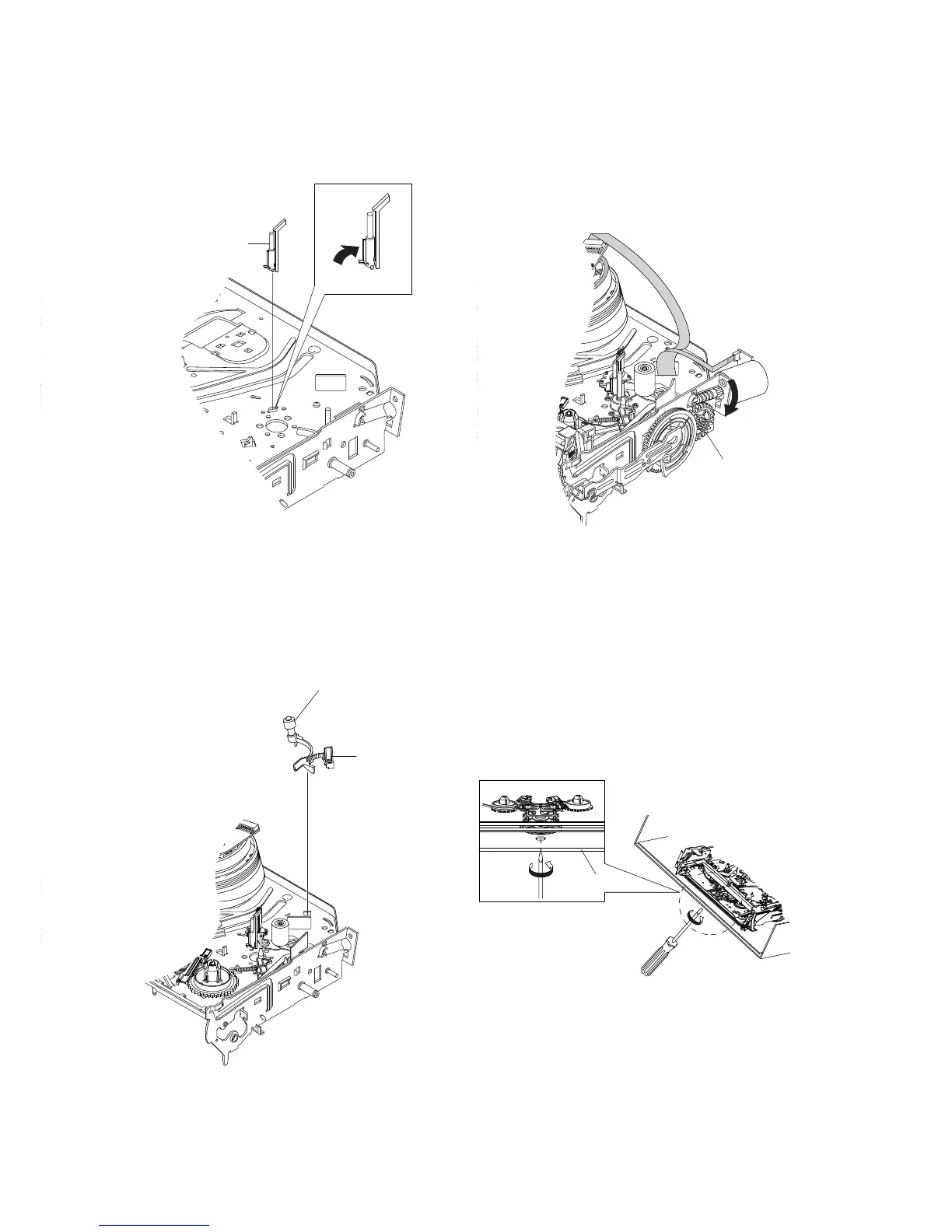
1 ASS'Y POST #8 GUIDE
Fig. 2-40 Ass’y Post #8 Guide Removal
2-4-27 Ass’y Post #8 Guide Removal
1) Rotate the Ass’y Post #8 Guide 1 in the direction of arrow to
lift up.
2-4-28 Ass’y Level Head Cleaner Removal
1) Release the Hook 1.
2) Lift the Ass’y Lever Head Cleaner 2.
Fig. 2-41 Ass’y Lever Head Cleaner Removal
2-4-29 How to Eject the Cassette Tape
(If the tape is stuck in the unit)
1) Turn the Gear worm 1 clockwise with screw driver.(Refer to
arrow)
(Other method: Remove the Screw of Ass’y Motor Load,
Separate the Ass’y Motor Load)
Fig. 2-42
2) When Slider S,T are approched in the position of unloading,
rotate holder Clutch counterclockwise after inserting screw driver
in the hole of frame's bottom in order to wind the unwinded
tape.
(Refer to Fig.2-43)
(If you rotate Gear Worm 1 continuously when tape is in state
of unwinding, you may cause a tape contamination by grease
and tape damage.
Be sure to wind the unwinded tape in the state of set horizently.)
3) Rotate Gear Worm 1 clockwise using screw driver again up to
the state of eject mode and then pick out the tape.(Refer to Fig.2-
42)
Fig. 2-43
FRAME
1 HOOK
2 LEVER HEAD CLEANER ASS'Y
1 GEAR WORM














 To Next Page