2-4 (E)
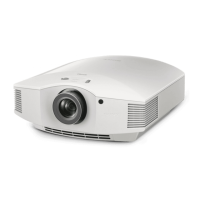
VPL-HW40ES
2-3. White Balance Adjustment
Preparation
Set Calib. Preset to “Cinema1” and make the following settings.
Contrast: 90
Brightness: 50
Color: 50
Hue: 50
Gamma Correction: OFF
Lamp Control: High
Set each GAIN and each BIAS for RGB to 128.
Bring the ZOOM position of the lens to the center.
2-3-1. D93 Mode of Video
1. Set Color Temp to “D93”.
2. Input 1080/60i 20 IRE flat field (RGB 3 color) into the HDMI1 terminal and adjust BIAS of white
balance for R and B until the chromaticity (x20, y20) satisfies the specification.
Specification: (x20, y20) = (0.284 ?0.002, 0.298 ?0.002)
3. Input 1080/60i 80 IRE flat field (RGB 3 color) into the HDMI1 terminal and adjust GAIN of white
balance for B and G until the chromaticity (x80, y80) satisfies the specification.
Specification: (x80, y80) = (0.284 ?0.002, 0.298 ?0.002)
4. Repeat the adjustments at 80 IRE and 20 IRE until the each specification is satisfied.
5. Save the adjusted values.
2-3-2. D75 Mode of Video
1. Set Color Temp to “D75”.
2. Input 1080/60i 20 IRE flat field (RGB 3 color) into the HDMI1 terminal and adjust BIAS of white
balance for R and B until the chromaticity (x20, y20) satisfies the specification.
Specification: (x20, y20) = (0.299 ?0.002, 0.315 ?0.002)
3. Input 1080/60i 80 IRE flat field (RGB 3 color) into the HDMI1 terminal and adjust GAIN of white
balance for B and G until the chromaticity (x80, y80) satisfies the specification.
Specification: (x80, y80) = (0.299 ?0.002, 0.315 ?0.002)
4. Repeat the adjustments at 80 IRE and 20 IRE until the each specification is satisfied.
5. Save the adjusted values.


 To Next Page