2-10 (E)
VPL-HW40ES
2-6-4. Data Write Method of 3DGamma/LookUpTable/DDC/NVM/ABGamma/LCK/
OGMData/CSMatrixTable
1. Connect the power cord and set this unit to standby state.
2. Confirm the Standby Mode is set to “Standard”. (Refer to “Preparation” in Section 2-6-1.)
3. When 3DGamma, LookUpTable, ABGamma, or LCK data writing, press the [ON/STANDBY]
button to light the lamp.
4. Double-click QuickAccess.exe to start the application.
Application name: 3DGamma QuickAccess
Execution file name: QuickAccess.exe
Version: 8.49 or later
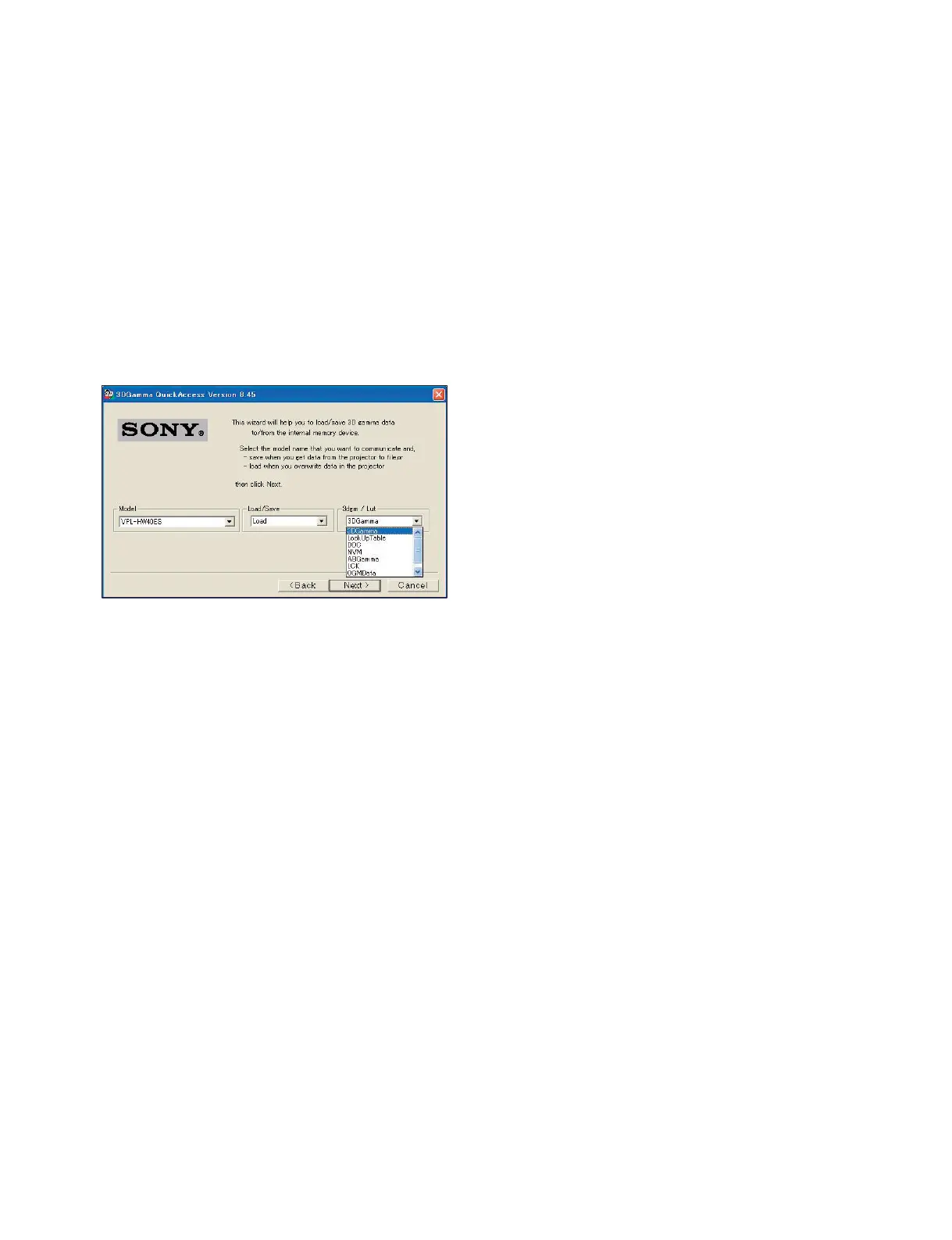
5. Select “VPL-HW40ES” on the Model pull-down menu.
6. Select Load on the Load/Save pull-down menu.
7. Select the data type (3DGamma/LookUpTable/DDC/NVM/ABGamma/LCK/OGMData/CSMa-
trixTable) on the 3dgm/Lut pull-down menu.
8. Click the [Next] button.


 To Next Page