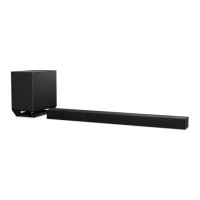
HT-ST9
REVISION HISTORY
Ver. Date Description of Revision
1.0 2015.02 New
1.1 2015.06 Addition of Chinese, Russian, Singapore, Taiwan and Latin American models
Addition of BOND FIXATION OF ELECTRIC PARTS
Change of Part for COVER (REAR) (Ref. No. 8)
Change of Part No. for PANEL (SIDE R) ASSY (for R-ch) (Ref. No. 55)
Change of Part No. for STARTUP GUIDE and INSTRUCTION MANUAL
Change of MB1406 board (Suffi x-12) (SUPPLEMENT-1)
(SMR-15003)
How to search for a contact point of signal lines or the like in DIAGRAMS SECTION
If a contact point of a BLOCK DIAGRAM, PRINTED WIRING BOARD or SCHEMATIC DIAGRAM is shown in a different page, use
the PDF fi le search function to fi nd one.
e.g.) If a contact point is shown as
, follow the procedure below.
Procedure:
1. Press the [F] key while pressing the [Ctrl] key.
2. Input “>001Z” in the search box and press the [Enter] key.
3. The relevant part (page), where the contact point is shown, appears.
Note: If you still see the original page, press the [Enter] key again.



 To Previous Page