22
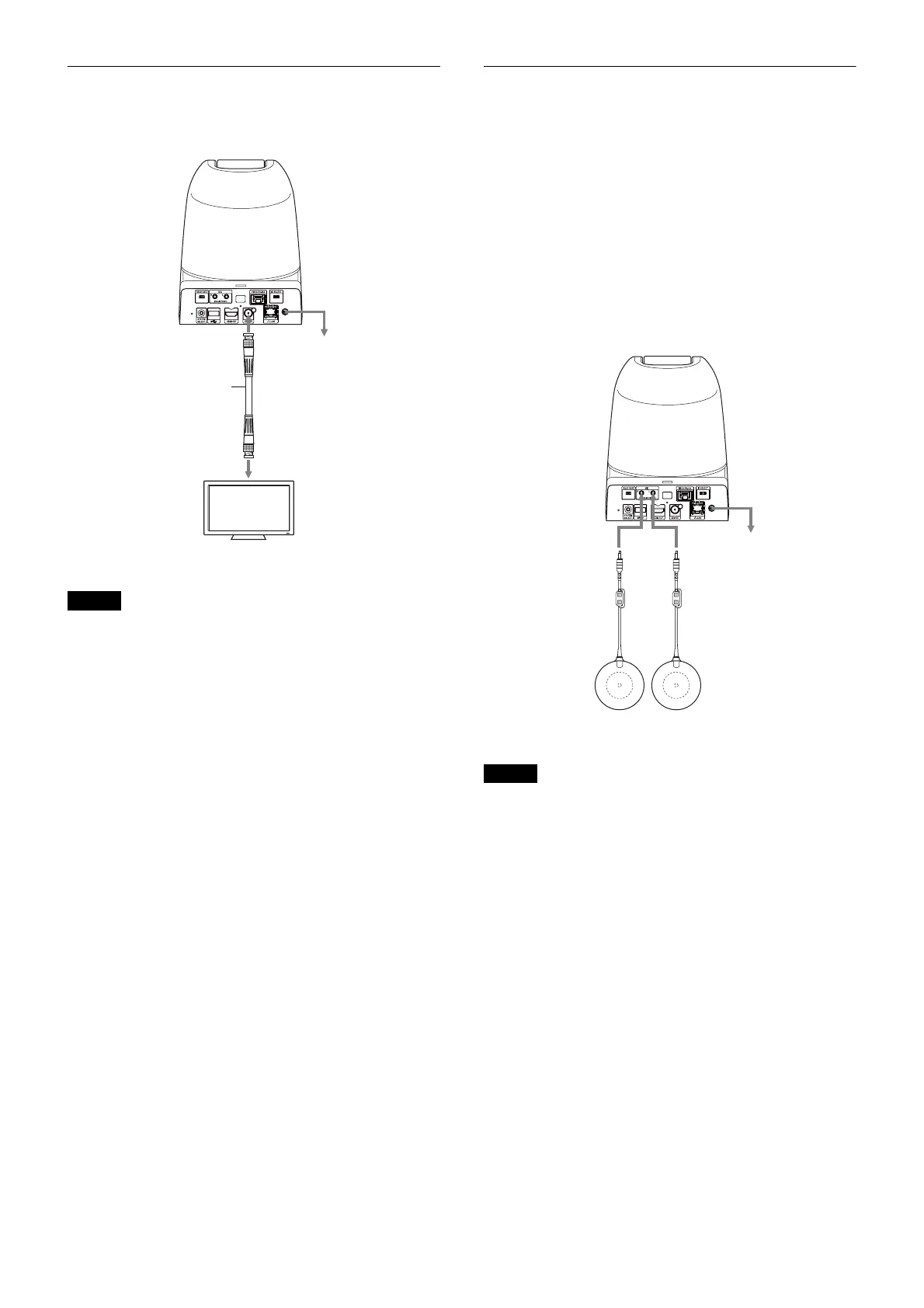
Connecting with monitors with SDI
input connectors
• Set VIDEO FORMAT based on the specifications of
the HD monitor.
• Depending on the performance of the HD SDI cable,
some noise can be occur on the image. We recommend
to use a 5C-FB cable that meets the HD SDI rating.
• When the volume of the monitor is set to the maximum,
a sound can be heard for a moment on launching on
some devices. This is not a malfunction.
• It takes approximately 40 seconds for the video to come
out.
• When power is supplied via PoE+, it takes
approximately 90 seconds depending on the PoE+
device.
Connection with commercially-
available microphones etc.
Connect a commercially-available microphone, mixer,
etc.
Input audio will be superimposed to the HDMI OUT/SDI
OUT/IP video output via stereo.
Switch between the microphone input and line input by
selecting either input on the web browser.
Connect a commercially-available microphone when
using the microphone input.
Connect a commercially-available mixer when using the
line input.
• Do not place the camera near devices that may generate
noise.
• If you place a microphone near this camera, it may pick
up the sound from the camera.
Check the audio of the microphone input in advance
when installing.
• When microphone input is selected, the unit supplies
2.5 VDC Plug-in-power. Do not connect a non-
supported microphone when the microphone input is
selected.
Notes
To the SDI
input terminal
To the AC power adaptor
SDI OUT
SDI cable (not
supplied)
HD video monitor, etc.
SRG-360SHE
Notes
SRG-360SHE
To the AC power adaptor
PCS-A1 (not supplied) etc.
Microphones OUT



 To Next Page