59
AAC (64kbps): Select this type when you prioritize the
data capacity.
This setting will not effect on the audio signal
superimposed.
Network Menu
When you click in the Administrator menu, the
Network menu appears.
Use this menu to configure the network to connect the
camera and the computer.
The network menu is configured with the Network tabs.
Network Tab
This section provides the menus for connecting the
camera through the network cable.
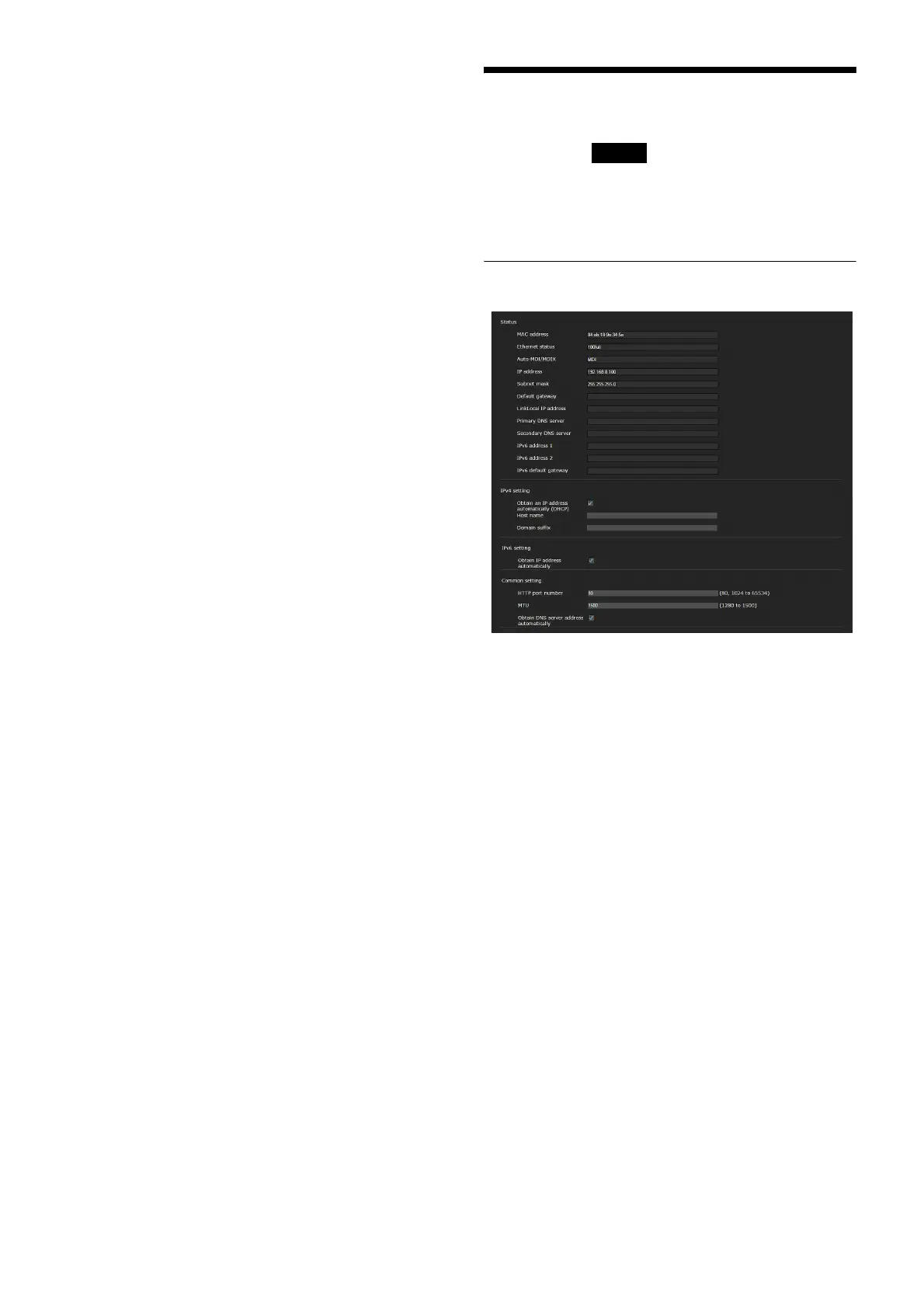
Status
MAC address
Displays the MAC address of the camera.
Ethernet status
Displays the current transmission rate.
Auto-MDI/MDIX
According to the port of the connected Ethernet
device, automatically switches the port of the unit
between MDI and MDI-X for transmission.
Displays the Ethernet port mode of the unit.
IP address
Displays the current IP address.
Subnet mask
Displays the current subnet mask.
Default gateway
Displays the current default gateway.
LinkLocal IP address
Displays the current link-local IP address.
Primary DNS server
Displays the current primary DNS server.
Network


 To Next Page