35
Operating a Camera
Using the Remote
Controller
When the camera and the remote controller are connected
with RS-422, only one camera can be connected to one
remote controller.
When this camera is connected with RS-422, Camera
Address 1 is automatically assigned.
Operating Multiple
Cameras Using Multiple
Remote Controllers
When using the camera and the remote controller with the
IP connection, up to 112 cameras and 5 remote controllers
can be operated.
For details on how to assign camera addresses, refer to the
Operating Instructions supplied with the remote
controller.
Pan/Tilt and Zoom
Operation
Panning and Tilting
1
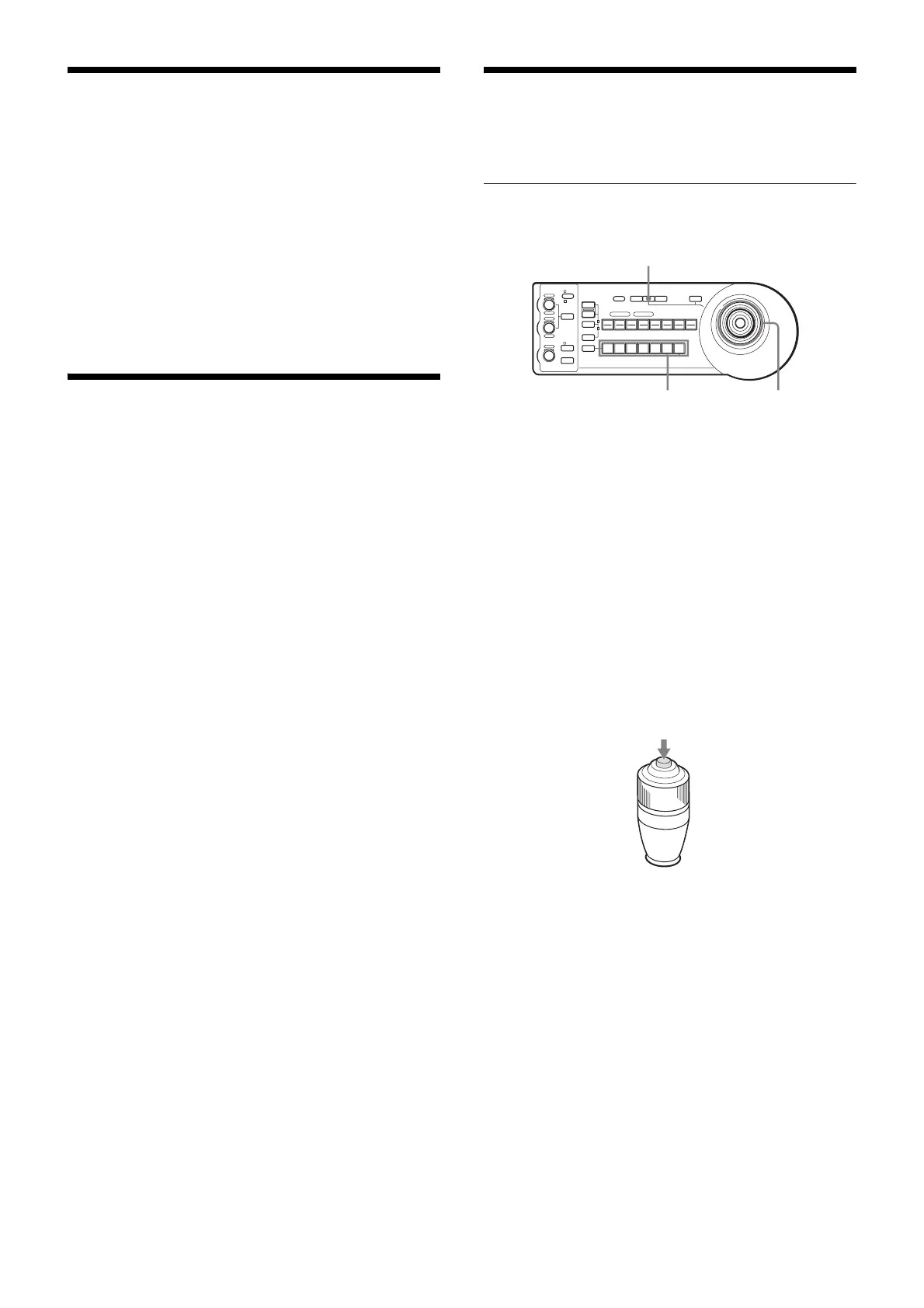
Press the CAMERA button corresponding to the
camera you want to operate.
2
Pan or tilt the camera using the joystick.
While checking the picture on the screen, incline the
joystick in the desired direction.
The panning/tilting speed changes according to the
angle at which you incline the joystick.
Release the joystick to stop panning/tilting.
To face the camera back to the front
Press the upper button on the joystick for 1 or 2 seconds.
If you accidentally move the camera with
your hand
Press the PAN-TILT RESET button to perform the pan/
tilt reset action.
1
LOCK
JOYSTICK
KNOB
MODE
VALUE
RESET
POSITION
GROUP
MENUGROUP
PRESET
SHIFT
BLACK
LIGHT
PAN-TILT
RESET
ONE PUSH
AWB
POWER
SELECT
AUTO
MANUAL
AUTO
ONE PUSH
AF
234567
POSITION
CAMERA
GROUP
R
–+
BRIGHT
B
–+
FOCUS
NEAR FAR
1 2 3 4 5 6 7 8
910111213141516
12
PAN-TILT RESET
Press for 1 or 2 seconds.



 To Next Page