40
Setting with the Remote Controller
About On-Screen Menus
This section explains the conditions and system setup to
shoot referring to the menu items displayed on the screen
of the external monitor connected to the HDMI OUT/SDI
OUT connector.
When you operate pan, tilt, zoom, etc. using the remote
controller, see “Operation Using the Remote Controller”
on page 34.
This section explains how to read the on-screen menus
before starting menu operations.
For the overall menu configurations, see “Menu
Configuration” on page 69.
You cannot perform pan/tilt operations while the menu is
displayed.
This menu is displayed on HDMI OUT/SDI OUT only.
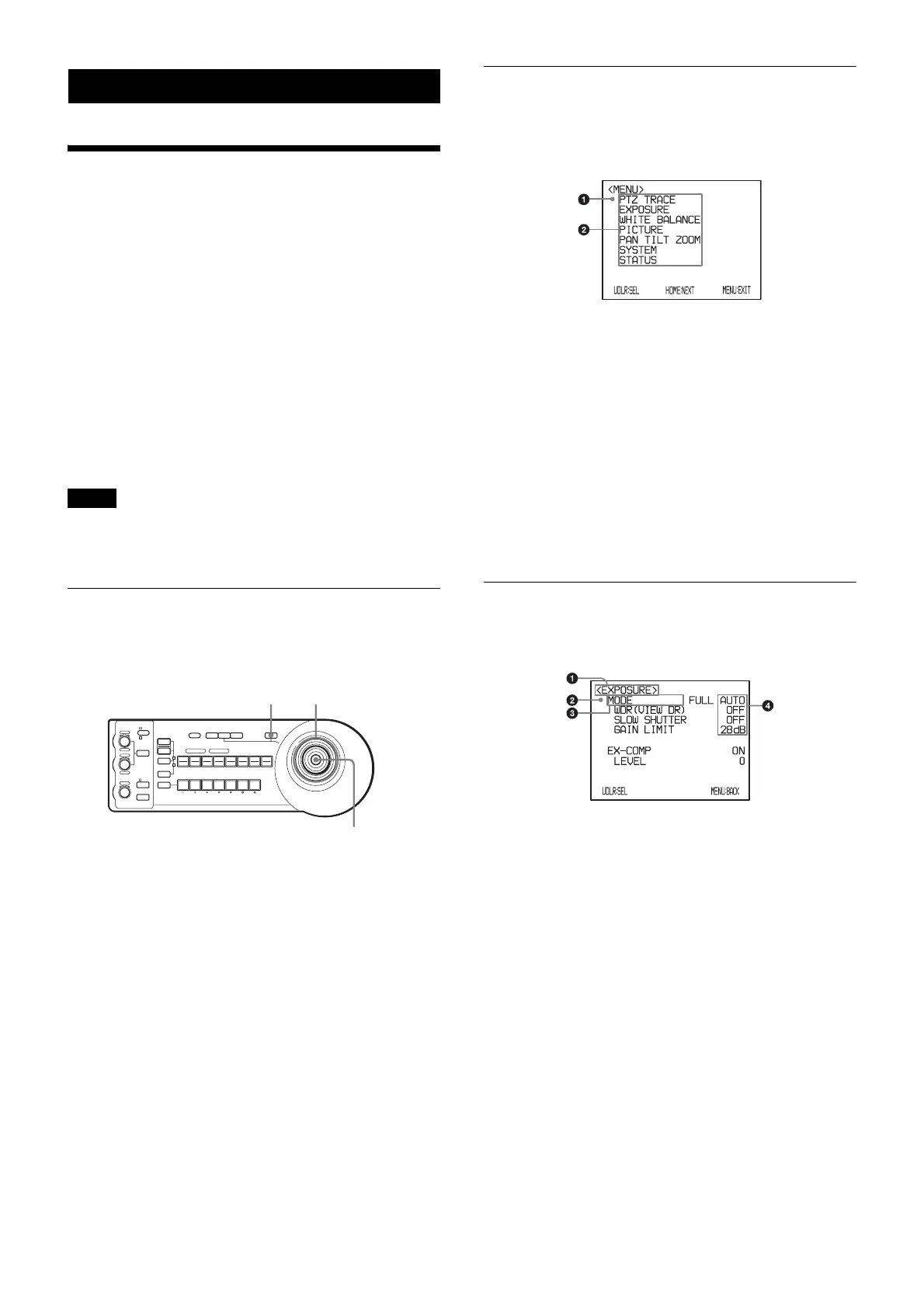
Operating with the Remote
Controller
1
Press the MENU button of the remote controller and
hold it for about 1 second.
The main menu is displayed.
2
Select a setting menu with the joystick.
3
Decide the setting menu pressing the upper button of
the joystick.
Main Menu
Press the MENU button on the remote control and hold it
for about 1 second to display the main menu.
a Selected item
Select a setting menu.
The currently selected item is shown in red.
The selected item shifts up or down when you tilt the
joy stick on the remote control up or down.
b Menu items
Select a setting menu with the joystick of the remote
controller and press the upper button. The selected
setting menu is displayed.
The menu display position changes when you tilt the
joy stick to the right or left in the main menu.
Setting Menu
The setting menu selected on the main menu is displayed.
a Setting menu
The name of the setting menu currently selected is
displayed here.
b Selected item
Select a setting item.
The currently selected item is shown in red.
The selected item shifts up or down when you tilt the
joy stick up or down.
c Setting items
The setting items for this setting menu are displayed.
d Set value
The currently set values are displayed.
To change a set value, incline the joystick of the
remote controller to the right or left.
For the default value of each setting item, see “Menu
Configuration” on page 69.
Note
1
LOCK
JOYSTICK
KNOB
MODE
VALUE
RESET
POSITION
GROUP
MENUGROUP
PRESET
SHIFT
BLACK
LIGHT
PAN-TILT
RESET
ONE PUSH
AWB
POWER
SELECT
AUTO
MANUAL
AUTO
ONE PUSH
AF
234567
POSITION
CAMERA
GROUP
R
–+
BRIGHT
B
–+
FOCUS
NEAR FAR
1 2 3 4 5 6 7 8
910111213141516
12
3
MENU
Upper
button
Joystick



 To Next Page