64
Manual: The focus can be adjusted by using the ,
and buttons of the control panel
displayed in the main viewer.
Slow Pan-Tilt mode
When set to Slow Pan-Tilt mode for the panning/tilting,
select On.
Focus near limit
Set the range at which to automatically focus. If a subject
is nearer than the set range, it will not be focused.
Pan-Tilt limit
When you check the checkbox, it limits the panning/
tilting range. You can select the following values:
Left: –170° to 169°, selectable in 1° steps.
Right: –169° to 170°, selectable in 1° steps.
Up: –29° to 90° (Eflip: OFF)
–89° to 30° (Eflip: ON), selectable in 1° steps.
Down: –30° to 89° (Eflip: OFF)
–90° to 29° (Eflip: ON), selectable in 1° steps.
When switching the Eflip function On/Off, the setting is
returned to the factory setting. Set the Eflip function
setting in accordance with the installation condition of the
camera and select the value.
Setting the range of the UP/DOWN movement
Preset position Tab
You can set up camera pan, tilt, and zoom positions to 256
positions. You can also store the camera settings in the
preset positions from 1 to 16 through operation from the
remote controller. For details, see “Operation Using the
Remote Controller” - “Presetting Feature” on page 37.
Preset reserves the camera settings. For details of the
camera settings to be preset, see “Initial value and preset”
on page 71.
If the camera settings are not stored in Preset 1, the
camera settings are cleared from the memory and reset to
the default settings when the power is turned on. For the
setting items and actions that are retained in the memory,
“Initial value and preset” on page 71.
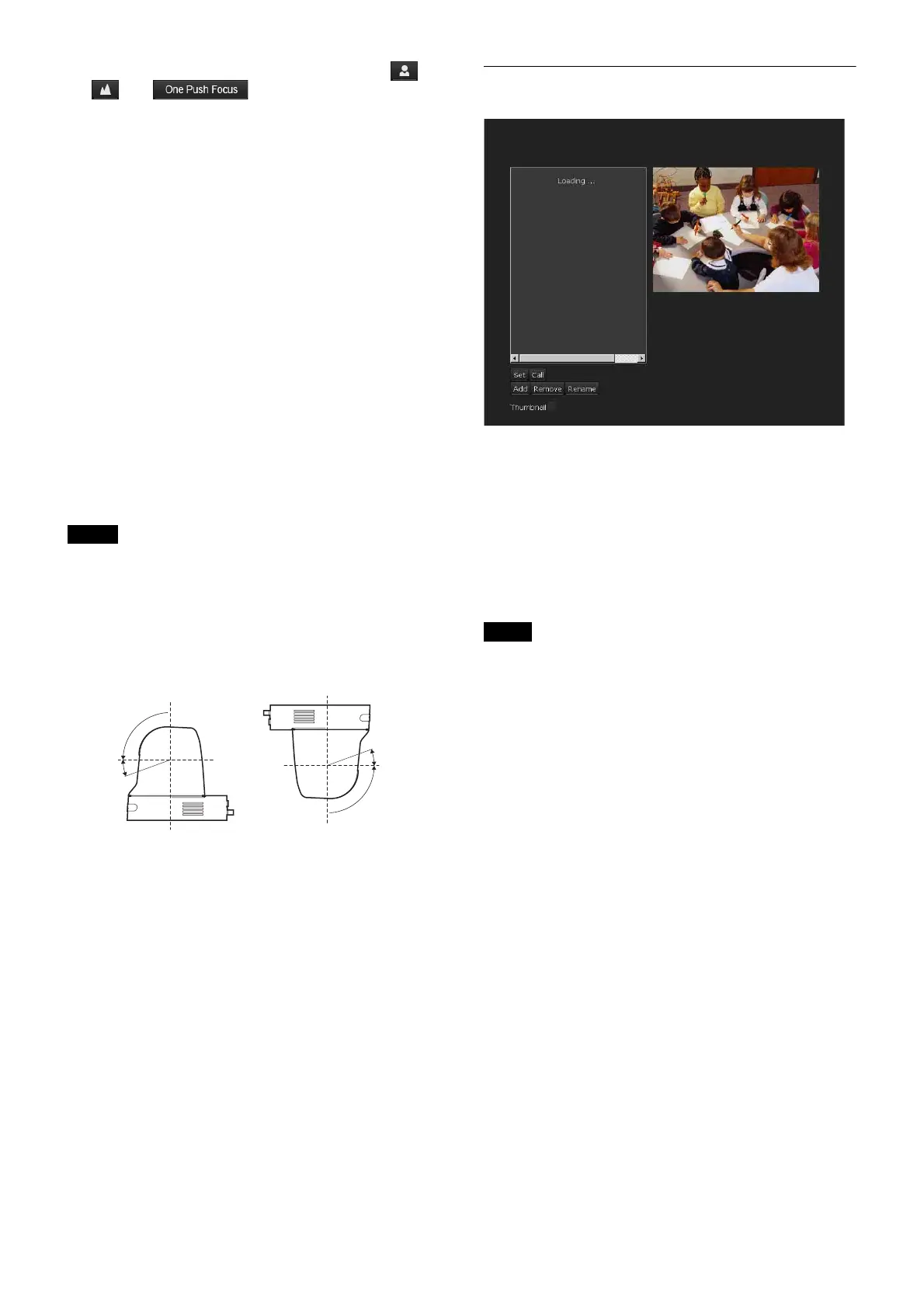
Preview screen
This screen is for monitoring images and setting preset.
Set
Click to save a selected position, such as pan, tilt or zoom
positions in the preset. You can also store the camera
settings in the preset positions from 1 to 16. For the
setting items that can be stored, see “Initial value and
preset” on page 71.
Call
Move to the pan, tilt and zoom positions saved in the
selected preset. You can also call the stored camera
settings from the preset positions 1 to 16.
Depending on where to read out, pan/tilt and zoom don’t
sync.
Note
(Eflip: OFF)
(Eflip: ON)
30°
0°
–90°
90°
–30°
0°
Note



 To Next Page