49
No audio is output if the Plug-in free viewer is used.
Pan/Tilt and Zoom
Operation
To operate pan/tilt/zoom of the camera, there are three
operations: “Controlling via the control panel,”
“Controlling via the preset position panel,” and
“Controlling using the monitor screen.”
“Controlling using the monitor screen” includes 2 modes,
Area zoom and PTZ control bar.
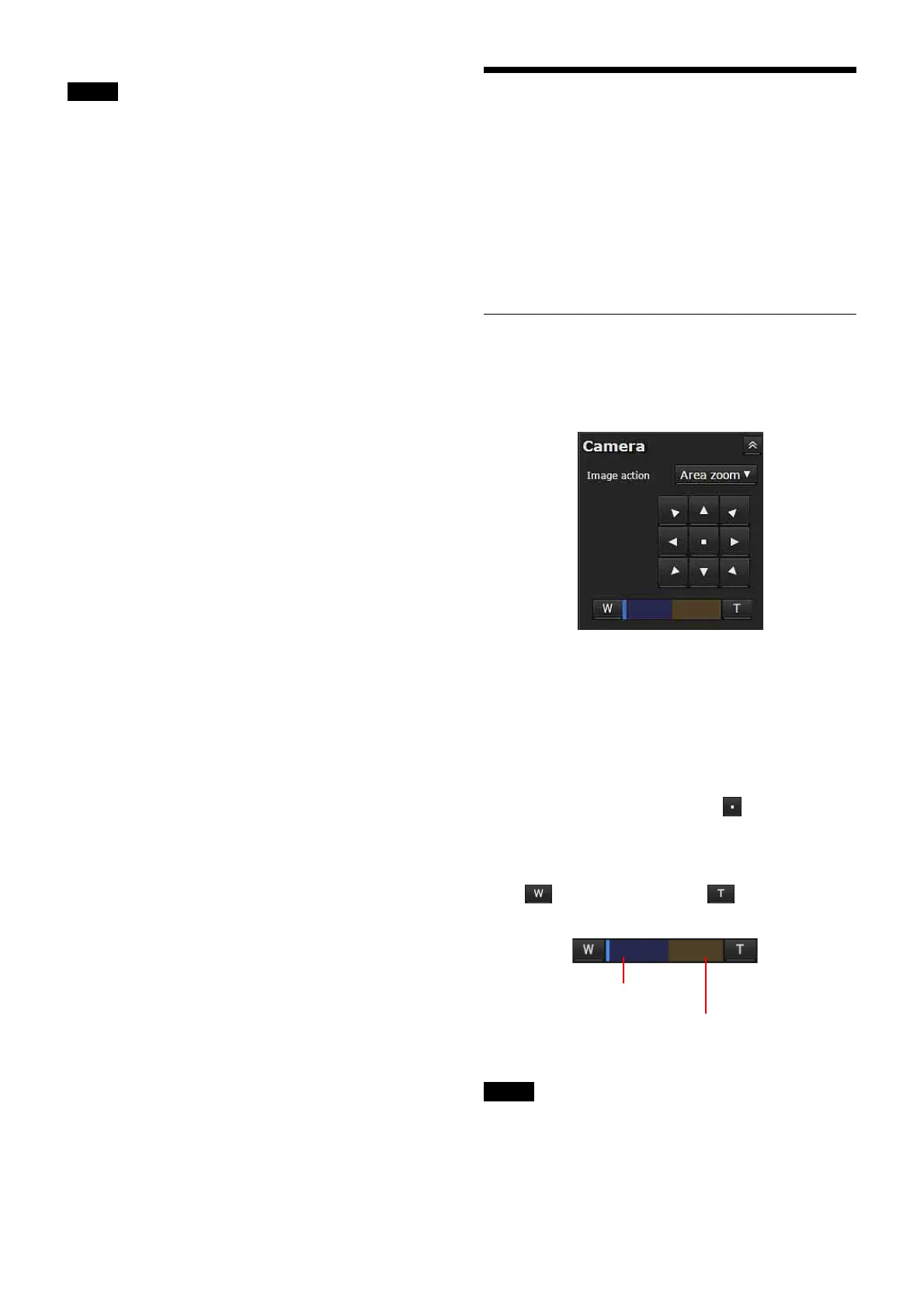
Controlling via the control panel
You can operate the pan/tilt, moving to the home position,
zoom, and focus of the camera by using the control panel
for the monitor image currently displayed.
Image action
Select the image operation method between Off and Area
zoom.
Pan/Tilt control
Click the arrow button in the direction in which you want
to move the camera. Continue clicking on the arrow to
keep moving the direction of the camera.
To return to the home position, click . When returning
to the home position, the positions of pan, tilt, zoom, and
focus is returned to the factory setting.
Zoom control
Click to zoom out, and click to zoom in.
Zooming continues while the button remains pressed.
The four edges of the image may be dark depending on
the zoom position. This is a phenomenon related to the
structure of the camera, and does not cause a problem.
Note
Note
Indicates the available area of
optical zoom.
Indicates the available area of
digital zoom.



 To Next Page