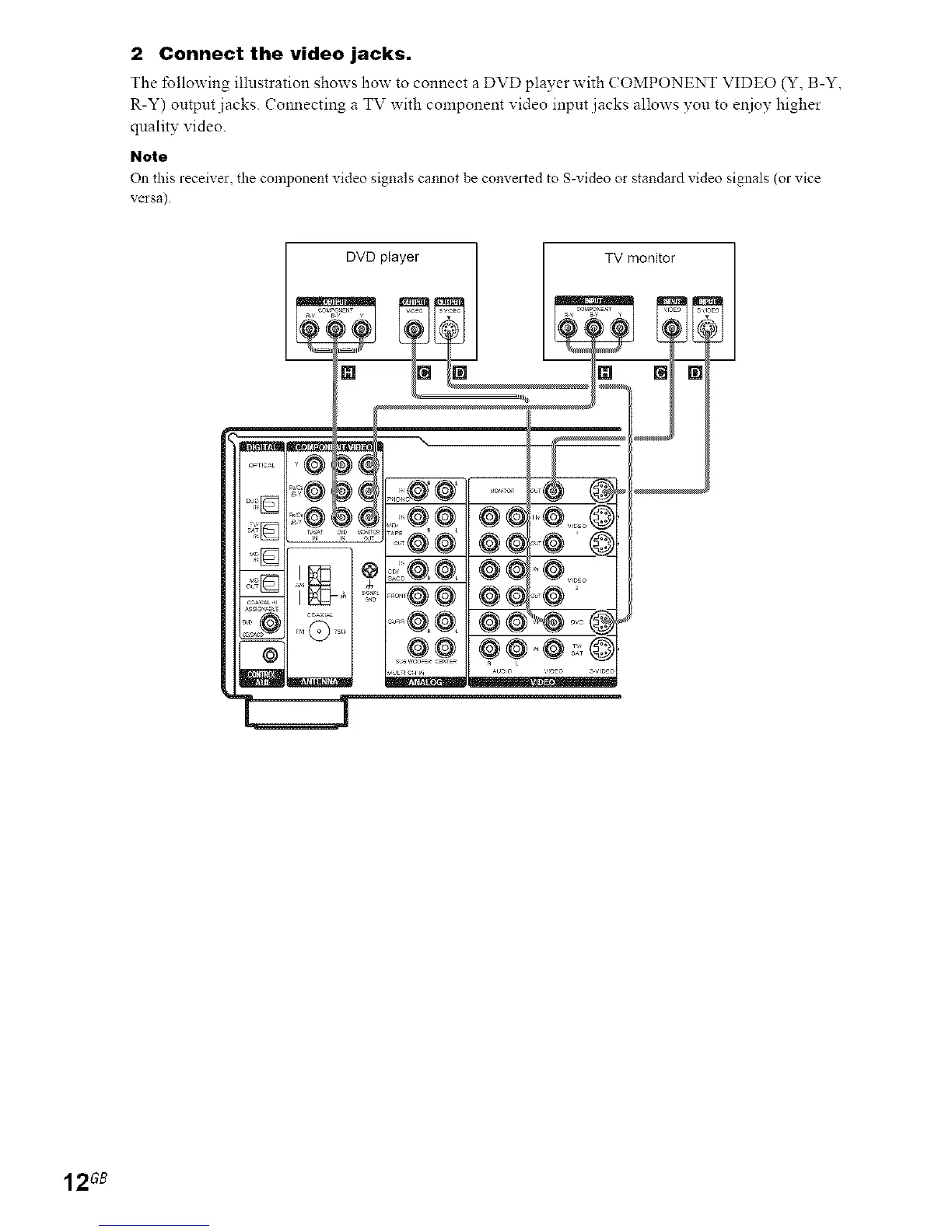
2 Connect the video jacks.
The tbllowing illnstration shows how to connect a DVD player with ( OMPONENT VIDEO (Y, B-Y,
R-Y) output jacks. Connecting a TV with component video input jacks allows you to e11ioyhigher
quality video.
Note
On this receiver, the component video signals caimot be converted to S-video or standard video signals (or vice
versa)
DVD player TV monitor
12 GB


 To Next Page
 Loading...