Connecting a camcorder
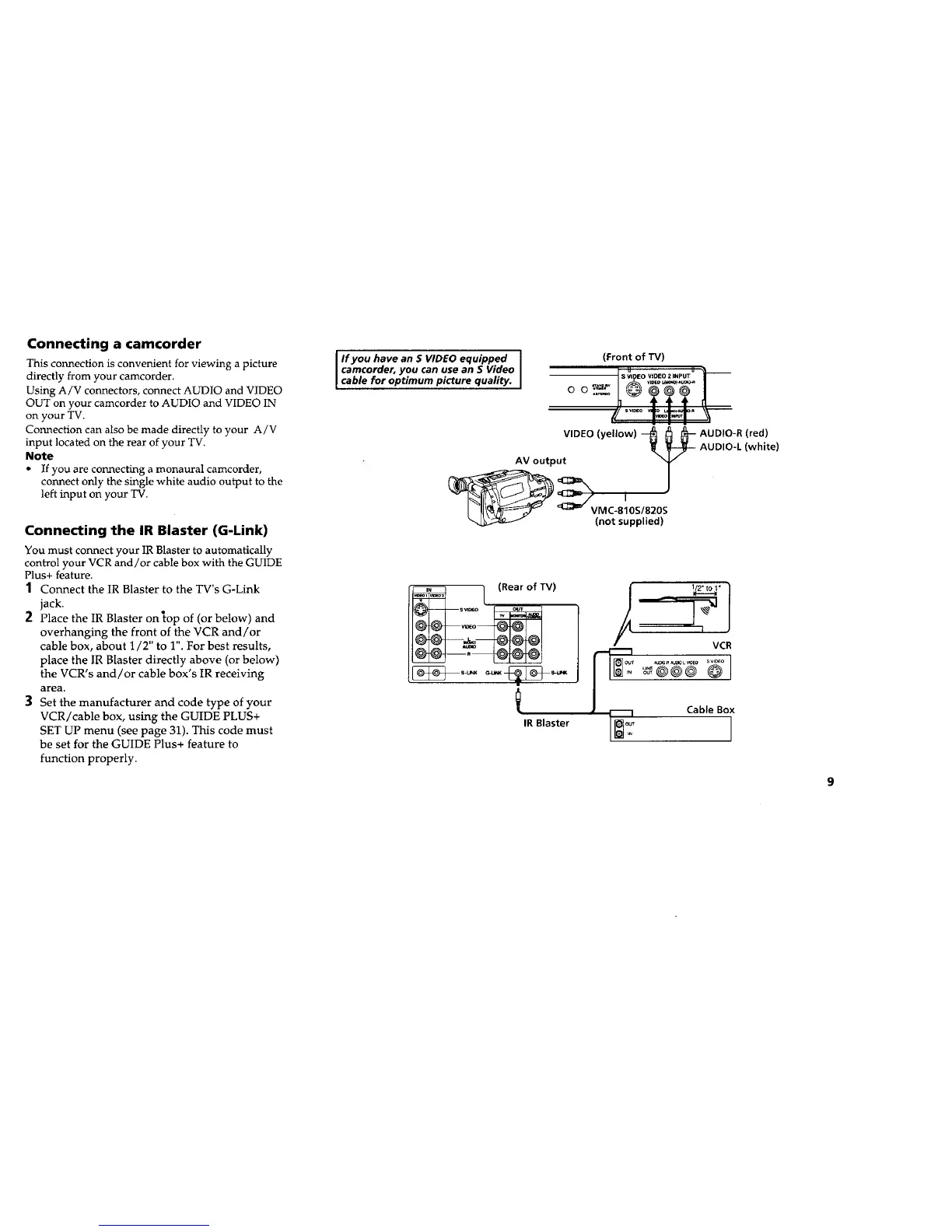
This connection is convenient for viewing a picture
directly from your camcorder.
Using A/V connectors, connect AUDIO and VIDEO
OUT on your camcorder to AUDIO and VIDEO 1N
on your TV.
Connection can also be made directly to your A/V
input located on the rear of your TV.
Note
• If you are connecting a monaural camcorder,
connect only the single white audio output to the
left input on your TV.
Connecting the IR Blaster (G-Link)
You must connect your IR Blaster to automatically
control your VCR and/or cable box with the GUIDE
Plus+ feature.
1 Connect the IR Blaster to the TV's G-Link
jack.
2 Place the IR Blaster on top of (or below) and
overhanging the front of the VCR and/or
cable box, about 1/2" to 1". For best results,
place the IR Blaster directly above (or below)
the VCR's and/or cable box's IR receiving
area.
3 Set the manufacturer and code type of your
VCR/cable box, using the GUIDE PLUS+
SET UP menu (see page 31). This code must
be set for the GUIDE Plus+ feature to
function properly.
If you have an S VIDEO equipped (Front of TV)
camcorder,you can use an S Video | _ _ u ____
S VIDEO VIDEO 2 INPUT
cable for optimum picture quality ...... _
SVl_O R
VIDEO (yellow) --_ _ _-- AUDIO-R (red)
AUDIO-,(white)
AV output T
(not supplied)
IR Blaster
1/2"to I" 1
I
VCB
CableBox










 To Next Page