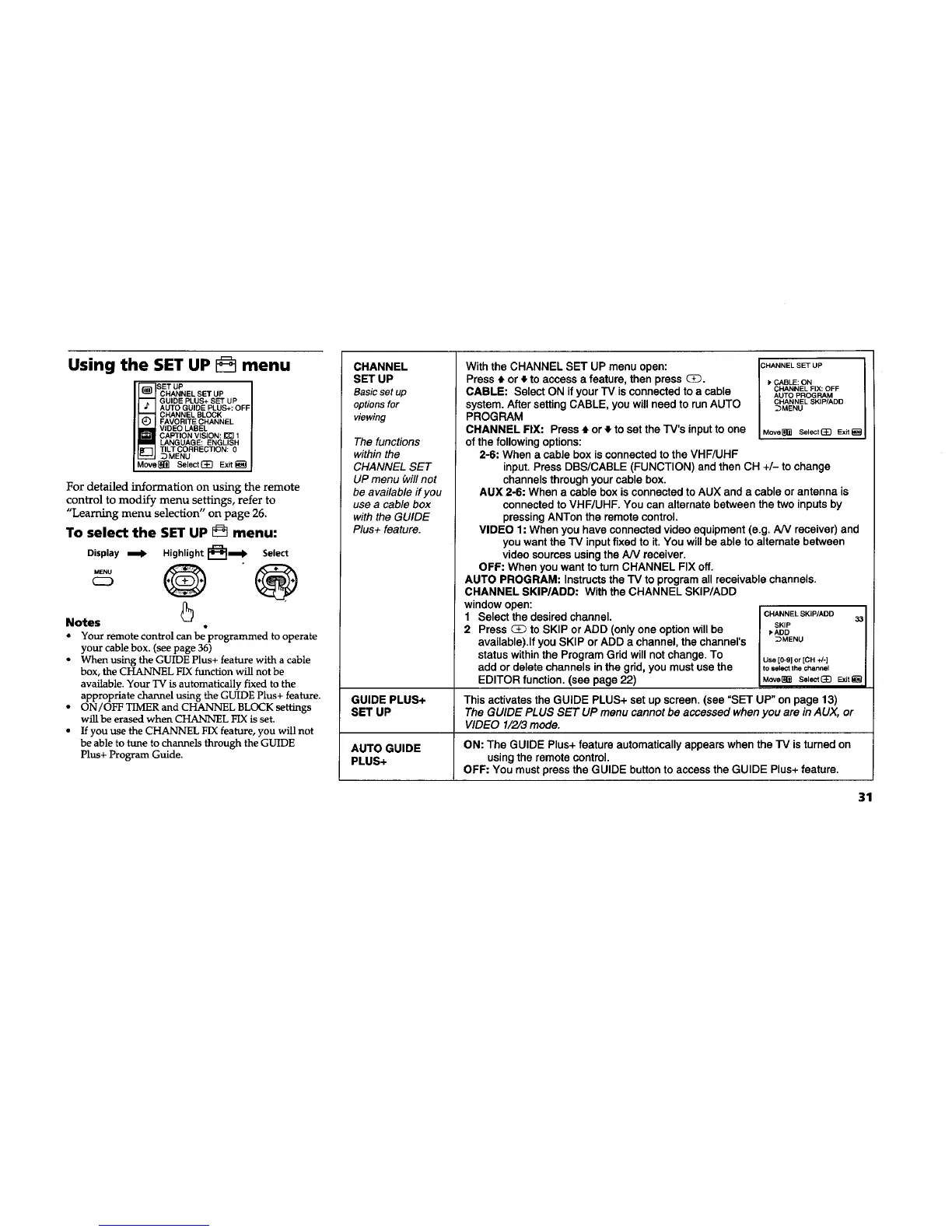
Using the SET UP menu
CHANNEL SET UP
GUIDE PLUS+ SET UP
AUTO GUIDE PLUS+: OFF
CHANNEL BLOCK
FAVORITE CHANNEL
VIDEO LABEL
CAPTION VISION: _ 1
LANGUAGE: ENGLISH
TILT CORRECTION: 0
_MENU
Move_ Select_ Exit_
For detailed information on using the remote
control to modify menu settings, refer to
"Learning menu selection" on page 26.
To select the SET UP _ menu:
Display _ Highlight _,mll_ Select
MENU 0
C2_
Notes
Q
• Your remote control can beprogrammed to operate
your cable box. (see page 36)
• When using the GUIDE Plus+ feature with acable
box, the CHANNEL FIX function will not be
available. Your TV is automatically fixed to the
appropriate channel using the GUIDE Plus+ feature.
• ON/OFF TIMERand CHANNEL BLOCK settings
will be erased when CHANNEL FIXis set.
• If you use the CHANNEL FIXfeature, you will not
be able to tune to channels through the GUIDE
Plus+ Program Guide.
CHANNEL
SET UP
Basic set up
options for
viewing
The functions
within the
CHANNEL SET
UP menu _villnot
be available if you
use a cable box
with the GUIDE
Plus+ feature.
With the CHANNEL SET UP menu open: CHANNELSETUP
Press • or _,to access a feature, then press CD. _CABLE:ON
CABLE: Select ON if your TV is connected to a cable CHANNELFIX:OFF
AUTO PROGRAM
system. After setting CABLE, you will need to run AUTO CHANNELSKIP/ADD
_MENU
PROGRAM
CHANNEL FIX: Press 4. or } to set the TV's inputto one Move_ Selecteg Ex,
of the following options:
2-6: When a cable box is connected to the VHF/UHF
input. Press DBS/CABLE (FUNCTION) and then CH +/- to change
channels through your cable box.
AUX 2-6: When a cable box is connected to AUX and a cable or antenna is
connected to VHF/UHF. You can alternate between the two inputs by
pressing ANTon the remote control.
VIDEO 1: When you have connected video equipment (e.g. AN receiver) and
you want the TV input fixed to it. You will be able to alternate between
video sources using the AN receiver.
OFF: When you want to turn CHANNEL FIX off.
AUTO PROGRAM: Instructs the TV to program all receivable channels.
CHANNEL SKIP/ADD: With the CHANNEL SKIP/ADD
window open:
1 Select the desired channel. CRANNELSKIP/ADD33
SKIP
2 Press _ to SKIP or ADD (onlyone option will be I,ADD
available).lf you SKIP or ADD a channel, the channel's 3MENU
status withinthe Program Grid will not change. To use[O_glor[CH+/.]
add or delete channels in the grid, you must use the tose_ thec_,_ne=
EDITOR function. (see page 22) Mo_e_ S_E} _t_
GUIDE PLUS+ This activates the GUIDE PLUS+ set up screen. (see =SET UP" on page 13)
SET UP The GUIDE PLUS SET UP menu cannot be accessed when you are in AUX, or
VIDEO 1/2/3 mode.
AUTO GUIDE ON: The GUIDE Plus+ feature automatically appears when the TV isturned on
PLUS+ usingthe remote control.
OFF: You must press the GUIDE button to access the GUIDE Plus+ feature.
31










 To Next Page