Using Your New TV (continued)
Using the GUIDE Plus+ Feature
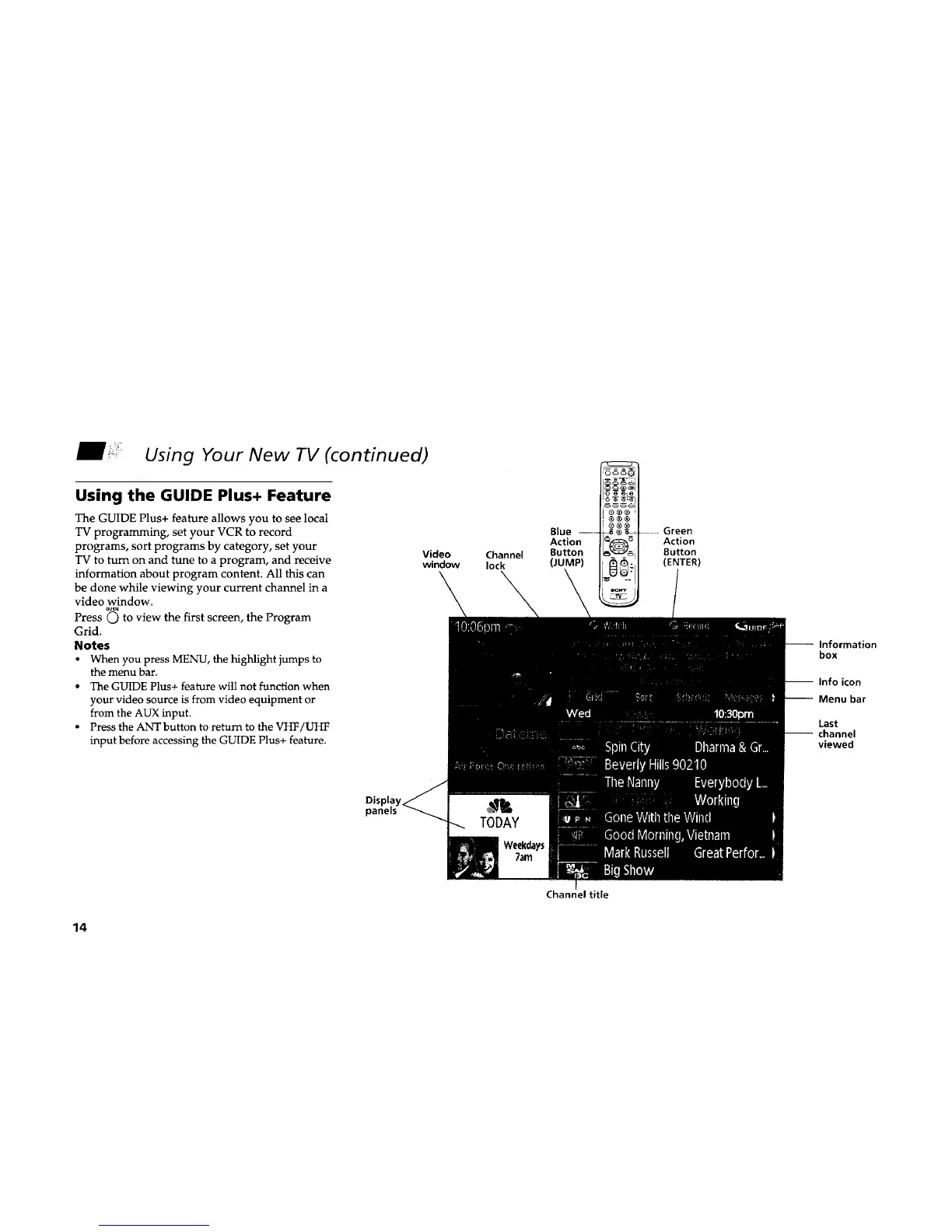
The GUIDE Plus+ feature allows you to see local
TV programming, set your VCR to record
programs, sort programs by category, set your
TV to turn on and tune to a program, and receive
information about program content. All this can
be done while viewing your current channel in a
video window.
aU_E
Press C) to view the first screen, the Program
Grid.
Notes
• When you press MENU, the highlight jumps to
the menu bar.
• The GUIDE Plus+ feature will not function when
your video source is from video equipment or
from the AUX input.
• Press the ANT button to return to the VHF/UHF
input before accessing the GUIDE Plus+ feature.
Video Channel
window lock
Blue ----
Action
Button
(JUMP)
Green
Action
Button
(ENTER)
-- Information
box
-- Info icon
-- Menu bar
Last
-- channel
viewed
Displ,
TODAY
Weekdays
7am
Channel title
14










 To Next Page