Using Your New TV (continued)
Using the GUIDE Plus+ Buttons
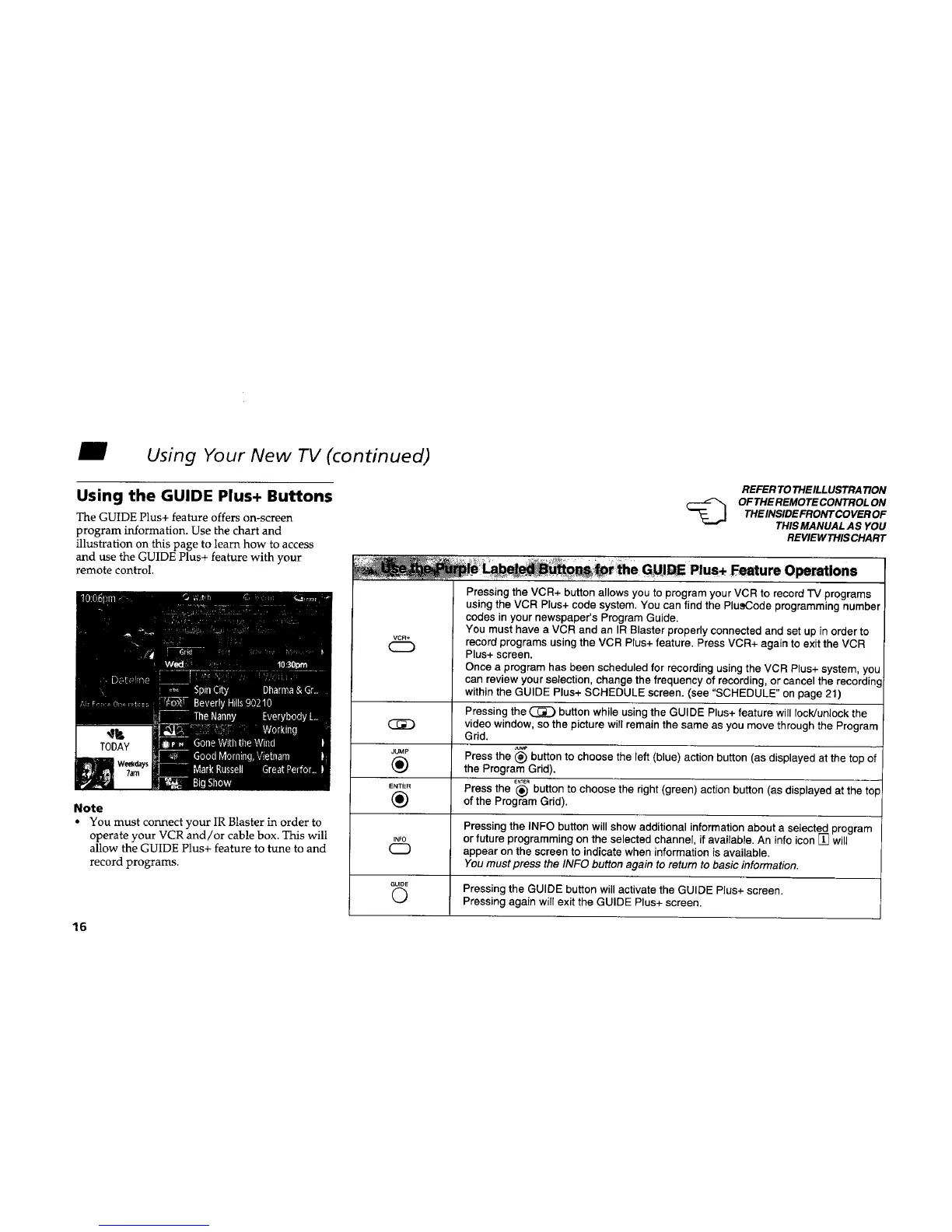
The GUIDE Plus+ feature offers on-screen
program information. Use the chart and
illustration on this page to learn how to access
and use the GUIDE Plus+ feature with your
remote control.
Note
• You must connect your IR Blaster in order to
operate your VCR and/or cable box. This will
allow the GUIDE Plus+ feature to tune to and
record programs.
VCR÷
16
REFER TO THE ILLUSTRA TION
OF THE REMOTE CONTROL ON
THE INSIDE FRONT COVER OF
THIS MANUAL AS YOU
REVIE1/VTHIS CHART
O ions
Pressing the VCR+ button allows you to program your VCR to record "IV programs
using the VCR Plus+ code system. You can find the PlusCode programming number
codes in your newspaper's Program Guide.
You must have a VCR and an IR Blaster properly connected and set up in order to
record programs using the VCR Plus+ feature. Press VCR+ again to exit the VCR
Plus+ screen.
Once a program has been scheduled for recording using the VCR Plus+ system, you
can review your selection, change the frequency of recording, or cancel the recordinc
within the GUIDE Plus+ SCHEDULE screen. (see "SCHEDULE" on page 21)
Pressing the _ button while using the GUIDE Plus+ feature will rock/unlock the
(_D video window, so the picture will remain the same as you move through the Program
Grid.
JUMP Press the (_) button to choose the left (blue) action button (as displayed at the top of
(_) the Program Grid).
ENTER Press the (_) button to choose the right (green) action button (as displayed at the top
(_ of the Program Grid).
Pressing the INFO button will show additional information about a selected program
,NF0 or future programming on the selected channel, if available. An infoicon [] will
appear on the screen to indicate when information is available.
You must press the INFO button again to return to basic information.
GU,OE Pressing the GUIDE button will activate the GUIDE Plus+ screen.
(_ Pressing again will exit the GUIDE Plus+ screen.










 To Next Page