Using Your New TV
Setting up the TV automatically
The Easy Setup Guide allows you to set the on-
screen language and set all receivable channels
in one step.
To set up the TV manually, refer to "Using the SET
UP _ menu" on page 31.
Tips"_"
• Perform this function during the day, with the
antenna and/or cable properly connected, to ensure
that all available channels will be broadcasting and
receivable.
• The TV must be set to the TV input to execute
AUTO PROGRAM. Press TV/VIDEO until a
channel number appears.
• If your cable or antenna is connected to AUX, press
ANT until AUX appears next to the channel number.
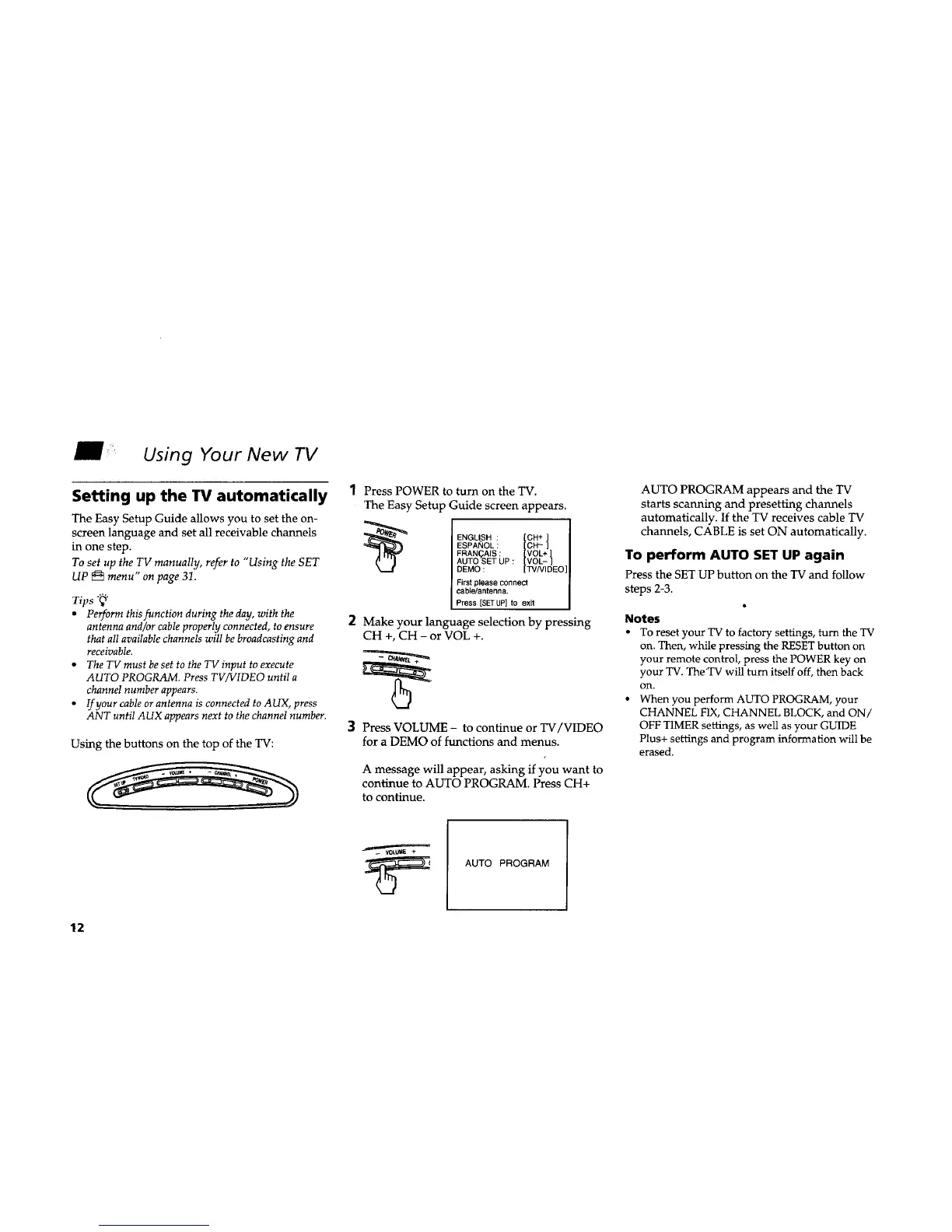
Using the buttons on the top of the TV:
1 Press POWER to turn on the TV.
The Easy Setup Guide screen appears.
ENGLISH : [ell + ]
ESPANOL : [CH_ ]
VOL+
FRAN(_AIS : [VOL- t
AUTO SET UP :
DEMO : [TVNIDEO
First please connect
cable/antenna.
Press [SETUP] to exit
2
Make your language selection by pressing
CH +, CH - or VOL +.
3 Press VOLUME - to continue or TV/V1DEO
for a DEMO of functions and menus.
A message will appear, asking if you want to
continue to AUTO PROGRAM. Press CH+
to continue.
AUTO PROGRAM appears and the TV
starts scanning and presetting channels
automatically. If the TV receives cable TV
channels, CABLE is set ON automatically.
To perform AUTO SET UP again
Press the SET UP button on the TV and follow
steps 2-3.
Notes
• To reset your TV to factory settings, turn the TV
on. Then, while pressing the RESET button on
your remote control, press the POWER key on
your TV. The'TV will turn itself off, then back
on.
• When you perform AUTO PROGRAM, your
CHANNEL FIX, CHANNEL BLOCK, and ON/
OFF TIMER settings, as well as your GUIDE
Plus+ settings and program information will be
erased.
AUTO PROGRAM
12










 To Next Page