EasyManua.ls Logo

Sony VPL-EX145 - 3 Troubleshooting and Circuit Description; Troubleshooting

Sony VPL-EX145
88 pages
Print Icon
To Next Page IconTo Next Page
To Previous Page IconTo Previous Page
Loading...
3-1 (E)
VPL-EX100
Section 3
Troubleshooting and Circuit Description
1
3
4
4
No No
Yes
No
Yes
Yes
Yes
Yes
Yes
No
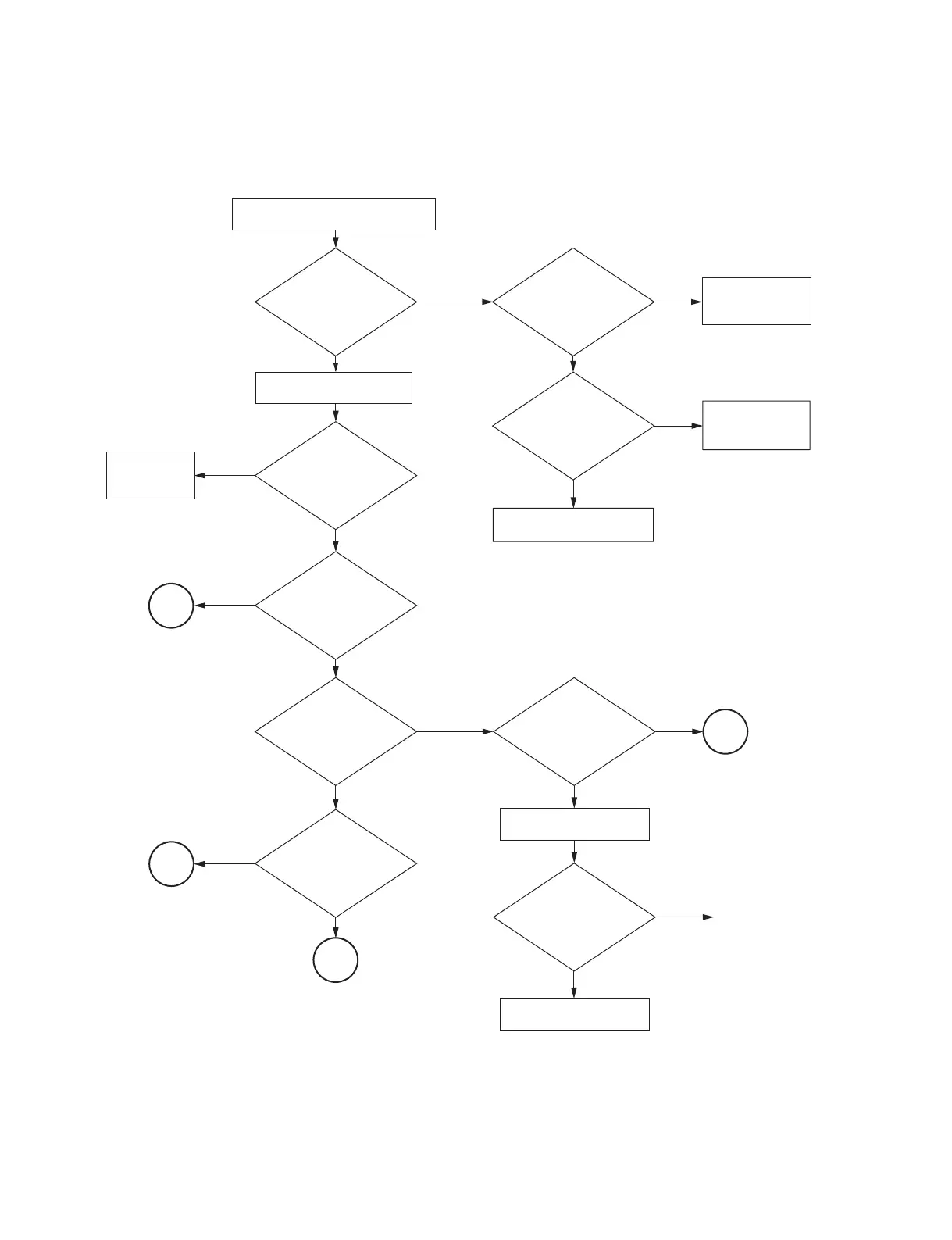
Connect the power cord to the unit.
Is the
ON/STANDBY
indicator blinking
in red ?
Is the
ON/STANDBY
indicator blinking
in green ?
CN501 on the
G board is connected
to CN500 on the
main board?
Does the projector
lamp illuminated ?
No
Is any image
projected ?
Is the color
abnormal or all white
(all black)?
Replace the
main board.
Yes
No
No
VPL-EX100:
All white screen?
Other than VPL-EX100:
All black screen ?
Replace the main board.
Replace the optical block.
No
Does the unit recover?
Turn on the power.
Connect the
harness securely.
Replace the
harness.
Replace the G board.
No
Yes
Is the harness broken?
Yes
End
3-1. Troubleshooting

Table of Contents

Other manuals for Sony VPL-EX145

Related product manuals