2 Basic use
8 SOREDEX 208396 rev 2
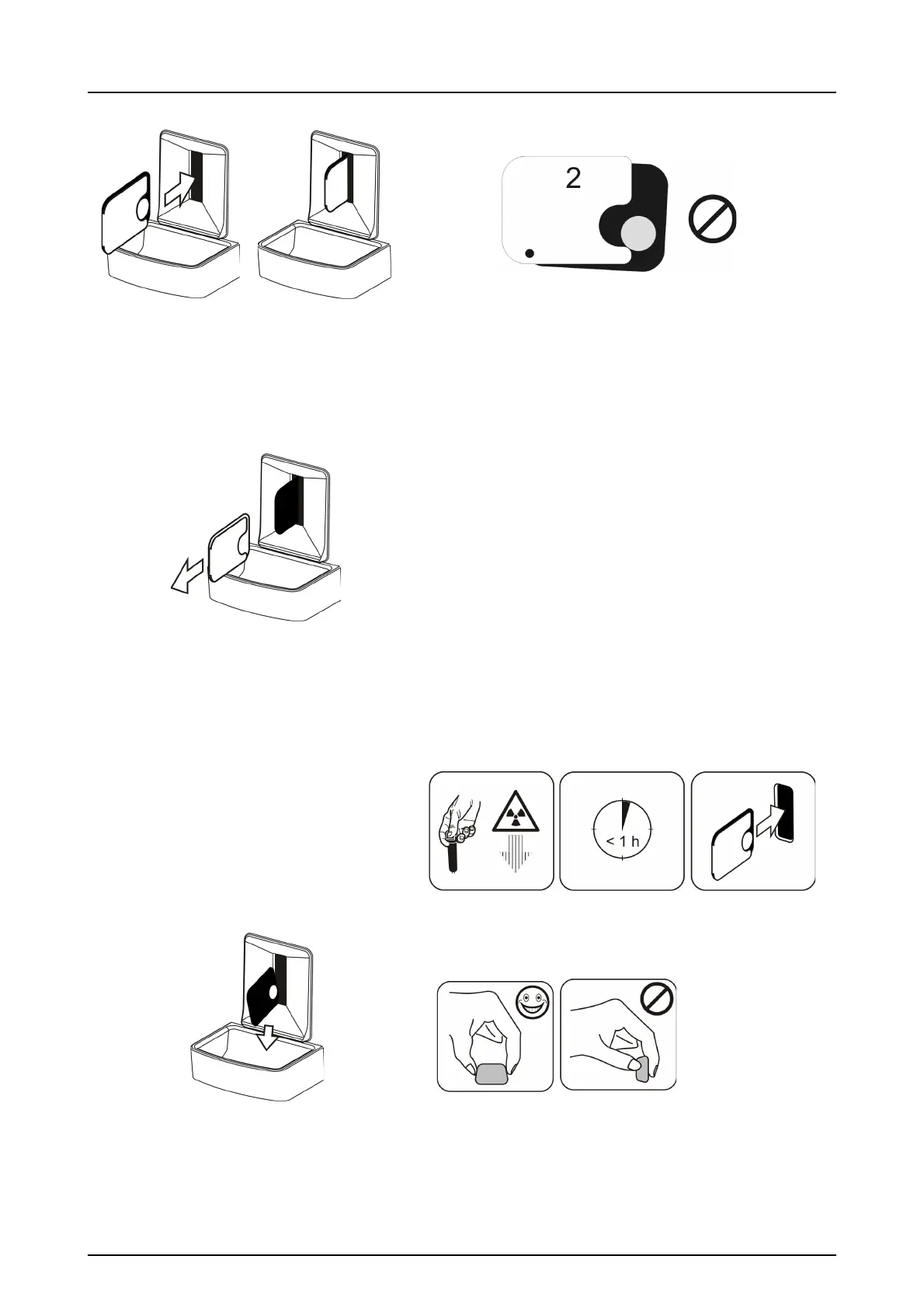
Insert the imaging plate with the cover.
Note! Do not partially slide the imaging plate from
the cover. You can place the plate with cover and
leave it to the plate carrier. Unit will not start the
processing before removing the cover.
Remove the cover.
The image appears on the imaging application
screen.
Note! Process within one hour after exposure.
Processed imaging plate is ready to be packed
and exposed again.



 To Next Page