1 Introduction
2 SOREDEX 208396 rev 2
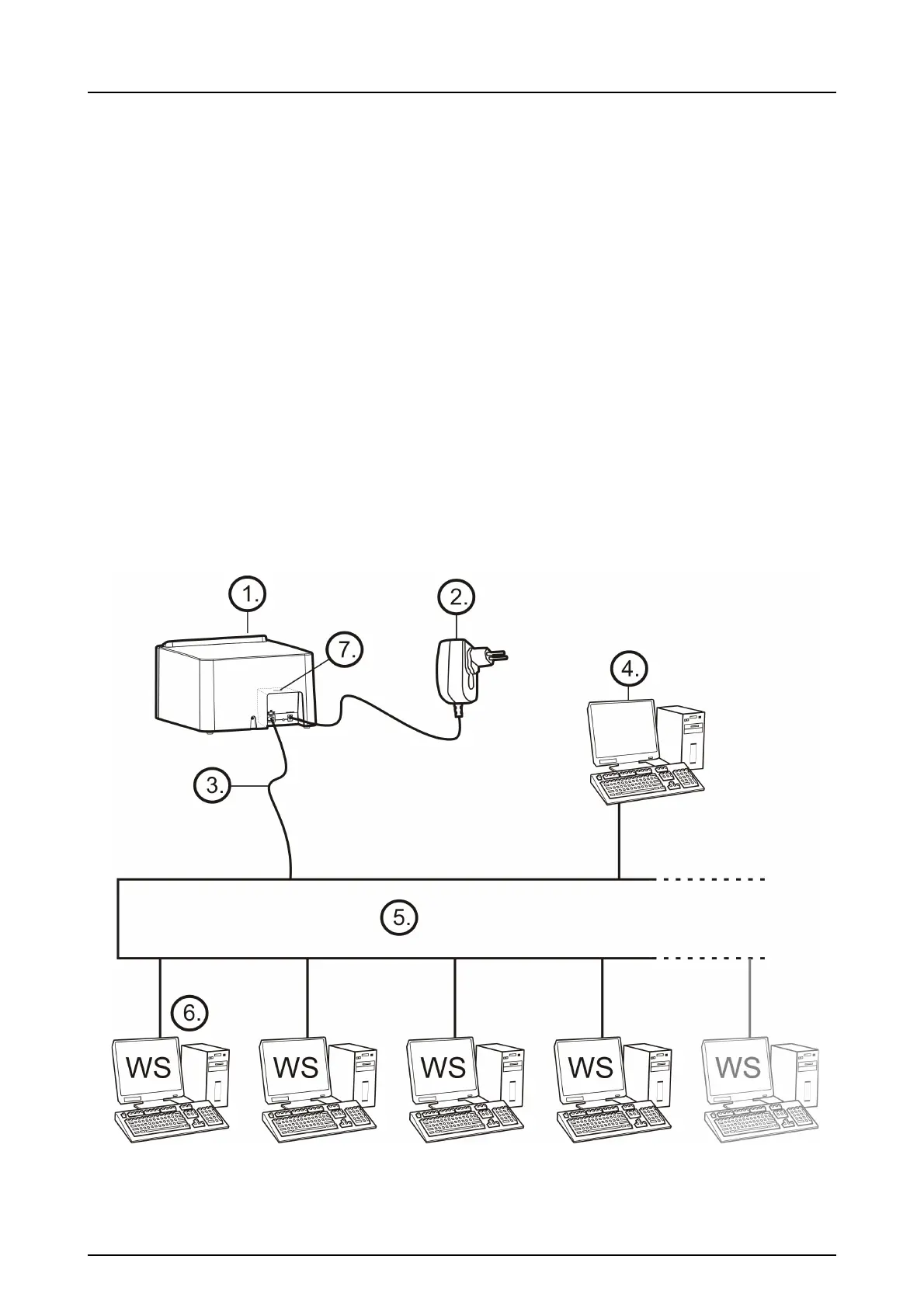
1.2 System setup
1. DIGORA
®
Optime unit
2. Power supply unit (PSU)
CAUTION:
Only use the PSU supplied with the unit or an approved
spare PSU supplied by an authorized distributor
(See chapter Technical Specifications).
3. Ethernet cable (not included)
4. Workstation (WS) computer (not included)
5. Optional local network switch (not included)
6. Optional workstations (WS) computers (not included)
7. Kensington security slot for securing unit in its place
For more details of installing and setting up the system see
chapters Installation and Technical specification.



 To Next Page