6 Installation of the imaging plate system
208396 rev 2 SOREDEX 35
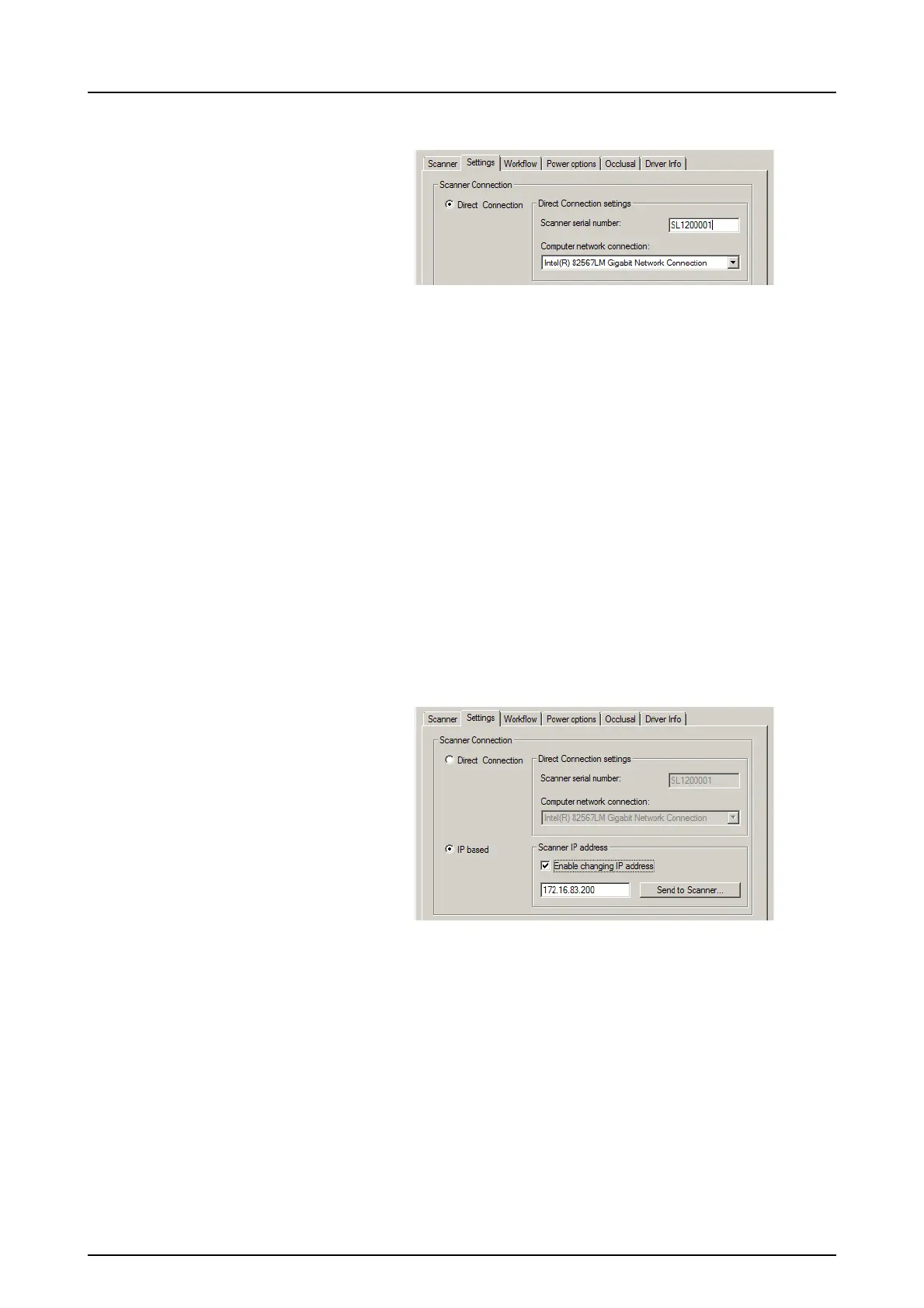
6. PC: Select Direct Connection.
Key the serial number of the unit into the Scanner serial
number field. The serial number of the unit appears on the
type label on the back of the unit. Make sure that the
Computer network connection that provides the LAN
network connection is selected.
6.3.2 IP method (using the unit IP address)
If your system does not allow the direct connection method
to be used to connect the PC(s), connection can be done
using an IP address.
1. Follow steps 1 to 5 from the previous section,
Direct connection method (uses the unit s/n).
2. PC: From the Settings tab select IP based and then se-
lect the Enable changing IP address box.
Obtain an IP address for the unit from your network
administrator and key it into the IP field in the Scanner IP
address area.
Note! The PC and the unit must be in the same subnet
when setting the IP address of the unit.
3. PC + Unit: Press and hold down the Start key on the
unit and then click Send to Scanner on the settings
window.



 To Next Page