26 SPEKTRUM NX7e • TRANSMITTER INSTRUCTION MANUAL
EN
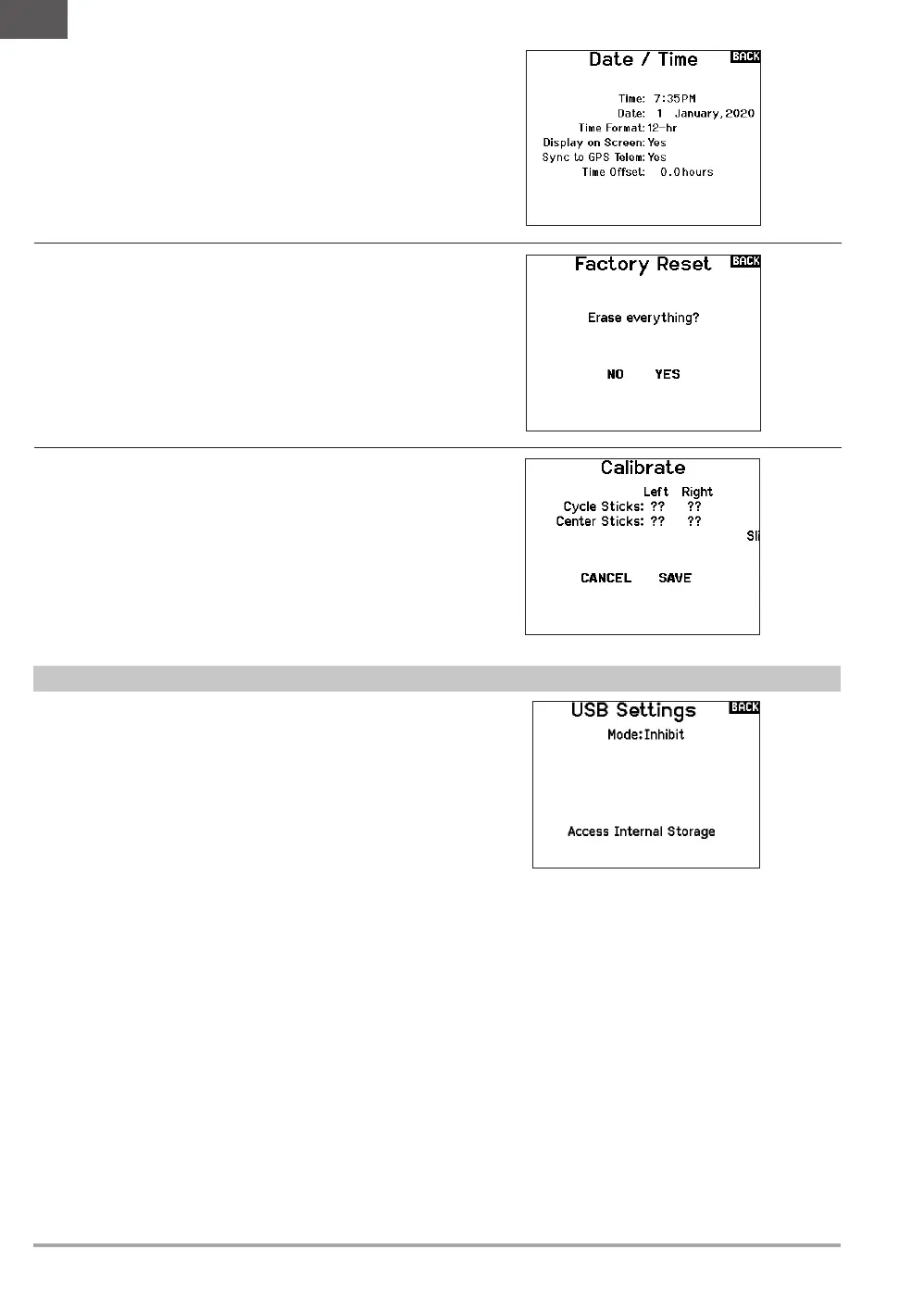
Factory Reset
Select this option to reset the NX7e back to factory settings.
Choosing this option will wipe out any settings and all models that
have been set in the NX7e programming.
Set Date/Time
When you select this option another screen is opened. Set the time
and choose the options to suit your needs.
Calibrate
The Calibration screen stores the potentiometer endpoints for all
proportional controls. It is mandatory to complete the calibration
after changing the stick mode selection.
To Calibrate the Transmitter:
1. Carefully move the gimbal sticks in a + shape moving from
left to right, then up and down. Press gently on the gimbals
at the stops to achieve an accurate calibration. Return both
gimbal sticks to the center position.
2. Select SAVE to store the calibration.
USB Settings
The USB Settings menu allows for setting the transmitter to Game
Controller mode and for easy access to the internal memory storage.
Setting the NX7e to Game Controller mode puts the system into
USB HID mode, allowing for connection to compatible simulators
directly as a game controller. The system uses the active model
and disables the RF signal. Set the Mode to Inhibit to return to
normal RF function.
Select Access Internal Storage to access the internal memory
through the USB cable without transmitting an RF signal. Click the
Back button or the roller to exit and enable the RF signal.


 To Next Page