EasyManua.ls Logo

Spektrum NX7e - User Manual

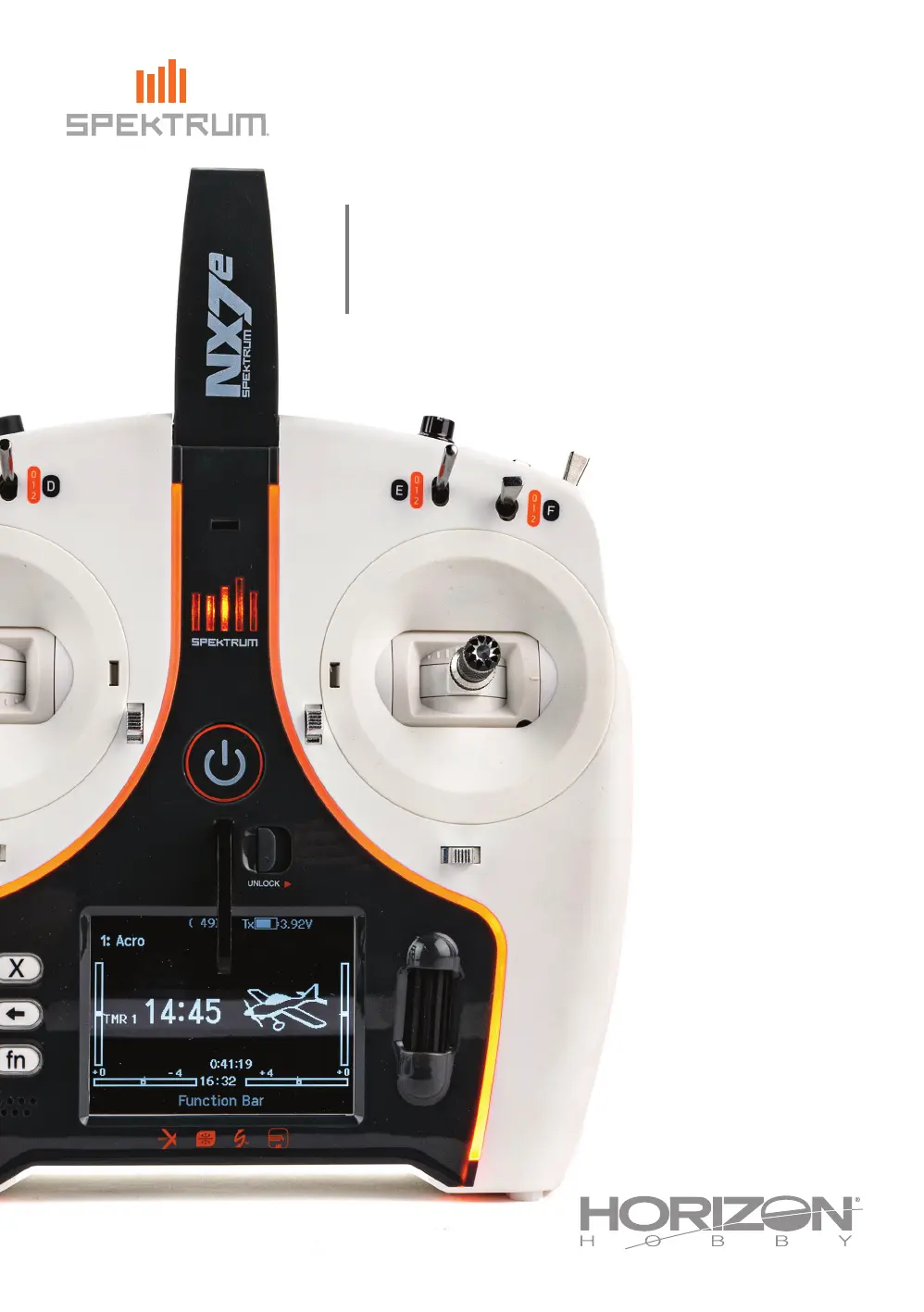
Spektrum NX7e
55 pages
Print Icon
To Next Page IconTo Next Page
Loading...
Instruction Manual
Bedienungsanleitung
Manuel d’utilisation
Manuale di Istruzioni
NX7e
7-Channel 2.4GHz
DSMX
®
Aircraft System
390777
Created 06/23

Table of Contents

Questions and Answers

  • N
    Nathan MunozAug 5, 2025
    How to fix Spektrum Remote Control receiver going into failsafe mode?
    • D
      Dennis RiosAug 6, 2025
      If your Spektrum Remote Control receiver enters failsafe mode a short distance from the transmitter: * Inspect the receiver antenna for cuts or damage. If damaged, replace the antenna or contact Horizon Product Support. * Ensure the main and remote receivers are properly spaced. Install them at least 2 inches (51mm) apart.
  • A
    allenadamAug 10, 2025
    What causes irregular control response in Spektrum NX7e aircraft?
    • W
      williamsjamesAug 10, 2025
      An undesirable number of fades, losses, or holds in the flight log, or irregular control responses in your Spektrum Remote Control aircraft, can be attributed to several factors: * Poor signal reception: Reposition remote receivers to improve RF signal path diversity. * Electronic feedback: Check for and eliminate feedback from servos or motor systems to the ESC or receiver. * Low power: Check the aircraft's power draw and increase battery power, or decrease power demand by installed systems. Ensure all aircraft batteries are fully charged and that the installed BEC for an electric aircraft is adequate for the power demand.
  • A
    Amanda VillaAug 14, 2025
    What to do if Spektrum NX7e receiver stops responding?
    • L
      lozanokennethAug 14, 2025
      If your Spektrum Remote Control receiver stops responding during operation, check the following: * Low battery voltage: Completely recharge the flight battery. * Loose or damaged wires or connectors: Inspect the wires and connections between the battery and receiver. Repair or replace any damaged wires or connectors.
  • M
    Marie CarterAug 18, 2025
    Why does Spektrum Remote Control receiver lose its bind?
    • A
      anthonyclayAug 19, 2025
      If your Spektrum Remote Control receiver loses its bind, it might be because the bind button was pressed before the transmitter was powered on. To resolve this, rebind the receiver by following the binding instructions.
  • M
    morrowdavidAug 22, 2025
    Why Spektrum NX7e Remote Control receiver slowly blinking at landing (DSM2 Only)?
    • W
      williampatelAug 22, 2025
      If your Spektrum Remote Control receiver is slowly blinking upon landing (DSM2 Only), it could indicate: * Loss of power to the receiver during flight: Check the battery voltage. * The system was powered on and connected, then the receiver was powered off without powering off the transmitter: Power off the transmitter when the receiver is powered off.
  • J
    johnsongeraldOct 27, 2025
    What to do if Spektrum NX7e aircraft will not link after binding?
    • K
      Kevin JonesOct 27, 2025
      If your Spektrum Remote Control aircraft won't link to the transmitter after binding, consider these potential causes and solutions: * Ensure the transmitter isn't too close to the aircraft during the linking process; move the transmitter a few feet away and then disconnect and reconnect the flight battery to the aircraft. * Check for large metal objects nearby that could interfere with the signal; move the aircraft or transmitter away from such objects. * Make sure the bind plug is not left installed in the bind port; rebind the transmitter to the aircraft and remove the bind plug before cycling power. * If using ModelMatch™ radios, verify that the correct model memory is selected on the transmitter. * Check the charge level of both the flight and transmitter batteries; replace...
  • H
    Heather AllenOct 31, 2025
    Why Spektrum NX7e Remote Control aircraft will not bind to transmitter?
    • M
      Michael Jones DDSOct 31, 2025
      If your Spektrum Remote Control aircraft won't bind to the transmitter, it could be due to several reasons: * The transmitter may be too close to the aircraft during the binding process. Move the transmitter a few feet away from the aircraft and then disconnect and reconnect the flight battery to the aircraft. * Large metal objects near the aircraft or transmitter can interfere with binding. Move the aircraft or transmitter away from any large metal objects. * The bind plug may not be correctly installed in the bind port. Ensure the bind plug is properly installed and then bind the aircraft to the transmitter. * Low battery charge in either the flight or transmitter battery can prevent binding. Replace or recharge the batteries. * The transmitter (NX7e EU version) may not be com...

Summary

General Safety and Operational Guidelines

Meaning of Special Language

Explains terms like WARNING, CAUTION, and NOTICE for hazard identification.

Pilot Safety and General Notes

Outlines crucial safety practices and important operational guidelines for model flying.

Product Setup and Specifications

Charging Warnings and Precautions

Lists critical safety precautions for charging the battery to prevent hazards.

Transmitter Specifications

Details the technical characteristics and capabilities of the transmitter.

Transmitter Functions Overview

Powering and Charging the Transmitter

Charging the Lithium Ion Battery Pack

Details the process and precautions for charging the internal battery safely.

Powering the NX7 e On and Off

Explains the procedure for turning the transmitter on and off safely.

Interface Navigation and Main Screen

Antenna Position

Provides guidance on optimal antenna placement for reliable radio signal transmission.

Main Screen and Navigation

Describes the transmitter's main display interface and user interaction methods using controls.

Memory and File Management

Auto Switch Select

Explains how to assign switches to functions using the auto-selection feature.

Internal and External Memory Access

Details connecting to PC and installing memory cards for file transfers and updates.

Software Updates via Memory Card

Memory Card Functions

Manages files, color palettes, and software updates using a memory card.

Updating Spektrum AirWare Software

Guides on how to update the transmitter's firmware for new features and improvements.

Model Type Programming Guide

System Setup Configuration

Model Select

Describes how to choose, create, or manage model memories for different aircraft.

Model Type Selection

Explains how to select the aircraft type (Airplane, Heli, Sailplane, Multirotor).

Model Configuration Options

Model Name and Aircraft Options

Covers naming models and selecting aircraft types and icons.

F-Mode Setup and Flight Modes

Details assigning switches to flight modes and configuring the flight mode table.

Channel and Flight Mode Configuration

Flight Mode Name Setup

Customizes names for flight mode positions for easier identification.

Channel Assign and Receiver Ports

Assigns transmitter channels to receiver ports and configures channel inputs.

Trim Setup and Configuration

Model Utilities and Management

Model Utilities Overview

Provides tools for creating, deleting, copying, and resetting model profiles.

Creating and Deleting Models

Guides on how to add new model profiles and remove existing ones from memory.

Advanced Model Management

Model Copy and Reset Functions

Details copying models, resetting settings, sorting lists, and validating files.

Warnings Configuration

Explains how to program transmitter alerts for unsafe control positions during power-on.

Telemetry System Configuration

Telemetry Auto-Configuration

Automatic detection and setup of telemetry sensors for real-time data.

Telemetry Settings and Reports

Manages telemetry display, units, sensor alerts, and status reports.

Data Logging and Preflight Setup

Transmitter Connectivity and Settings

Trainer Functions

Wired Trainer Setup

Details the setup for wired training connections between two transmitters.

Wireless Trainer Setup

Details the setup for wireless training connections using a remote receiver.

Wireless Trainer Setup and Binding

Head Tracking FPV Setup

System Settings and Customization

Display and Alarm Settings

Extra Settings

Calibration and USB Settings

Memory Card Transfer Operations

Model Import;Export

Details transferring model configurations between the transmitter and memory card.

File;Folder Management

Manages files and folders on the memory card for organization.

Special Functions and File Management

Palette Import;Export

Manages color palette configurations for the transmitter display.

Screen Print and Format SD Card

Captures screen images and formats the memory card for data storage.

About and Regulatory Information

Serial Number and Software Version

Provides details on the transmitter's serial number and the installed AirWare software version.

Exporting Serial Number

Guides on saving the transmitter's serial number to a text file for records.

Function List: Servo Setup

Servo Travel and Sub-Trim

Configures servo travel endpoints and center points for precise control.

Servo Reversing

Reverses the direction of servo movement for correct control response.

Function List: Control Response

Rates, Expo, and Differential

Fine-tunes control response using rates, exponential, and differential adjustments.

Throttle Cut and Curve

Configures throttle cut functions and optimizes throttle response with custom curves.

Function List: Switch Assignment

Function List: Mixing

Normal and Curve Mixes

Details setting up standard mixes and mixes based on defined curves for custom behavior.

Function List: Range Test

Function List: Timers, Telemetry, and Forward Programming

Function List: VTX and Function Bar

Function List: Bind, Trainer, and Monitor

ACRO (Airplane) Configuration

Aircraft Type Selection

Selects wing/tail configurations and customizes aircraft icons for airplane models.

Aircraft Options and Gyro;Pitch

Customizes aircraft options, gyro gain, and pitch curve settings.

Airplane Mixing and Control Systems

Advanced Airplane Settings

HELI (Helicopter) Configuration

Swash Type and Collective Control

Configures swashplate type and collective pitch adjustments for helicopter rotor systems.

Pitch Curve Setup

Adjusts collective pitch curves for different flight modes to optimize helicopter performance.

Helicopter Control and Mixing

SAIL (Sailplane) Configuration

Sailplane Type Selection

Selects wing/tail types and customizes sailplane icons for different sailplane models.

Camber Preset and System

Programs camber presets and systems for sailplanes, affecting flight characteristics.

Sailplane Mixing and V-Tail Setup

MULTI (Multirotor) Configuration

Aircraft Options and F-Mode

Sets up camera gimbal axes, flight modes, and trim behavior for multirotors.

Multirotor Motor and Control Settings

Physical Transmitter Adjustments

Gimbal and Battery Cover Removal

Details how to remove the gimbal and battery covers for access.

Stick Length and Neck Strap Mount

Covers adjusting stick length and mounting the neck strap for ergonomic use.

Gimbal Fine-Tuning and Tension

Transmitter Mode Conversion

Troubleshooting Guide

Common Transmitter and Receiver Issues

Addresses problems like binding failures, signal loss, and receiver unresponsiveness with solutions.

1-Year Limited Warranty

Warranty Coverage and Exclusions

Details the product's warranty coverage, exclusions, and service procedures.

Warranty Services and Procedures

Explains how to obtain warranty service, required documentation, and limitations.

Warranty and Service Contacts

FCC and IC Compliance Information

Details regulatory compliance statements for radio frequency emissions.

European Union Compliance Information

Spektrum NX7e Specifications

General IconGeneral
Proper useAirplane
Control typeButtons, Lever, Rotary
Product typeTransmitter
Compatibility-
Product colorBlack, White
Frequency band2.4 GHz
Housing materialPlastic
Channels quantity7 channels
ManualYes
Quantity per pack2 pc(s)
Receiver includedNo
Display typeTFT
Display diagonal2.8 \

Related product manuals