6 SPEKTRUM NX7e • TRANSMITTER INSTRUCTION MANUAL
EN
CHARGING THE LITHIUM ION BATTERY PACK
For optimum charging results, the built-in charger requires a USB
power supply capable of at least 2-3A output. Using a power supply
with a lower output will result in very long charge times or the
transmitter not charging if it is powered on while attempting to charge.
The first time the transmitter is charged, the charge time may be
2-3 hours. Charge the transmitter when the low battery alarm
sounds. See the System Settings section for information on setting
the low battery alarm level.
Always charge the transmitter on a heat-resistant surface.
CAUTION: Never change the low voltage limit for Li-Ion
batteries below 3.3V. Doing so could over-discharge the
battery and damage both battery and transmitter.
CAUTION: Never leave a charging battery unattended.
CAUTION: Never charge the battery outside of the
transmitter. Charging the battery outside of the
transmitter may interfere with the battery monitoring system,
which can give false low battery warnings.
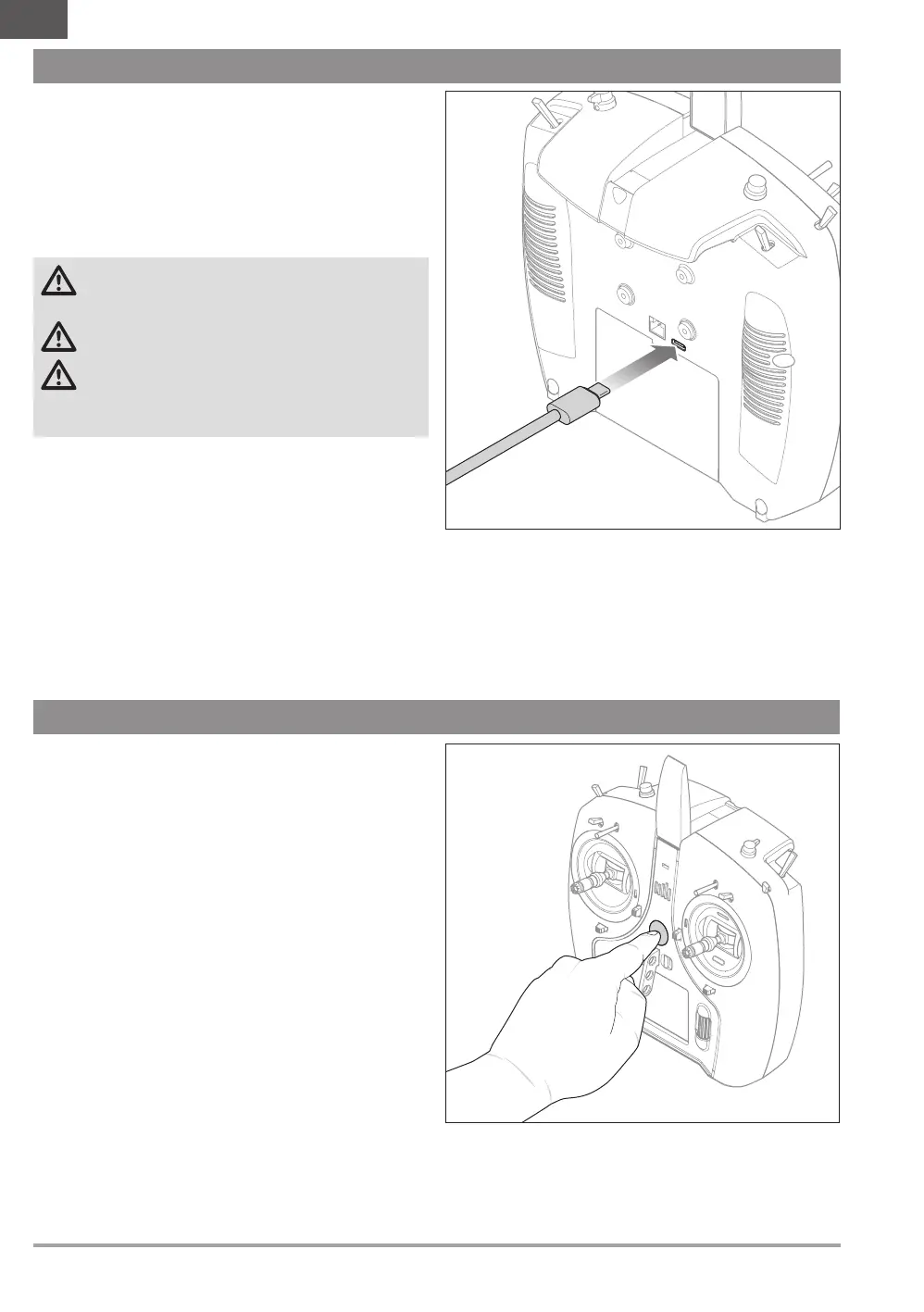
1. Connect a 2-3A USB power supply (not included) to an AC
outlet.
2. Connect the included USB-C charging cable to the power supply.
3. Insert the USB-C charging cable in the USB-C port on the back
of the transmitter.
4. The LED and LED strips will glow green while charging. A
press of the power button will show the battery charge icon on
the display.
5. Charging is complete when the LED and LED strips go off
and the button is pressed and the battery capacity icon on
the screen shows full. Disconnect the USB cable from the
transmitter once charging is complete.
Disconnect the power supply from the power outlet.
POWERING THE NX7e ON AND OFF
1. Press and hold the power button for several seconds to turn
ON the NX7e.
2. Release the power button when the display powers on.
3. Press and hold the power button to power OFF the NX7e.
4. Release the power button when the system begins to power
off.


 To Next Page