63
IM-S51-07 CTLS Issue 1
SP7-10, SP7-11, SP7-12 and SP7-20, SP7-21, SP7-22 Parameterization
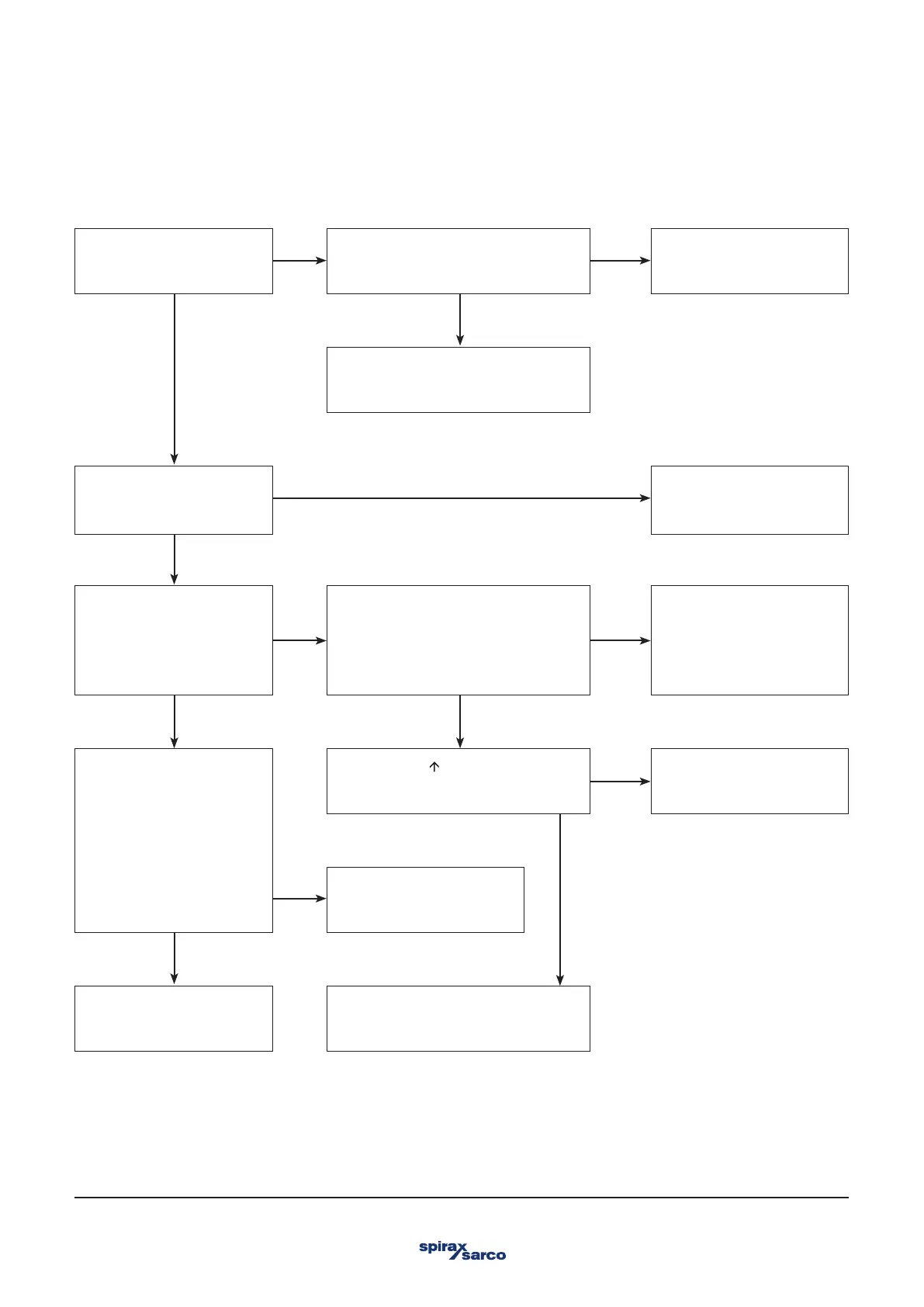
4.4.2 Positioner without function
YesNo
Yes
No
No
No
No
Yes
YesYes
No
Yes
Yes
No
Connect 4- 20 mA or
Signal Input.
Is the display active?
The work activities are
completed.
Exchange the + and • connection
wires. Now is the display active?
Check the power source or return
defective positioners for
repair.
Switch the positioner to
operating mode 1.2
(manual). Press the arrow
button briefly. Press the
second arrow.
Now is it working?
The work activities are
completed.
Start Autoadjust. Save parameters
and switch the positioner to operating
mode 1. 1. In case of error
messages, check the mechanical
configuration.
Now is it working?
Check the safe position
for the pneumatic output
module (label on the
plastic cap) and compare
with parameter I P-Typ.
The safe position must be
activated (FAIL_POS)
before the parameter can
be changed. Save
parameters.
Now is it working?
Check power source or
PLS.
Press the button to read the
current value. Is
the current value correct?
Work activities are over
after starting Auto adjust!
Return the defective
positioner for
repair.
Switch the function for the digital
input (FUNCTION) to
none.
Connect compressed air.
Now is it working?
The work activities are
completed.



 To Next Page