STEMCELL TECHNOLOGIES INC.’S QUALITY MANAGEMENT SYSTEM IS CERTIFIED TO ISO 13485 MEDICAL DEVICE STANDARDS.
FOR RESEARCH USE ONLY. NOT INTENDED FOR HUMAN OR ANIMAL DIAGNOSTIC OR THERAPEUTIC USES.
TOLL-FREE PHONE 1 800 667 0322
PHONE +1 604 877 0713 VERSION 02
INFO@STEMCELL.COM
TECHSUPPORT@STEMCELL.COM
FOR GLOBAL CONTACT DETAILS VISIT WWW.STEMCELL.COM DOCUMENT #10000005578
12
Once connected, the following folders can be accessed:
Logs - Contains the log files (section 8.1)
Reports - Contains the RoboSep™-S End-of-Run report files (section 5.1)
Protocols - Contains the RoboSep™ protocol files
Data - Allows transfer of files from the instrument to the connected computer
3.3 Startup
Note: The first time RoboSep™-S is used following installation, the STEMCELL Technologies representative
will turn on the main power switch located on the back of the instrument (Figure 2) and will also prime the
hydraulic system. It is recommended not to attach any USB drives to the instrument at the time of startup.
1. Turn ON the power switch located on the front of the instrument (Figure 1).
Note: A green indicator light on the front of the instrument will light up, indicating that the instrument is
turned on.
2. Wait for RoboSep™-S homing to occur.
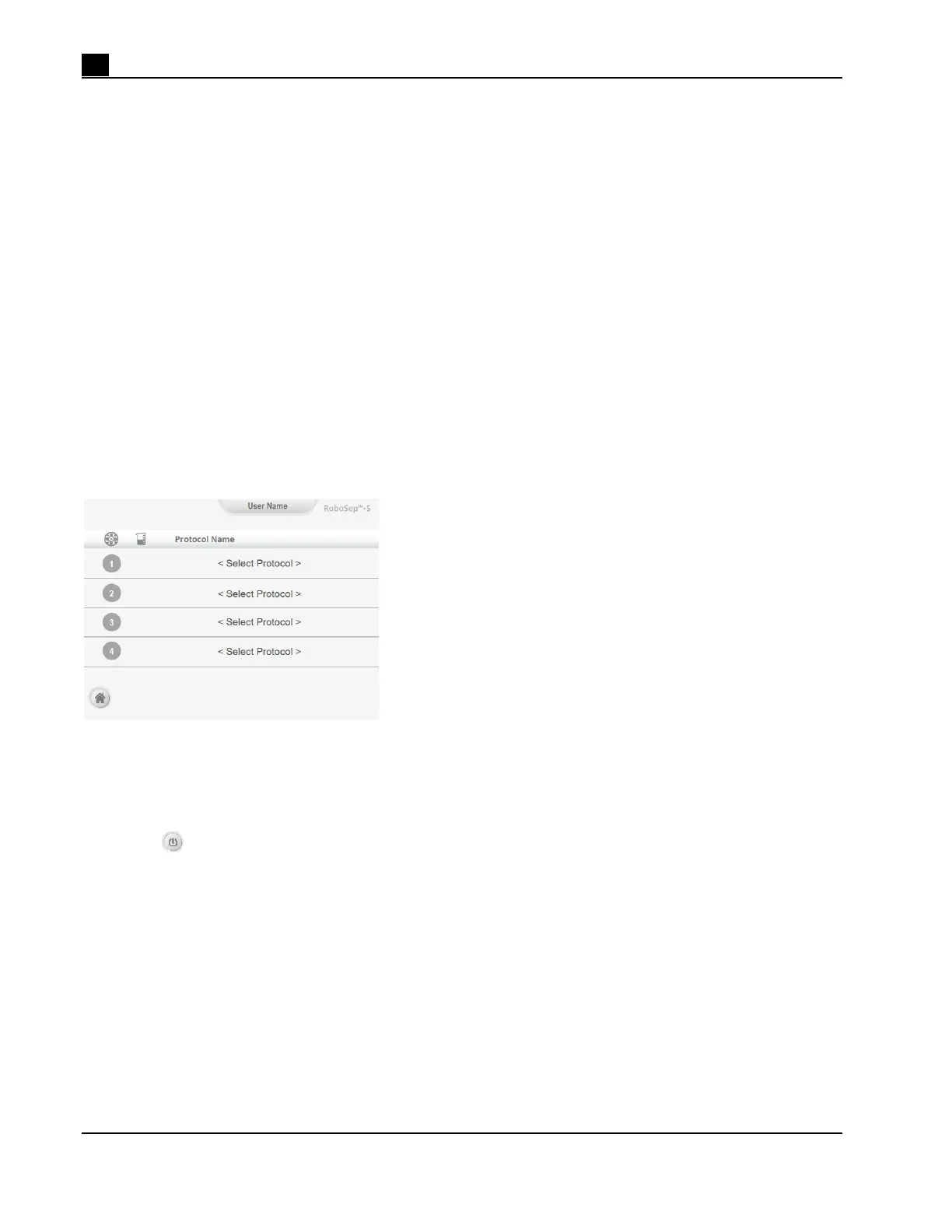
3. Once homing is complete, the Run Samples screen is visible on the touchscreen (Figure 13). Continue
with RoboSep™-S operations.
Figure 13. Run Samples Screen
3.4 Shutdown
1. Select [Power] from the Home screen and wait until the touchscreen turns off.
2. Turn OFF the power switch located on the front of the instrument (Figure 1).
Note: The indicator light on the front of the instrument will turn off. There is no need to turn off the main
power switch at the back of the instrument unless the instrument needs to be unplugged (e.g. when
cleaning the instrument; section 6.2).



 To Next Page