60
EN
6.5.5 AutoDesk Fusion 360
To begin, a two dimensional dummy milling program must be created to act as a frame for the surface to be scanned. In
this example, the Autodesk Fusion 360 software is used.
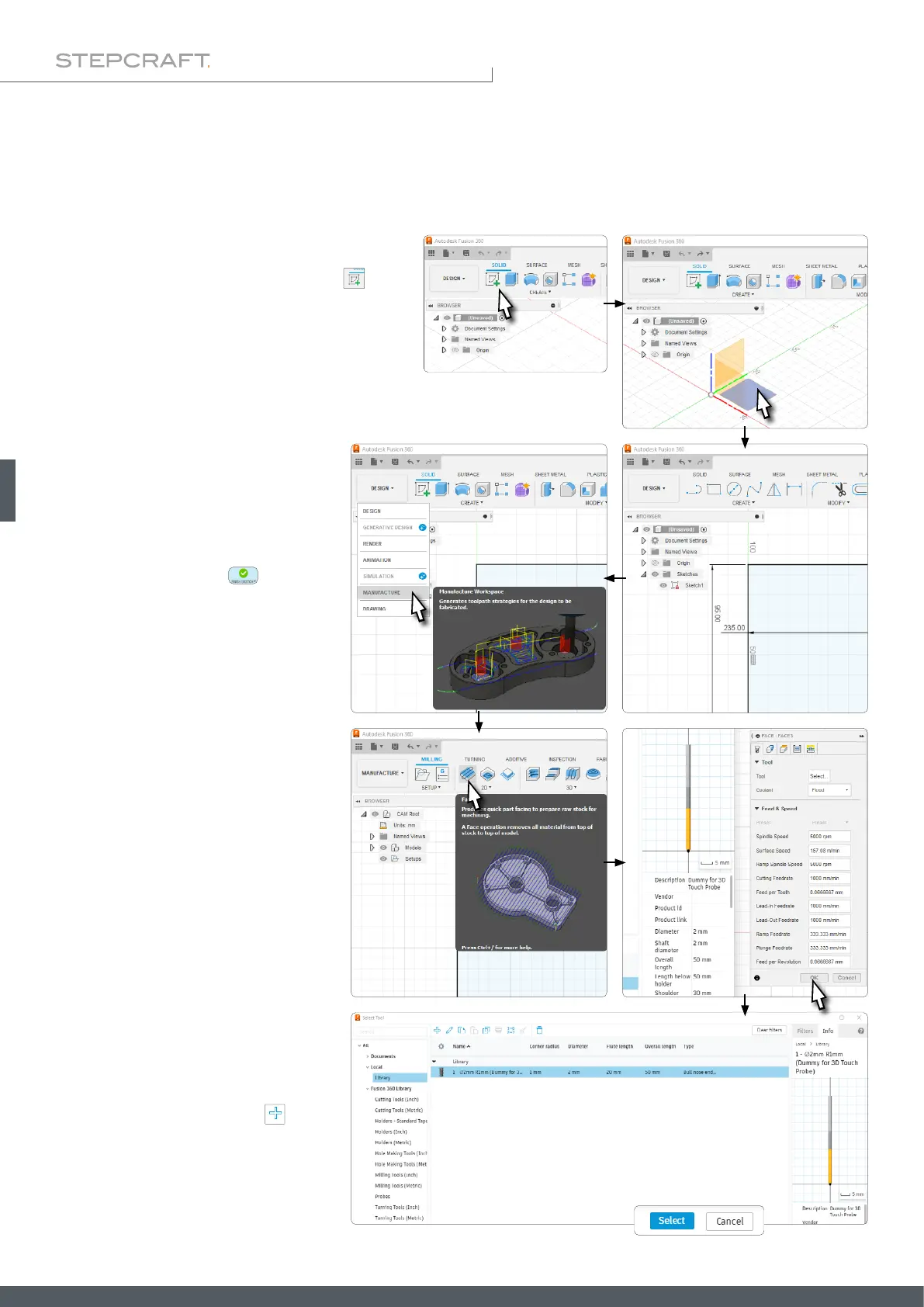
Open Fusion 360 and click Create Sketch in the
Design workspace. Select the plane on which you
want to sketch.
Sketch a rectangle with your measure-
ments. Finish the sketch
and switch
to the Manufacture workspace.
In the 2D section, select the Face func-
tion. The context eld Face opens on the
right side of the window. Conrm with
OK, without changing anything.
You will be prompted to assign a tool to
the project. If you have not created one
yet, create one now by clicking
. Select
a 2 mm diameter. Then select the tool you
have just created and click Select.



 To Next Page