61
EN
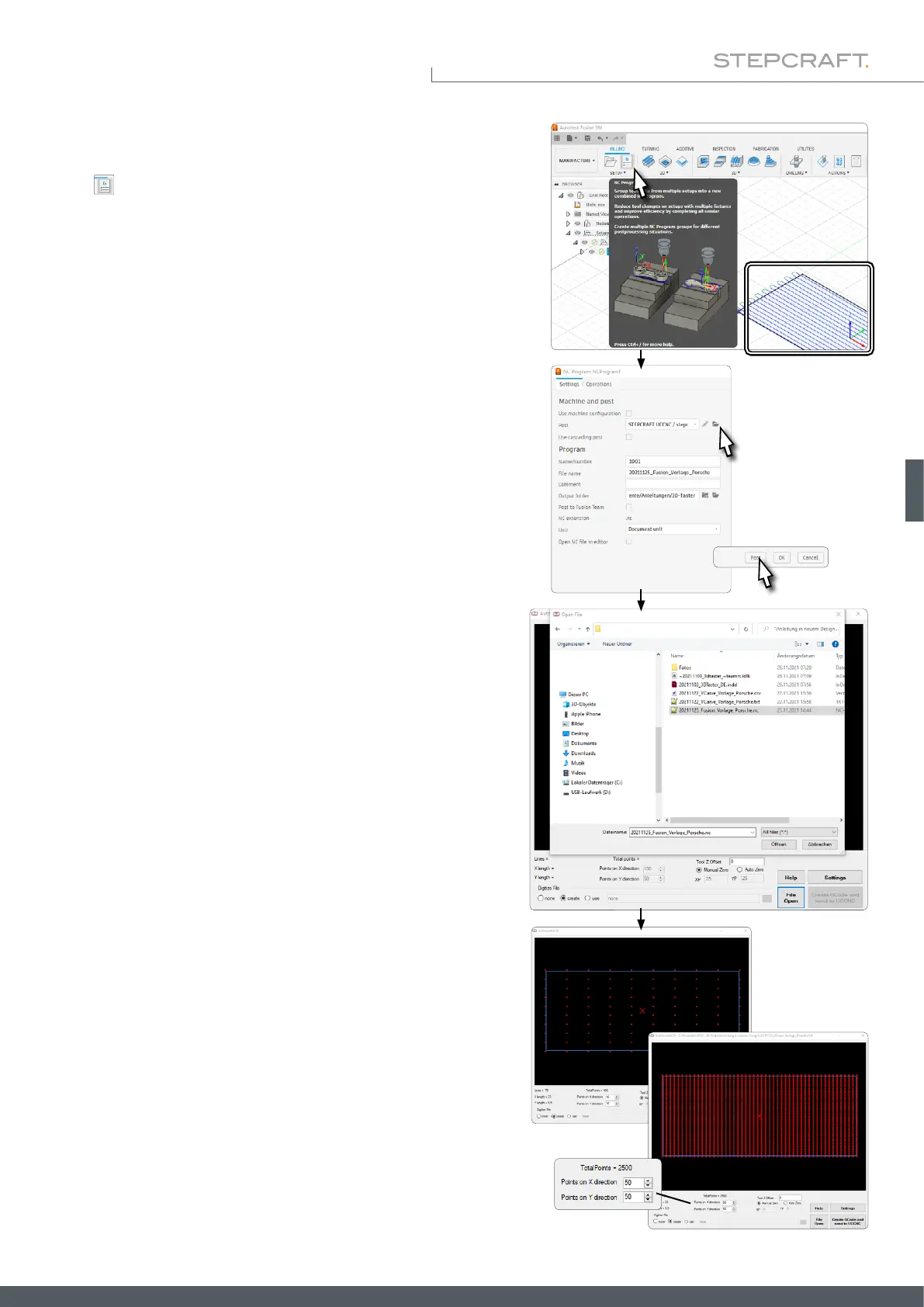
You can see that a toolpath has been successfully created by the colored
representation on the sketch. Now an NC program can be created.
Click .
In the window that opens, you can choose the location and name for
the NC le. As Post, select STEPCRAFT UCCNC (unless you have used
the post processor before, you may need an active internet connection
for this).
To create the le, click the Post button. Save to nish the process.
Congure the plugin to your desire („6.5.1 Explanation of the Auto-
leveler CA-Plugin“).
• Number of scanning points in X- and Y-direction
• Manual or Auto Zero
• Settings
Finally click Create GCode and send to UCCNC. Chapter „6.5.6 3D
Cloud of Points – After Scanning“ covers this topic.
Open UCCNC and the plugin Autoleveler CA. Activate the Create
function. Click File Open to open a window in which you can select
and open the dummy milling program you have just created.



 To Next Page