EasyManua.ls Logo

Stihl FSA 90 - User Manual

Stihl FSA 90
480 pages
Go to English
Print Icon
To Next Page IconTo Next Page
Loading...
{
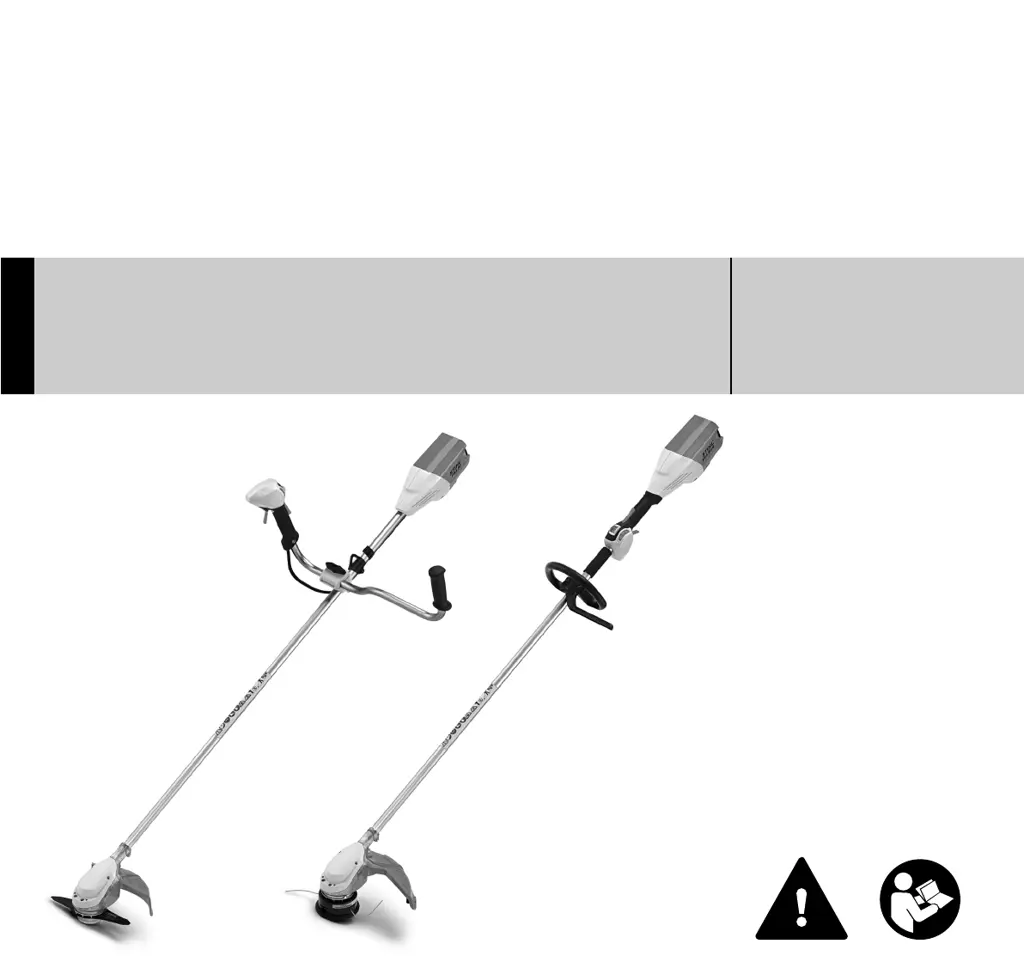
STIHL FSA 90
Gebrauchsanleitung
Instruction Manual
Notice d’emploi
Manual de instrucciones
Skötselanvisning
Käyttöohje
Istruzioni d’uso
Betjeningsvejledning
Bruksanvisning
Használati utasítás
Instruções de serviço
Handleiding
Instrukcja użytkowania

Table of Contents

Questions and Answers

  • H
    hernandeztiffanySep 10, 2025
    Why is my Stihl Trimmer battery not charging when the charger LED is green?
    • S
      Shane CarterSep 10, 2025
      If the battery is not being charged, even though the LED on the charger glows green, the battery may be too hot or too cold (indicated by one red LED glowing on the battery). Allow the battery to cool down or warm up slowly to a temperature between 15°C and 20°C. Operate the charger only in closed, dry rooms with ambient temperatures between +5°C and +40°C.
  • D
    David SmithAug 22, 2025
    Why won't my Stihl FSA 90 start?
    • U
      uvaughnAug 22, 2025
      If your Stihl Trimmer does not start when switched on, several factors could be at play. First, check for electrical connectivity issues between the power tool and the battery by removing and refitting the battery. If the battery's charge is low (indicated by one green LED flashing), charge it. If the battery is too hot or cold (one red LED), allow it to reach an optimal temperature (around 15-20°C). For a faulty battery (four red LEDs flashing), replace it. Overheating of the power tool (three red LEDs) also prevents starting, so let it cool down. In case of electromagnetic issues or a machine fault (three red LEDs flashing), have the power tool checked by a servicing dealer. Lastly, ensure no moisture is present in the power tool or battery; if there is, allow them to dry.
  • J
    jessica30Sep 7, 2025
    Why is the LED on my Stihl FSA 90 Trimmer charger flashing red?
    • D
      Daniel BooneSep 7, 2025
      If the light emitting diode on your Stihl Trimmer charger flashes red, there may be no electrical contact between the charger and the battery. Remove and refit the battery to ensure a proper connection. If four LEDs on the battery flash red for about 5 seconds, it indicates a fault in the battery, in which case, remove and refit the battery; if the LEDs continue to flash, the battery must be replaced. If the issue persists, the charger itself may be faulty and should be checked by a servicing dealer.
  • T
    Terry HartmanSep 6, 2025
    What to do if my Stihl Lawn Mower cuts out during operation?
    • C
      Christopher RochaSep 6, 2025
      If your Stihl Lawn Mower cuts out during operation, it could be due to the trimmer overheating. Try removing the battery and allowing the trimmer to cool down. It could also be an electrical fault. Remove and reinsert the battery, then switch the lawn mower back on.
  • M
    Michele CampbellSep 4, 2025
    Why is the runtime of my Stihl Lawn Mower too short?
    • J
      Jacob CoxSep 5, 2025
      If the Stihl Lawn Mower's runtime is too short, it could be because the battery isn't fully charged. Try fully recharging it. Alternatively, the battery's lifespan might be over, and you may need to replace it.
  • G
    Gregory SteeleSep 3, 2025
    Why does my Stihl FSA 90 Trimmer runtime is too short?
    • D
      Donna AshleySep 3, 2025
      A short runtime for your Stihl Trimmer may be due to the battery not being fully charged. Recharge the battery fully as described in the instruction manual for the STIHL AL 101, 300, 500 chargers. Alternatively, the battery's normal life may have been exceeded, indicating it's time to replace it.
  • P
    palmerrichardSep 2, 2025
    Why is the runtime of my Stihl FSA 90 Trimmer so short?
    • R
      Ryan DunnSep 2, 2025
      If your Stihl Trimmer's runtime is too short, it could be due to a couple of reasons. The battery may not be fully charged, so you should recharge it completely. Alternatively, the battery life might be at its end, indicating it's time to replace the battery.
  • R
    robert73Aug 31, 2025
    How to increase the running time of my Stihl FSA 90?
    • B
      Benjamin WellsAug 31, 2025
      If the running time of your Stihl Trimmer is too short, the battery may not be fully charged, so you should charge it. Another reason may be unsuitable nylon line, so replace the nylon line. Also, the useful life of the battery might have been reached or exceeded, so check the battery and replace it if necessary.
  • M
    Michael RobinsonAug 29, 2025
    What to do if Stihl Trimmer cuts out during operation?
    • J
      Joshua ElliottAug 29, 2025
      If your Stihl Trimmer cuts out during operation, it could be overheating. Remove the battery and allow the trimmer to cool down. Alternatively, there might be an electrical malfunction. Remove the battery, reinsert it, and switch the trimmer on again.
  • T
    tandersonAug 27, 2025
    Why does my Stihl FSA 90 cut out during operation?
    • J
      jacksonmichaelAug 27, 2025
      Your Stihl Trimmer might cut out during operation because it is too hot or there is an electrical fault. To resolve this, remove the battery and allow the trimmer to cool down. If that doesn't work, remove the battery and reinsert it, then switch on the brushcutter.

Summary

Guide to Using this Manual

Pictograms and Text Symbols

Explains symbols and warnings found in the manual.

Safety Precautions

General Safety Warnings

Essential safety advice for operating the tool.

Intended Use

Describes the correct purpose of the power tool.

Recommended Clothing and Equipment

Details necessary personal protective equipment.

Operating Procedures

Transporting and Cleaning Instructions

Procedures for moving and cleaning the tool.

Accessories and Deflector Symbols

Information on approved parts and deflector markings.

Cutting Attachments

Using Mowing Heads Technique

Technique for using mowing heads.

Using Metal Cutting Attachments Technique

Technique for metal cutting tools.

Pre-Operation Checks

Before Starting Work

Essential checks before operation.

Switching On and During Operation

Starting the tool and safe usage guidelines.

Machine Handling and Maintenance

Handle Types and Storage

Advice on bike/loop handles and proper storage.

Maintenance and Repair Procedures

Procedures for upkeep and fixing issues.

Reactive Forces

Kickout Risk with Metal Attachments

Details kickout risk with metal blades.

Working Techniques

Mowing Head with Nylon Line

Technique for nylon line mowing heads.

Working with Bump Guard

Using the bump guard accessory.

Mowing Techniques

Grass Cutting Blade Use

Information on grass cutting blades.

Approved Component Combinations

Attachment Compatibility Overview

Essential compatibility for attachments and parts.

Mowing & Metal Attachment Types

Lists specific types of mowing and metal cutting attachments.

Handle Assembly

Mounting the Bike Handle

Step-by-step guide for bike handle assembly.

Control Handle Assembly

Mounting the Control Handle

Guide for attaching the control handle.

Loop Handle Assembly

Mounting with Barrier Bar

Instructions for attaching loop handle with barrier bar.

Using the Barrier Bar Accessory

How to use the barrier bar accessory.

Deflector Mounting Procedures

Mounting the Deflector

Instructions for fitting the deflector.

Selecting the Correct Deflector

Importance of selecting the correct deflector.

Cutting Attachment Installation

Power Tool Placement and Fanwheel Mounting

Steps to attach cutting tools and fanwheel.

Attachment Mounting Hardware

Blocking the Shaft for Mounting

Procedure to lock the shaft for mounting.

Fitting Mowing Head

Specific mowing head installation.

Metal Cutting Attachment Installation

Securing the Cutting Attachment

Final steps to secure the cutting tool.

Battery Charging Procedures

Connecting Charger to Power Supply

How to connect the charger.

Charging the Battery

Instructions for charging the battery.

Battery Indicator Lights

LEDs on Battery Explained

Explains battery indicator lights.

Charging Process Indicators

Describes charging status indicators.

Battery Status During Operation

Battery Status During Use

Battery status during use.

Troubleshooting Red LED Error Codes

Troubleshooting battery indicators.

Charger and Harness Information

LED on Charger Explained

Explains charger indicator light.

Fitting the Harness

How to attach the harness.

Shoulder Strap Usage

Instructions for using the shoulder strap.

Harness and Machine Balancing

Full Harness Usage

Instructions for using the full harness.

Balancing the Machine

How to balance the tool for use.

Achieving Floating Position

Achieving the correct working balance.

Starting and Control Operations

Emergency Throwing Off Procedure

Emergency procedure for discarding the tool.

Switching On and Control Overview

Starting the tool and overview of controls.

Using the Set Wheel

How to use the speed setting wheel.

Switching Off Procedure

Stopping the Tool Safely

Instructions for stopping the tool.

Battery and Storage Guidelines

Removing the Battery

Steps to take the battery out.

Storing Machine, Battery, and Charger

Proper procedures for storing all components.

Mowing Head Maintenance

Nylon Line Adjustment and Replacement

How to adjust and replace the nylon line.

Cutting Blades Replacement

Steps to replace cutting blades.

Metal Cutting Attachment Maintenance

Sharpening Metal Cutting Blades

How to sharpen metal blades.

Balancing After Sharpening

Checking balance after sharpening.

Maintenance and Care Schedule

Unit, Controls, and Labels Maintenance

Maintenance for the entire machine and its components.

Battery and Attachment Maintenance

Maintenance for battery and cutting attachments.

Minimizing Wear and Damage

Maintenance Work and Wear-Prone Parts

Advice on maintenance and wear-prone parts.

Main Parts Overview

Key Components Identification

Diagram and list of key components.

Technical Specifications

Battery, Length, and Weight Specs

Specifications for battery, dimensions, and weight.

Noise and Vibration Data

Acoustic and vibration measurements.

Regulatory Information

Transport and REACH Regulations

Regulations for shipping and chemical substances.

Troubleshooting Common Issues

Machine Startup and Operation Problems

Solutions for startup and operational problems.

Troubleshooting Battery and Charger Issues

Battery Life, Charging, and Charger Errors

Solutions for battery life, charging, and charger errors.

Final Procedures and Compliance

Maintenance and Repairs Overview

Procedures for service and repair.

Disposal and EC Declaration

Guidelines for disposal and compliance statement.

Stihl FSA 90 Specifications

General IconGeneral
TypeBrush cutter
CordlessYes
Head typeBlade
Handle typeU-type handle
Product colorBlack, Orange, White
Vibration emission3.5 m/s²
Sound pressure level73 dB
Cutting diameter (max)380 mm
Power sourceBattery
Battery voltage36 V
Weight and Dimensions IconWeight and Dimensions
Length1770 mm
Weight3200 g

Related product manuals