R2W PLUS
20
3.2 Illumination settings
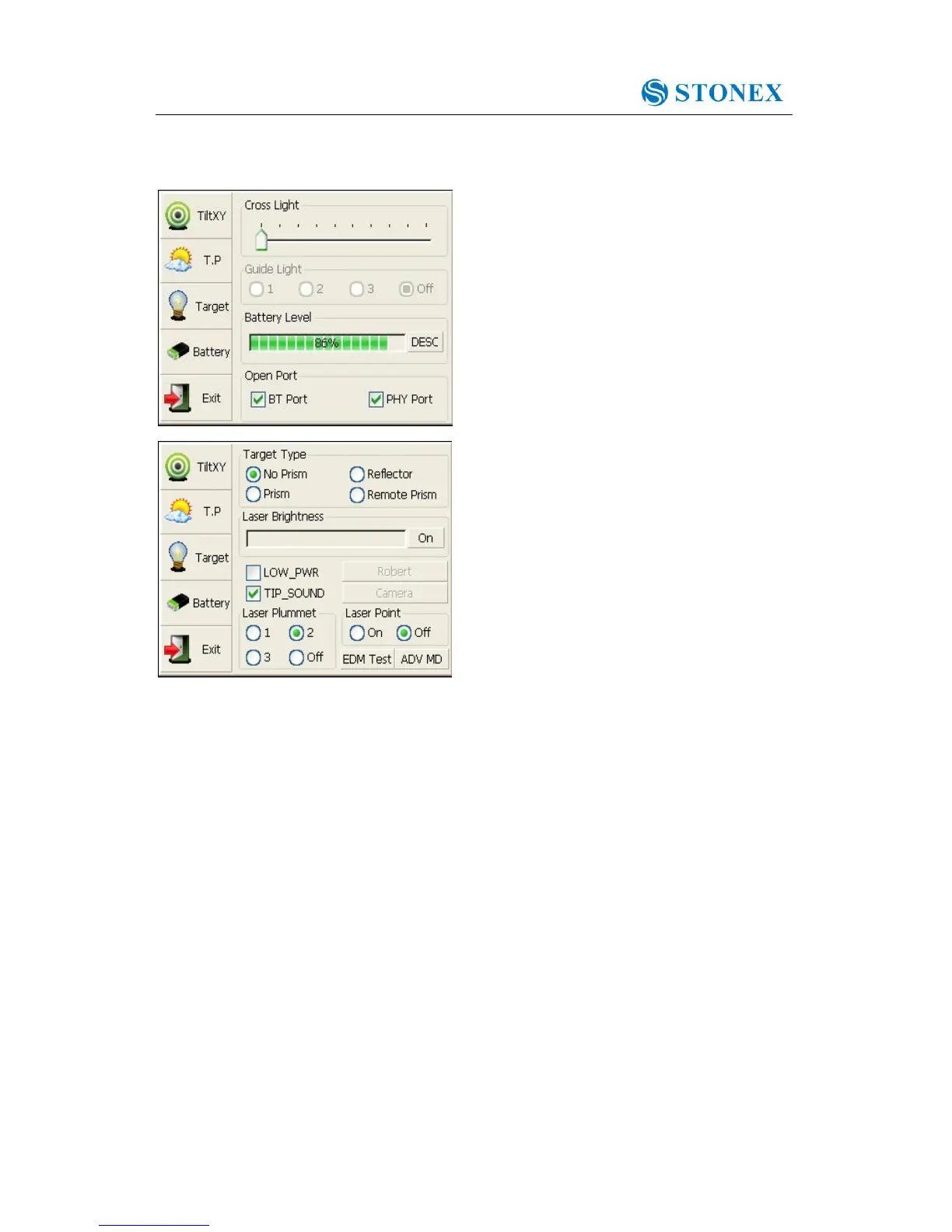
Press the【★】 button and click “Target” and
“Battery” keys in order to go on with
illumination settings including “Cross Light”,
“Guide Light”, and“Laser Point”.
Cross Light: Click this item to turn on the
reticle illumination, and move the slipping
button to adjust reticle illumination.
Guide Light: Click “Battery” key, resulting in
display on which guide light could be
adjusted.
Laser Point: Turn on/off the laser flash before
distance measurement.



 To Next Page