R2W PLUS
21
4. Basic measurement program
4.1 Run the program “Basic Measurement”
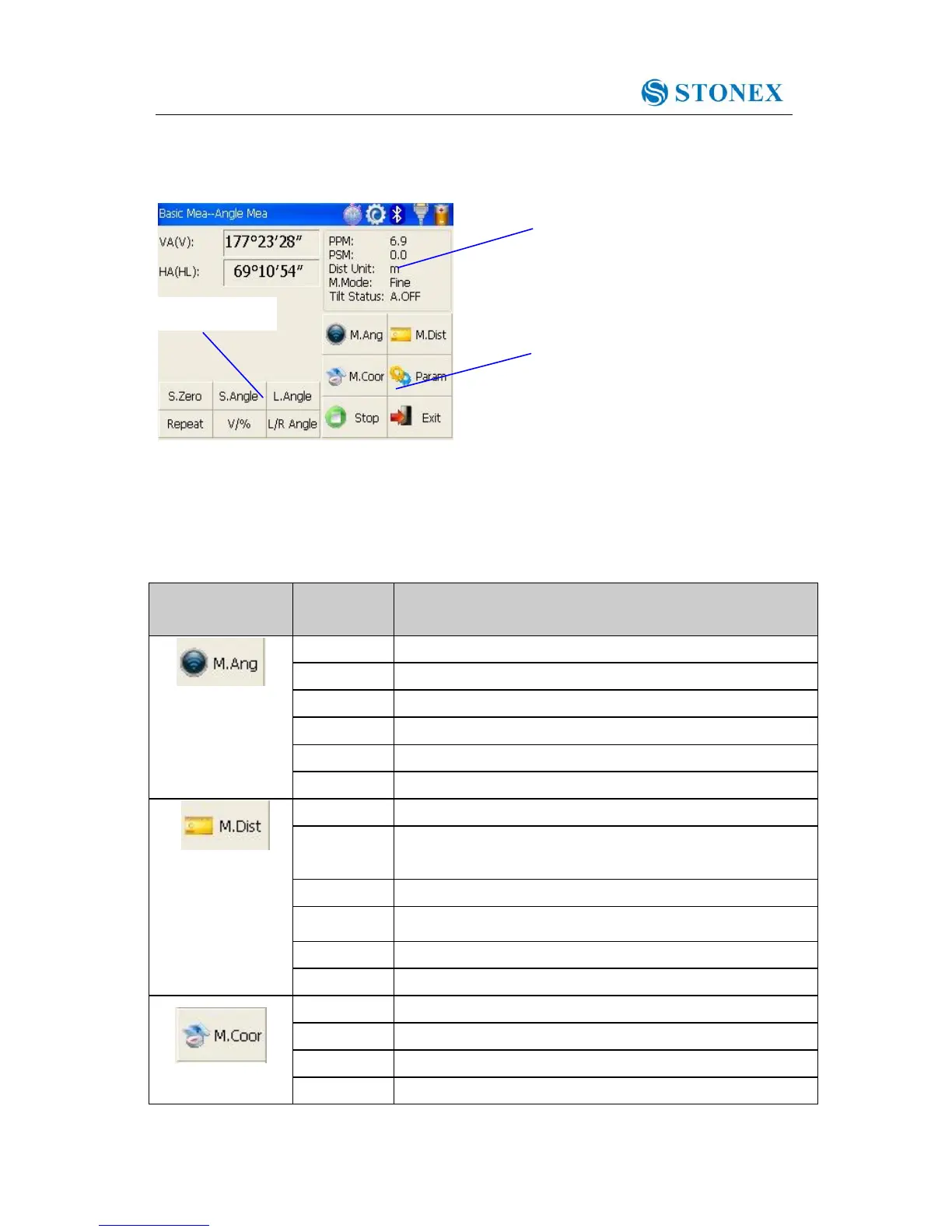
4.2 Basic measurement screen introduction
The function keys display in the lower left corner of screen, and they vary from one
measurement mode to another. There are some function keys under every measurement
mode being listed in the following table.
Set current horizontal angle as zero
Set current horizontal angle
Switch between vertical angle and percent grade
Horizontal angle switch between left and right
Set Fine, N Fine, Loop Fine, Track measurement mode
Switch among meter, international feet and American feet
in terms of distance unit
Set Fine, N Fine, Loop Fine, Track measurement mode
Set the coordinate of instrument station
Set the coordinate of a backsight point
Set instrument height and target height



 To Next Page