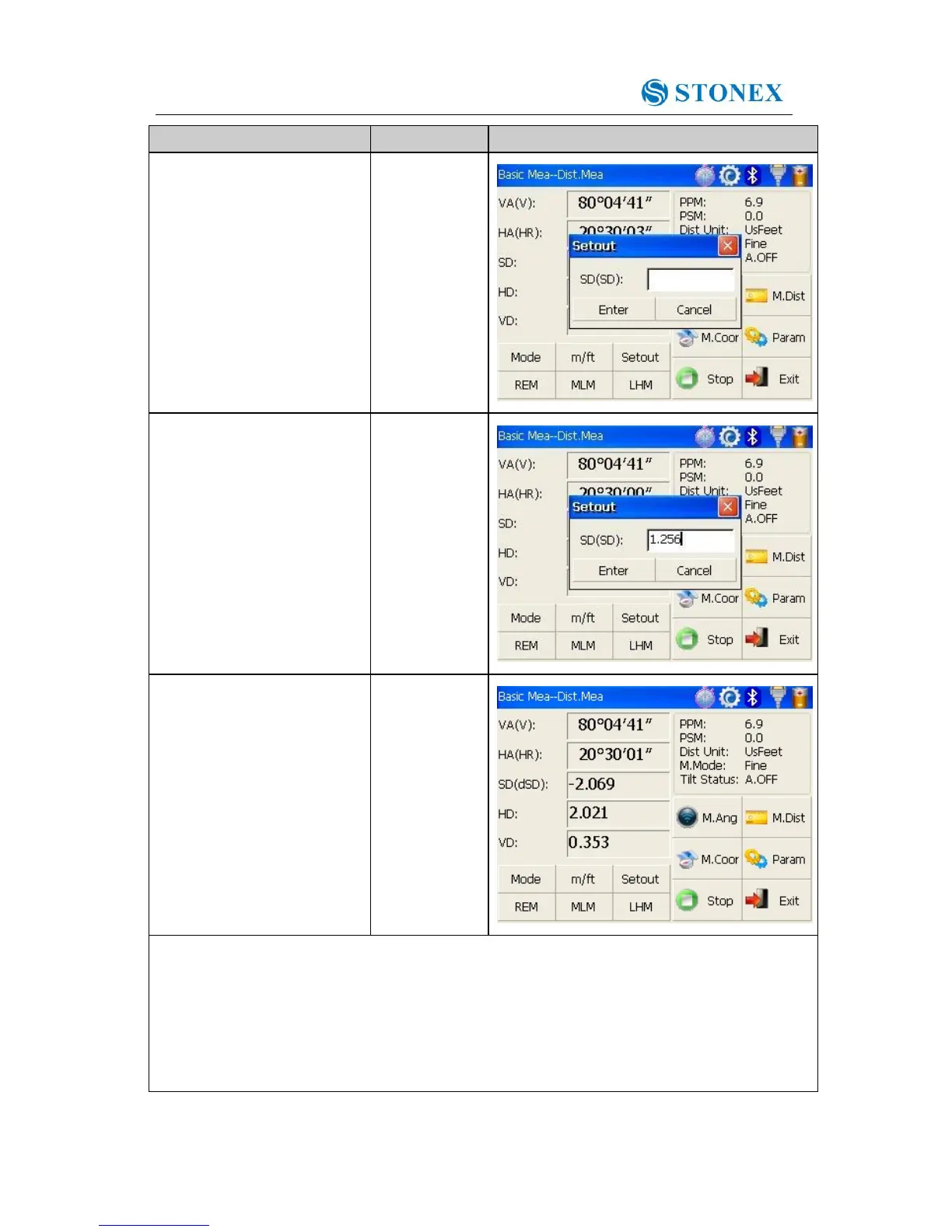
②Select distance
measurement mode (SD,
HD, VD) to be set out, input
required data and then click
“Enter” key. ※1
※1 First of all, a prompt that reminds you to input SD to be set out is displayed in the popup
dialog box. Click “Enter” key to execute SD setting out after inputting data. If you want HD
setting out, need to input zero in “SD dialog box”, click “Enter”, and the system will eject
“HD dialog box” automatically. HD setting out can go on after HD data entry. If you want
VD setting out, need to input zero in both “SD dialog box” and “HD dialog box”, thus the
system will remind you to input elevation difference to be set out.



 To Next Page