R2W PLUS
75
about ±10°. Read the face left angle Vl and face right angle Vr.
(3) Calculate the index error according to the formula below:
i = ( Vl+Vr-360°)/2
(4)If I<10”, no adjustment is necessary, or you have to adjust it .
2) Adjustment by program:
Set-up the instrument on tripod or adjustment platform, and leveling accurately.
Procedures
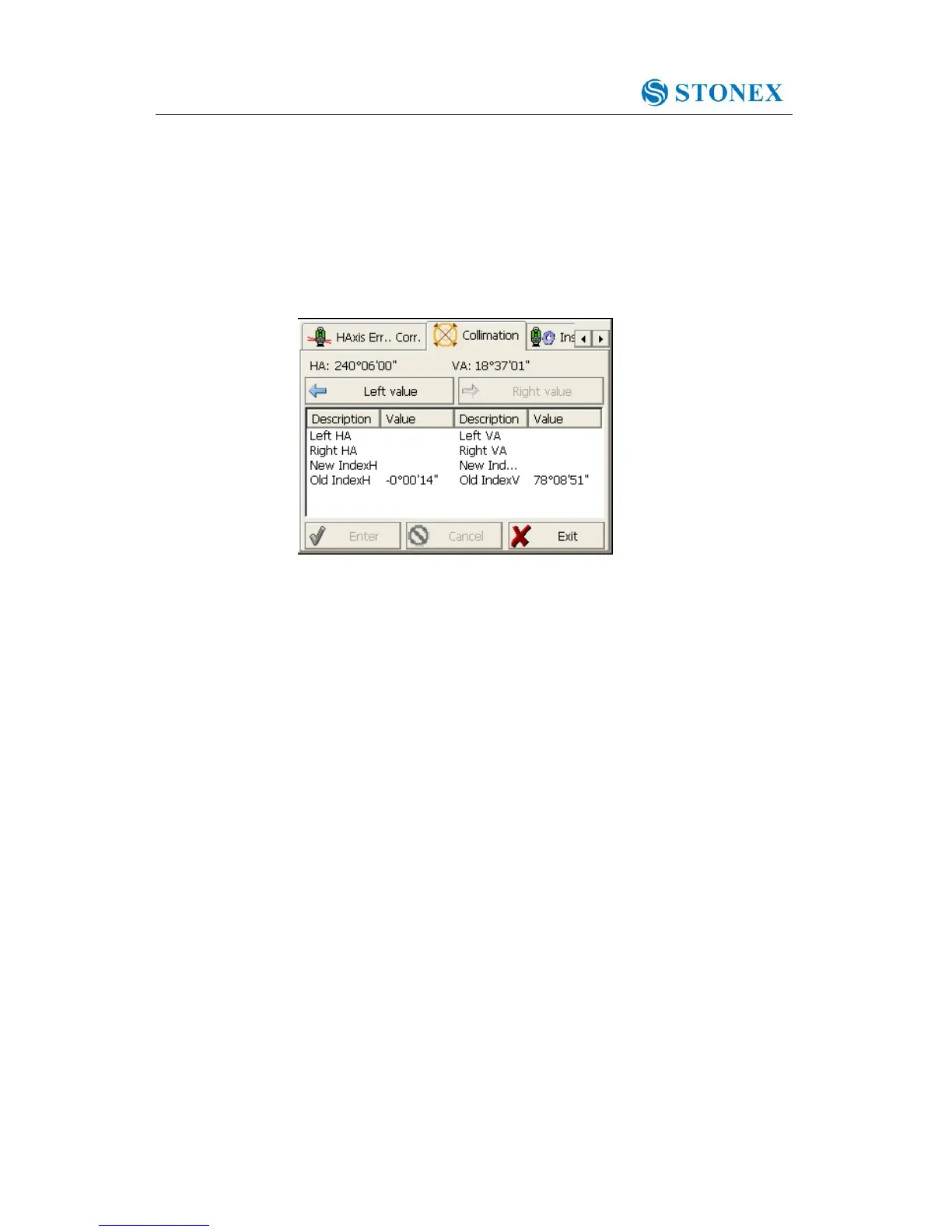
1. Power on, run the software “INST Setup”, on the screen tap ◄ or ► keys until
Collimation display, tap it to display collimation error and vertical index error setting
menu.
2. Aim at the cross-hair of collimator at telescope left, tap “Left value” to read the
horizontal and vertical angles.
3. Aim at the cross-hair of collimator at telescope right, tap “Right value” to read the
horizontal and vertical angles.
4. The software will calculate the new collimation error and vertical index error
automatically.
5. Tap “Enter” to save the new values, or tap “Cancel” to use old values.



 To Next Page