182
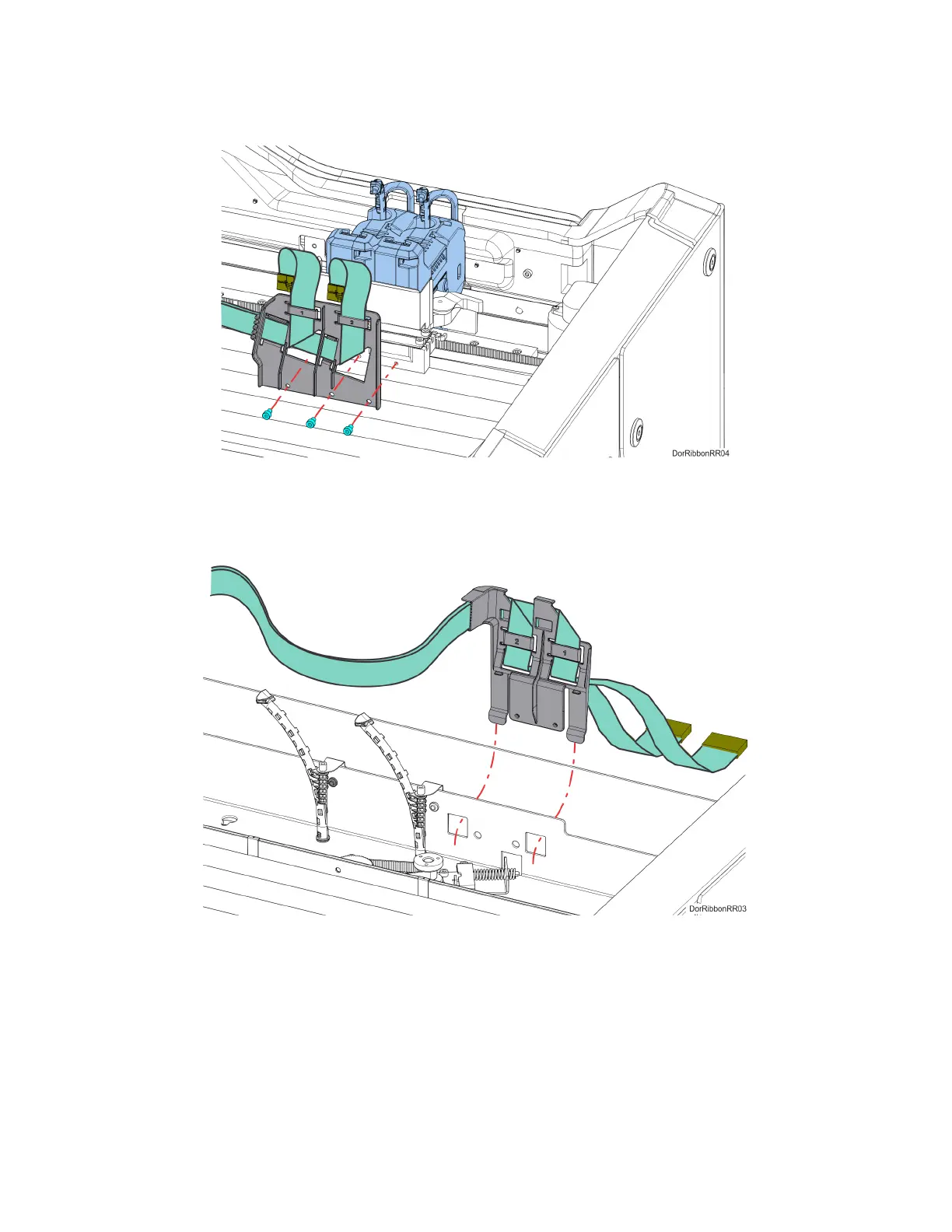
7. Using a 3 mm hex wrench, remove the front ribbon cable bracket mounting screws (3) on the
back of the toggle assembly. Retain the screws for re-installation. See Figure 7-23.
Figure 7-23: Front Ribbon Cable Bracket Mounting Screw Locations
8. Lift and disengage the rear ribbon cable bracket from the back, top of the printer frame.
See Figure 7-24.
Figure 7-24: Rear Ribbon Cable Bracket Mounting Detail















 To Next Page