31
PIN setting
The
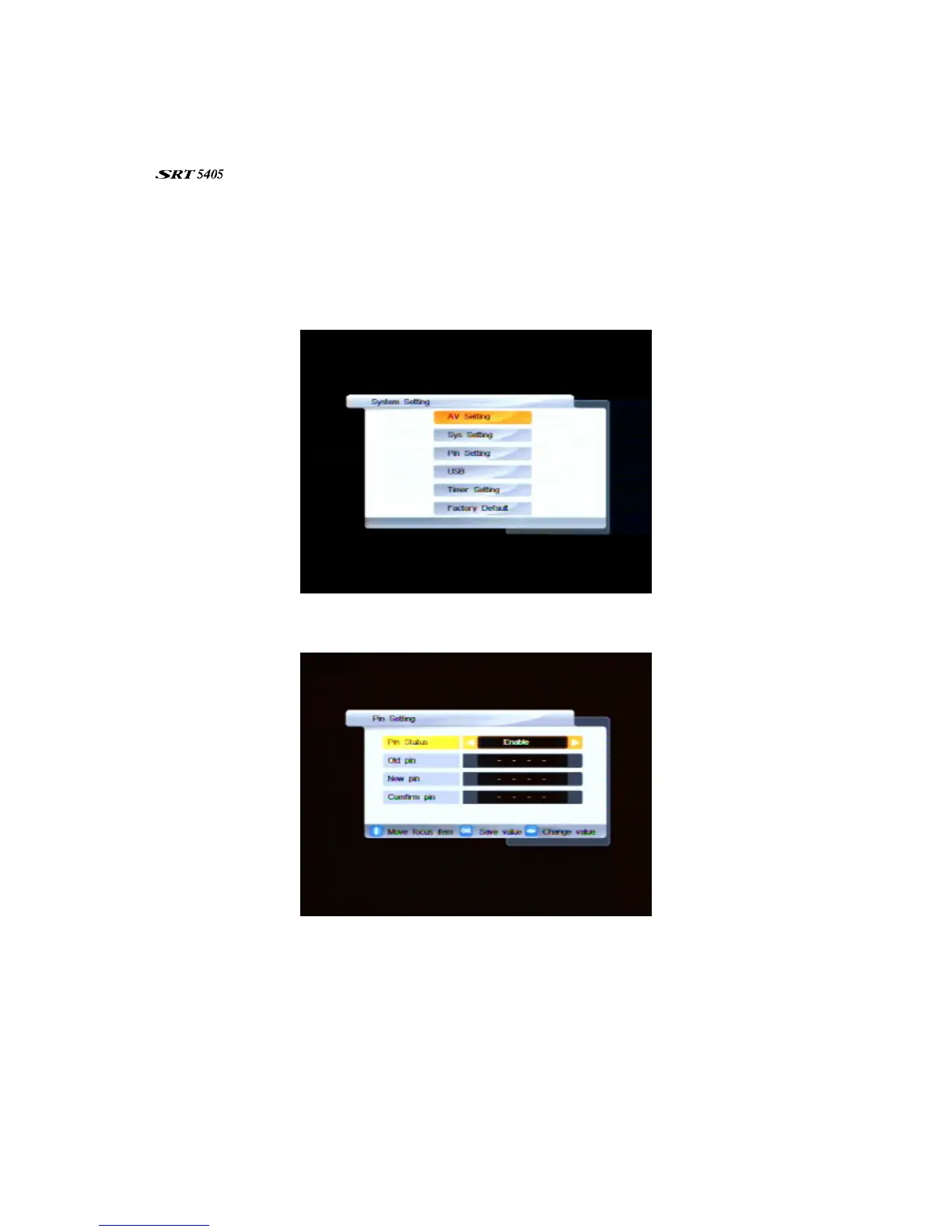
is shipped with a default personal identification number (PIN). The default PIN is 0000.
The PIN is required if you have enabled the parental lock (see “System settings” on page 29).
To chyange the PIN:
1. Press MENU on the remote control. The Main Menu appears.
2. If System Setting is not highlighted in the main menu, press
CHd or CH
c
until it is and then press
OK. The System Setting menu appears.
3. If Pin Setting is not highlighted, press CHd or CH
c
until it is and then press OK. The Pin Setting
menu appears.
4. If you are changing the default or current PIN, make sure that Enable is selected for the Pin
Status option. (If you are restoring the default PIN, press
VOL
e
or
VOL
f
to change this setting to
Disable, press OK and ignore he rest of this procedure.)
5. Press CHd to move to the Old pin option and enter the current PIN using the number keys on the
remote control. (If you haven’t previously changed the PIN, this will be the default PIN: 0000.)
6. Press
CHd to move to the New pin option and enter a new PIN. (A PIN must be four digits long.)
7. Press
CHd to move to the Confirm pin option and re-enter the new PIN.
8. Press OK to save your changes, and then EXIT to return to normal viewing.



 To Next Page