AbraPol-10
Instruction Manual
4
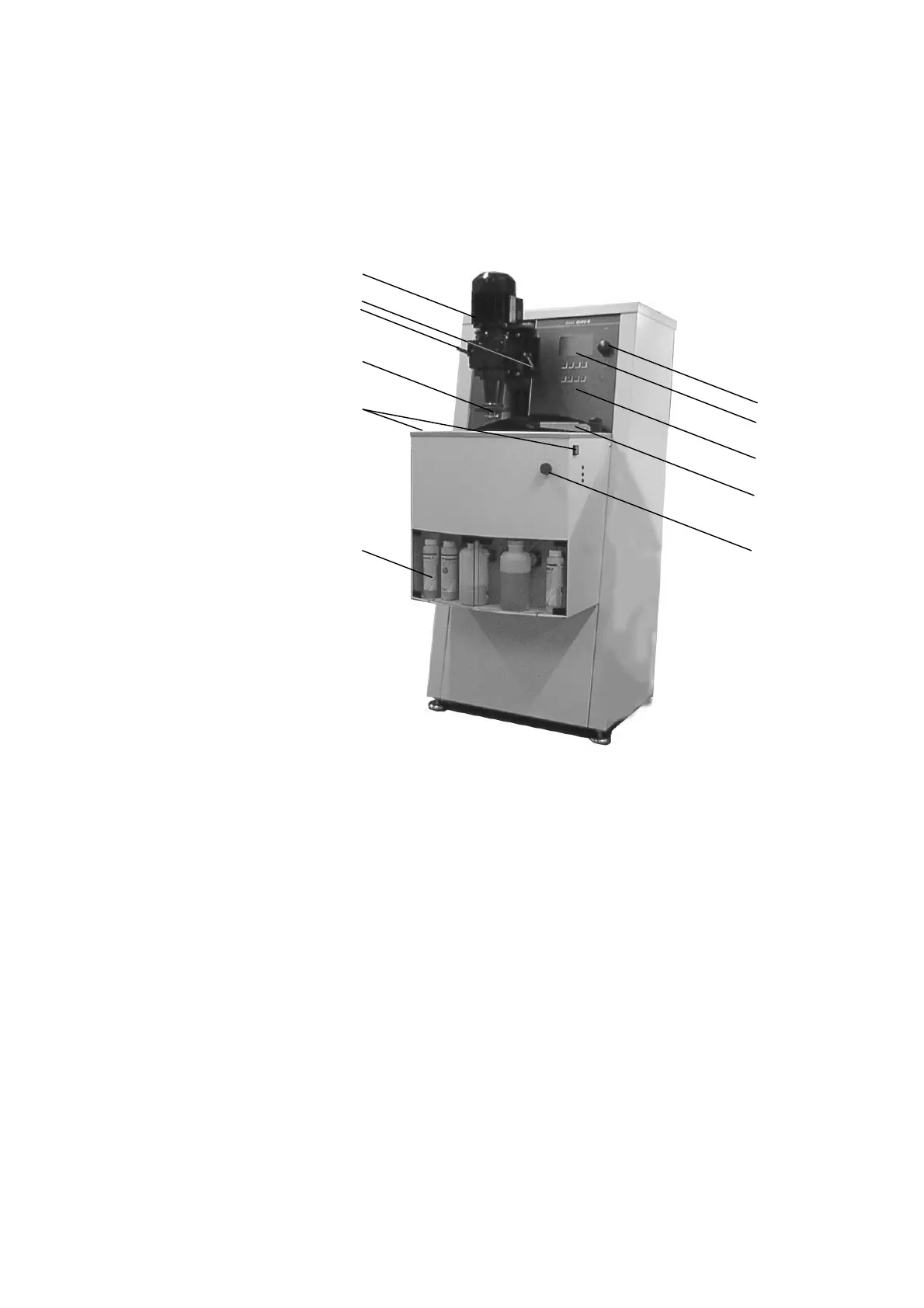
Take a moment to familiarise yourself with the location and
names of the AbraPol-10 components.
Specimen holder motor Turn/push button
Display Handle for adjusting
specimen holder position
Front panel keys
Quick coupling Nozzle block
Double start buttons Emergency stop
Bottle unit
Getting Acquainted with
AbraPol-10
Front of AbraPol-10


 To Next Page