AbraPol-10
Instruction Manual
13
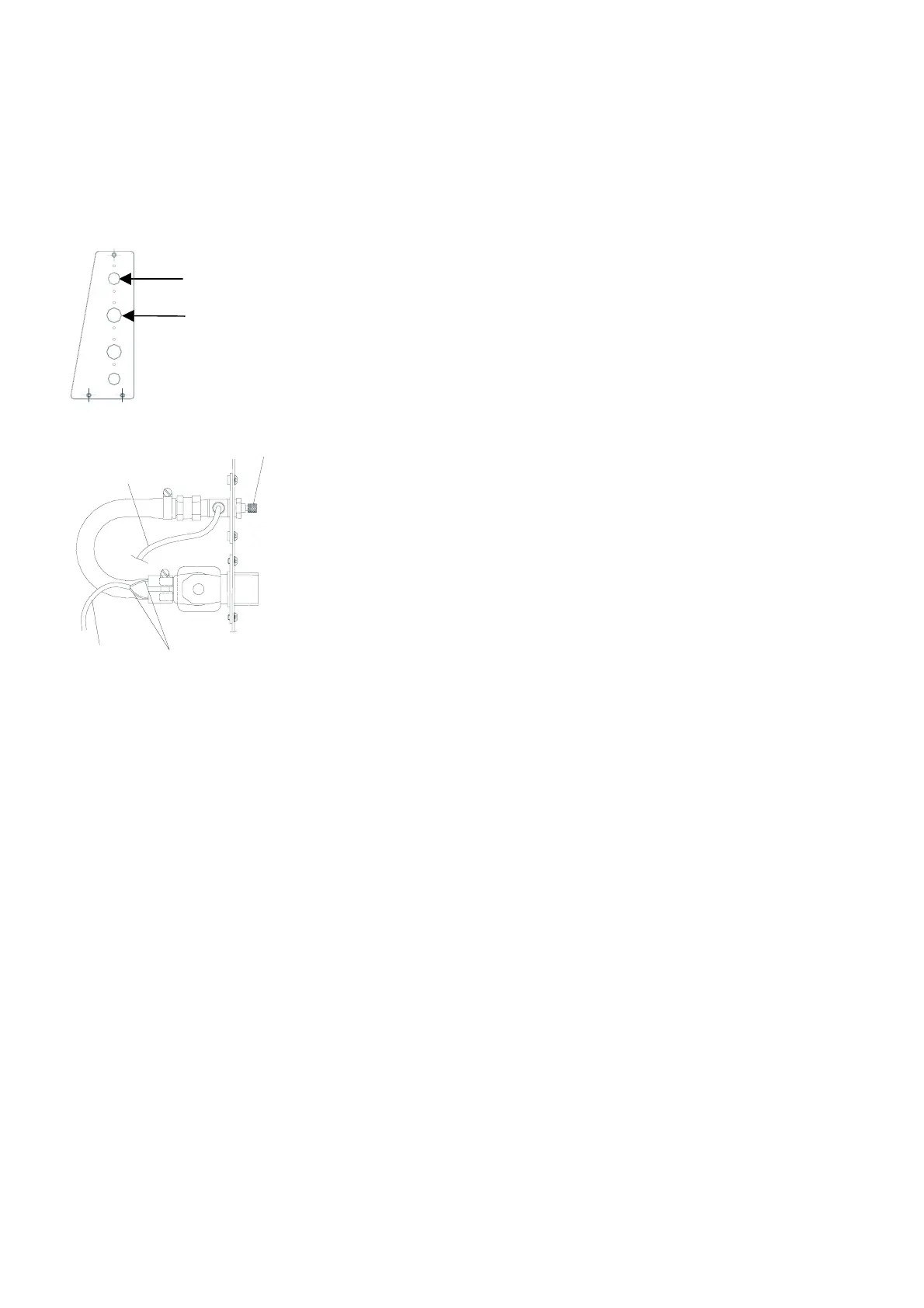
Disconnect main power.
Remove the lower front cover plate.
Remove the cover plate located on the left side of the machine
with the supplied Allen key, and break loose the plug.
Mount the water solenoid valve and the throttle valve with
the Allen bolts supplied.
Connect the two blades (cable W24) to the solenoid.
Cooling is factory installed; simply connect the grey hose (ø4)
from the nozzle to the single banjo located on the throttle
valve.
Remount the cover plate.
Connect the white hose to the solenoid valve.
Mount the straight end of the pressure hose onto the water
inlet tube on the back of AbraPol-10:
− Insert the filter gasket in the coupling nut with the flat
side against the pressure hose.
− Tighten the coupling nut completely.
Mount the other end of the pressure hose on the water mains
tap for cold water:
− Mount the reduction ring with gasket on the water mains
tap, if necessary.
− Introduce the gasket and tighten the coupling nut
completely.
Replace the front cover and reconnect main power
Should the rate of disc cooling require adjustment:
Loosen the contra nut and turn the regulator screw to the
required rate.
Re-tighten the contra nut.
Mounting the Disc Cooling Kit
(accessory)
Adjusting Disc Cooling
Water solenoid valve
Throttle valve
Blades
Grey hose
Cable
W24
Regulator
screw



 To Next Page