AbraPol-10
Instruction Manual
24
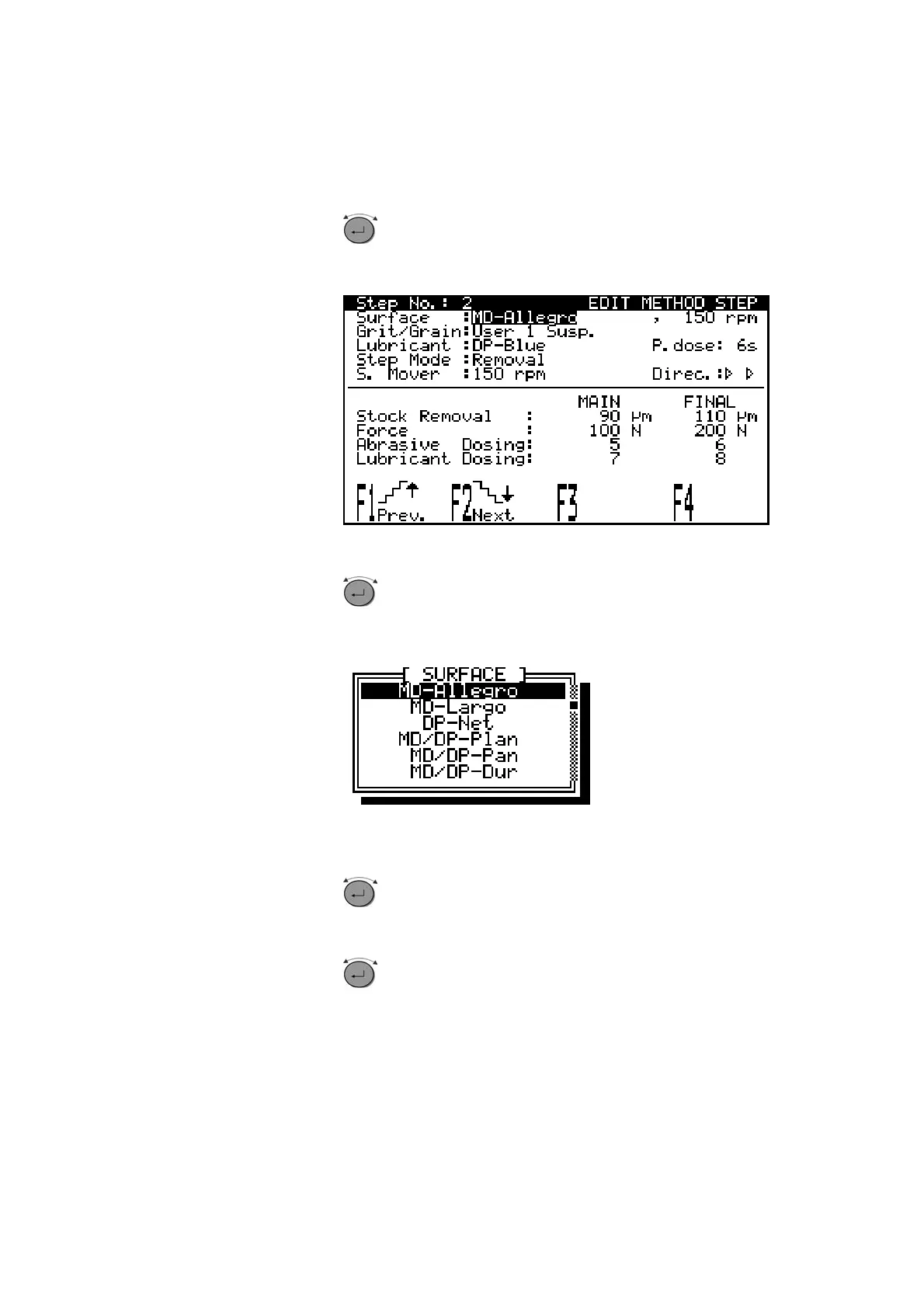
Turn knob to select the alphanumeric value to be
changed, e.g. Surface
D
D
Push knob to edit the value.
D
A pop-up menu appears.
D
Turn knob to select the correct surface.
D
Push knob to accept the new preparation surface and to
return to the previous screen. (Pressing Esc aborts the
changes, preserving the original setting.)
lphanumeric Values



 To Next Page