AbraPol-10
Instruction Manual
14
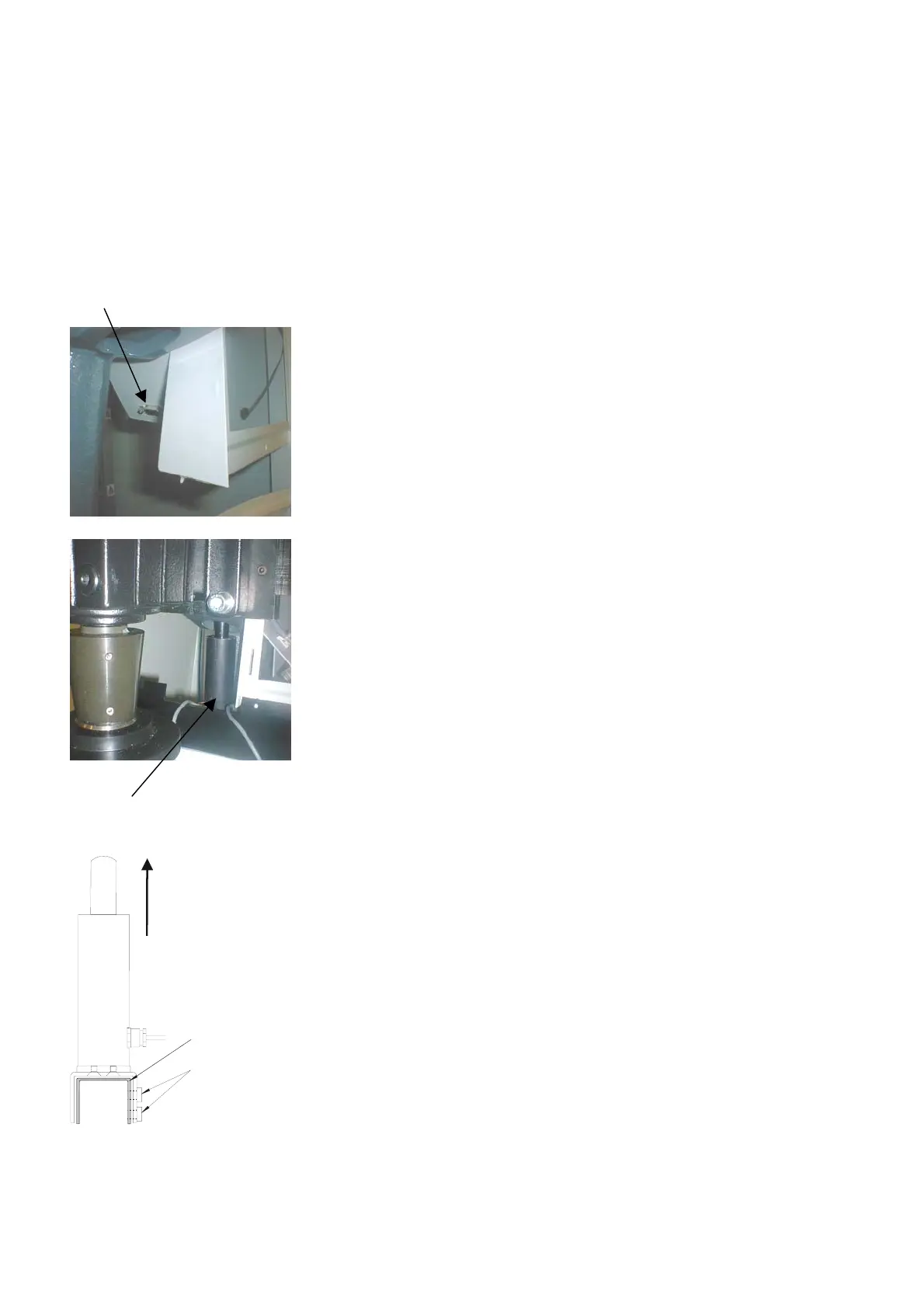
Disconnect main power.
Remove the lower front cover.
Connect the plug on the removal sensor with the plug located
in the recess to the left of the control panel.
Take the removal sensor and gently slide it up in the hole
located in the bottom of the cast iron beam.
Let the bracket slide over the factory installed support
bracket.
From the left, slide the two screws through the brackets, and
tighten with a 10mm spanner.
Reconnect main power and follow the instructions on the
screen, using the tools supplied and the calibrating sticks.
Mounting the Stock Removal
Sensor (accessory)
ABMEU
Plug
Stock Removal Sensor
Slide up into
beam
Support bracket
Screws



 To Next Page