AbraPol-10
Instruction Manual
19
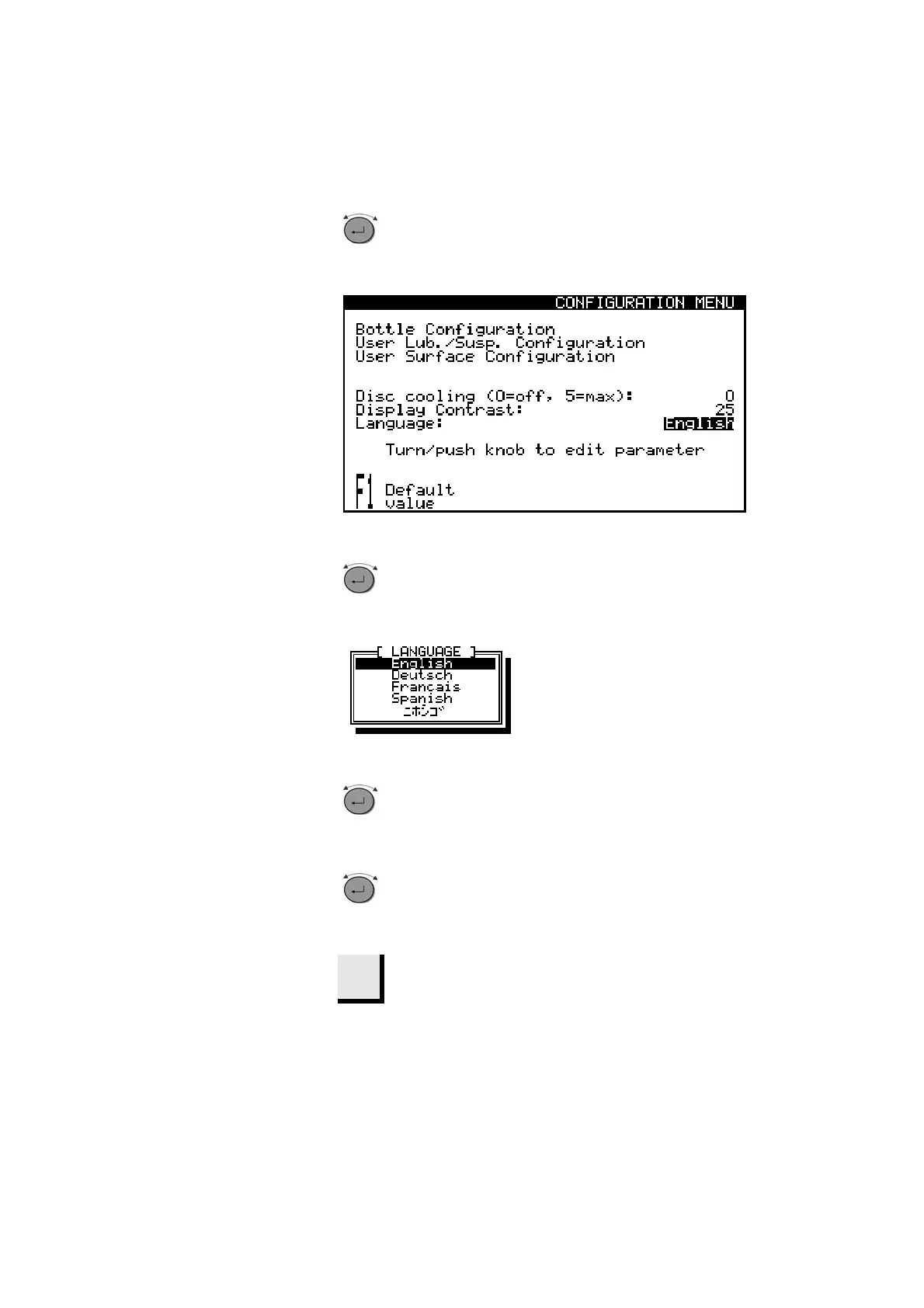
Turn knob to select Language.
D
D
Push knob to activate the Language pop-up
menu.
D
D
Turn knob to select the language you
prefer.
D
Push knob to accept the language.
The CONFIGURATION Menu now appears in the
language you have chosen.
Esc
Press Esc to return to the MAIN MENU.
Setting the Language


 To Next Page