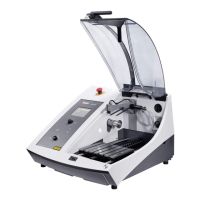
AbraPol-10
Instruction Manual
1
User’s Guide
Table of Contents Page
1. Getting Started
Checking the Contents of the Packing Box ..................................... 3
Recirculation Cooling Unit TRECI (accessory)........................3
Additional Dosing Unit ABTDO (accessory) ............................ 3
Placing AbraPol-10 ...........................................................................3
Getting Acquainted with AbraPol-10 ..............................................4
Front of AbraPol-10...................................................................4
Supplying Power...............................................................................5
Direction of Rotation ................................................................. 5
Supplying Compressed Air............................................................... 6
Connection to an External Exhaust System ................................... 6
Mounting a Recirculation Cooling Unit (accessory)........................ 7
Placing Bottles in the Dosing Unit .................................................. 8
Mounting an Additional Dosing Unit (accessory) ........................... 8
Mounting the Outlet Kit (accessory).............................................. 10
Mounting the Water Supply Kit (accessory) ................................. 12
Mounting the Disc Cooling Kit (accessory).................................... 13
Mounting the Stock Removal Sensor (accessory).......................... 14
Mounting the Water Level Sensor (accessory).............................. 15
2.
Operation
Front Panel ..................................................................................... 16
Front Panel Controls ......................................................................17
Software Settings............................................................................ 18
Setting the Language ..............................................................19
Setup Bottle Configuration ..................................................... 20
Reading the Display ....................................................................... 22
Sleep Mode............................................................................... 22
Changing/Editing Values ............................................................... 23
Numeric Values ....................................................................... 23
Alphanumeric Values.............................................................. 24
Programming a Preparation Step.................................................. 25
Mounting a Preparation Disc (300 or 350 mm)............................. 25
Inserting the Specimen Holder ...................................................... 25
Adjusting the Specimen Holder Position....................................... 25
Starting the Preparation Process (Struers Method)..................... 25
Stopping the Preparation Process.................................................. 26



 To Next Page