AbraPol-10
Instruction Manual
47
When a step is inserted it is added to the method.
Replacing a step therefore means inserting a step and afterwards
deleting a step.
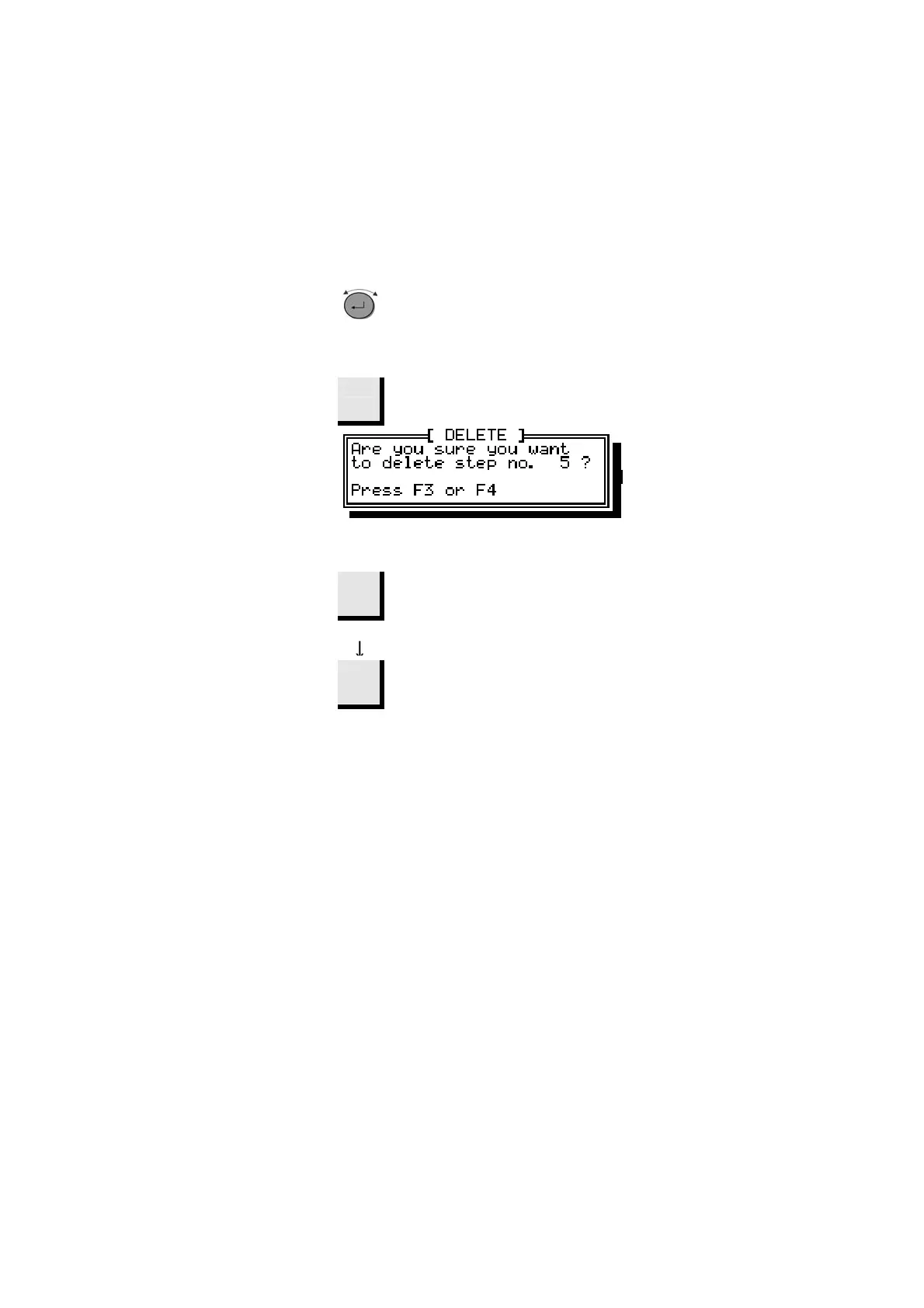
Turn knob to move to step you want to
delete.
D
F3
Press F3 Delete.
A pop-up will appear.
D
When asked for confirmation,
F3
Press F3
The step will be deleted.
F4
Press F4 Save
To save the changed method.
Deleting a Step



 To Next Page