AbraPol-10
Instruction Manual
22
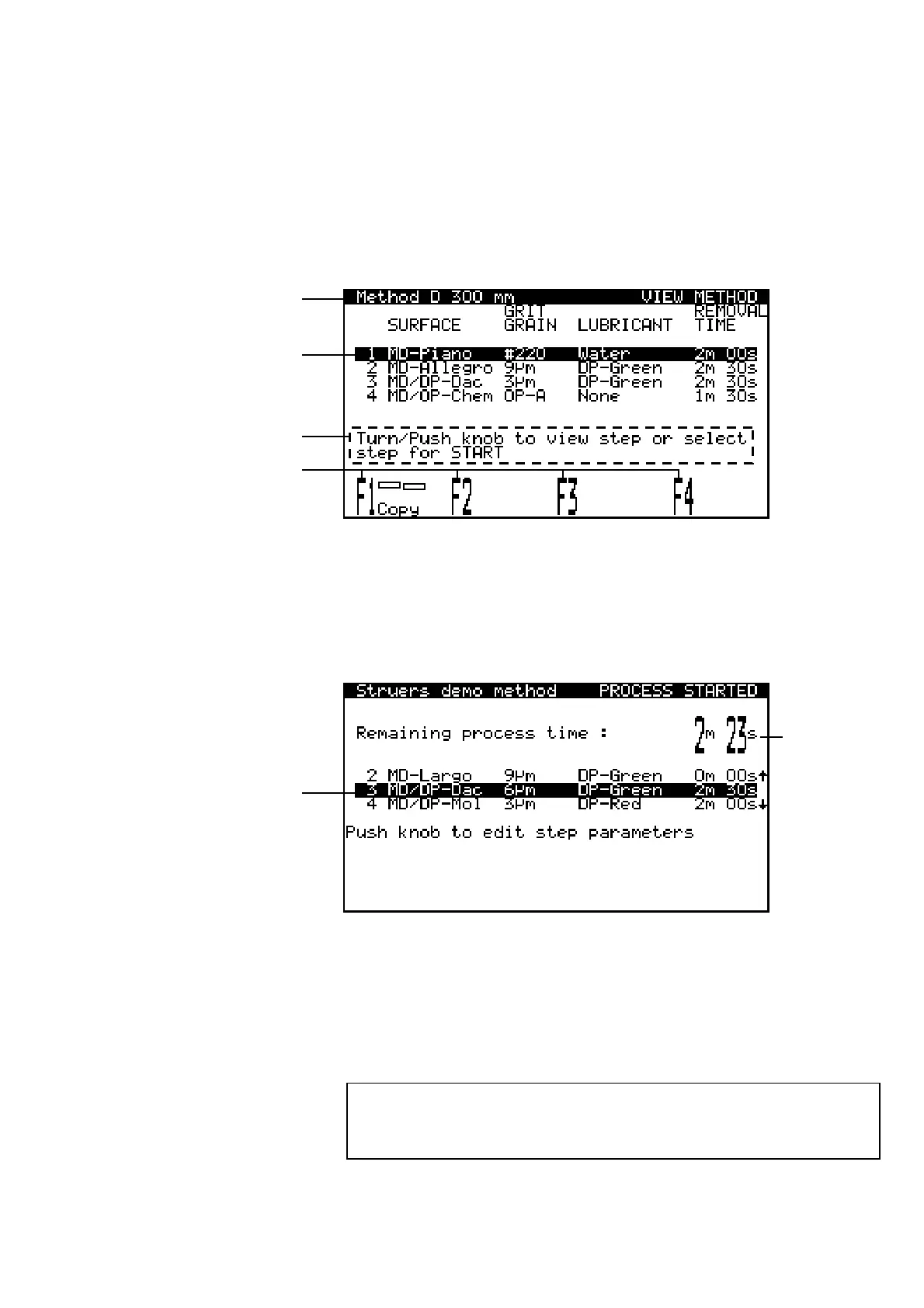
The display can show various kinds of information, for example
parameters of a preparation method, or the ongoing process. An
example of the screen for a preparation method is shown below:
A Heading.
B Inverted text: cursor position.
C Help text.
D Function key options.
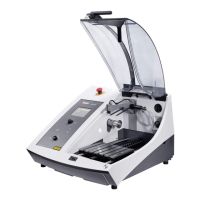
During the process the screen could look as follows:
A Time remaining in currently running step.
B Preparation step currently running.
To increase the lifetime of the display, the backlight is
automatically switched off if AbraPol-10 has not been used for 15
min. Press any key to re-activate the backlight.
Reading the Display
Sleep Mode
Please Note
The sample screens in this Instruction Manual show a number of
possible texts. The actual display screen may differ from the
samples in the Manual.
B
A
A
B
D
C



 To Next Page