AbraPol-10
Instruction Manual
21
D
Turn knob to move to TYPE.
D
Push knob to activate pop-up menu.
D
D
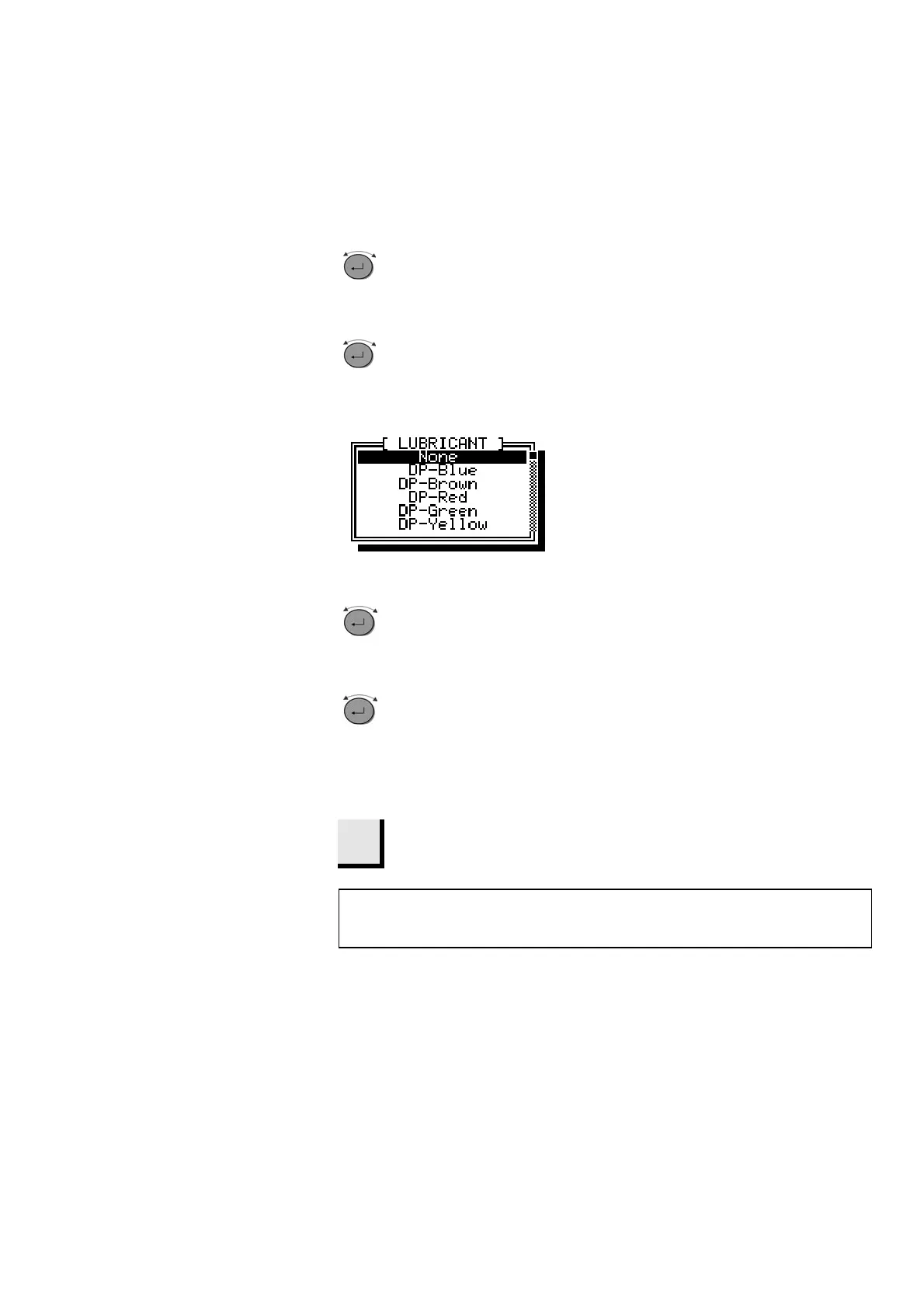
Turn knob to choose between the different
options.
D
Push knob to select an option.
Repeat this procedure for all the bottles in
use.
D
Esc
Press Esc twice to return to the Main Menu.
NB
The different suspensions and lubricants used must always be defined here
so that AbraPol-10 can locate the correct suspension or lubricant.



 To Next Page