AbraPol-10
Instruction Manual
40
The names of the methods in the USER METHODS database can
be edited and changed. After copying a method from the Struers
Methods the name can be changed to a name of your choice.
D
Select the method you want to rename.
F4
Press F4: RENAME.
D
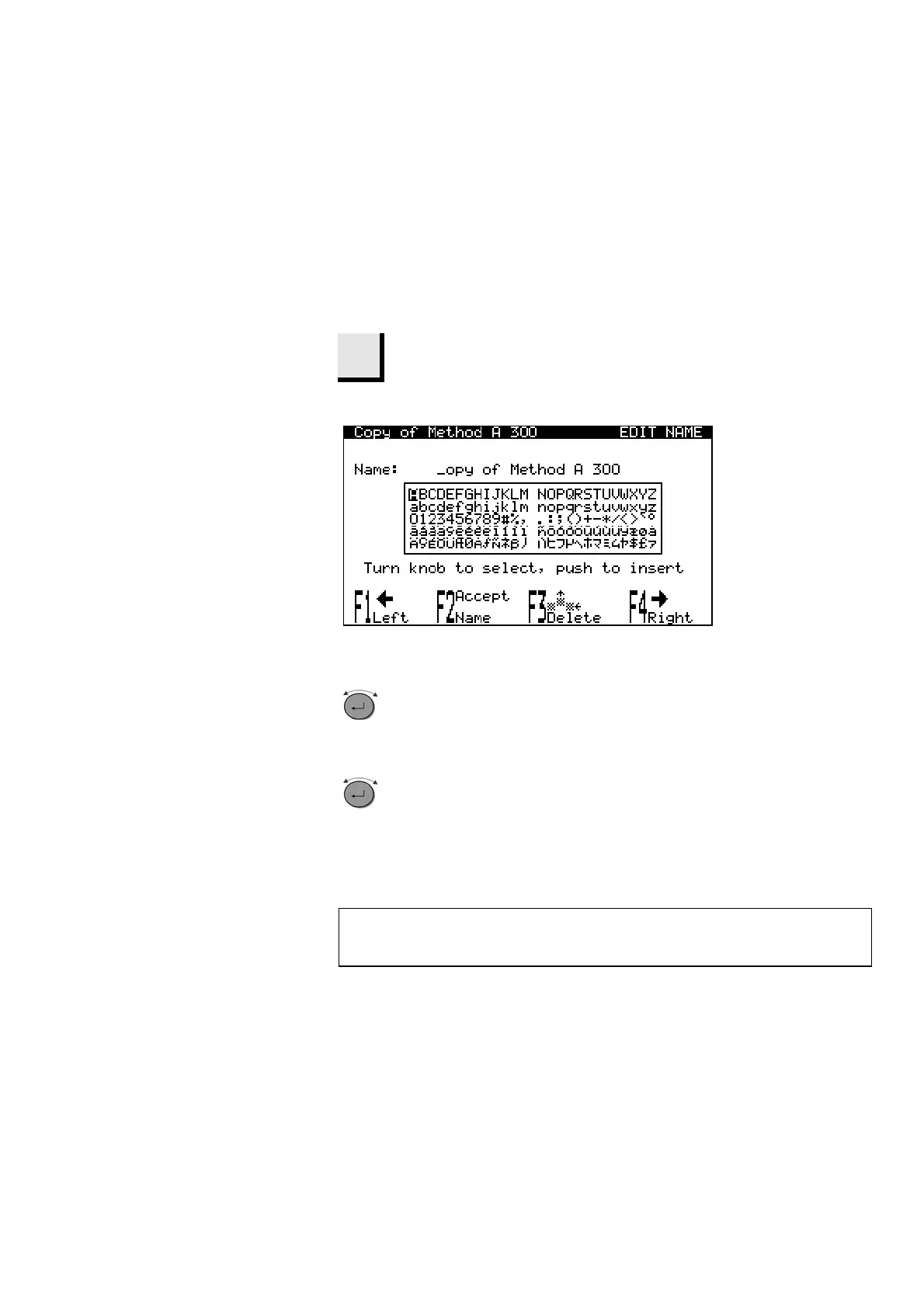
The following screen will appear:
D
Use F1 or F4 to select the character to be changed.
Use F3 to delete the selected character.
Turn knob to move the cursor in the character set.
D
Push knob to insert new character.
D
For detailed information please see
“
Name Editing Principles”.
Renaming a Method
NB!
If a method name starts with “Copy of ……” the text “Copy of”
can be deleted by pressing F3 once.



 To Next Page