AbraPol-10
Instruction Manual
5
Remove the 4 Allen screws, on the right hand side of the
machine, securing the electrical panel, and let the electrical
panel rest on the two tabs.
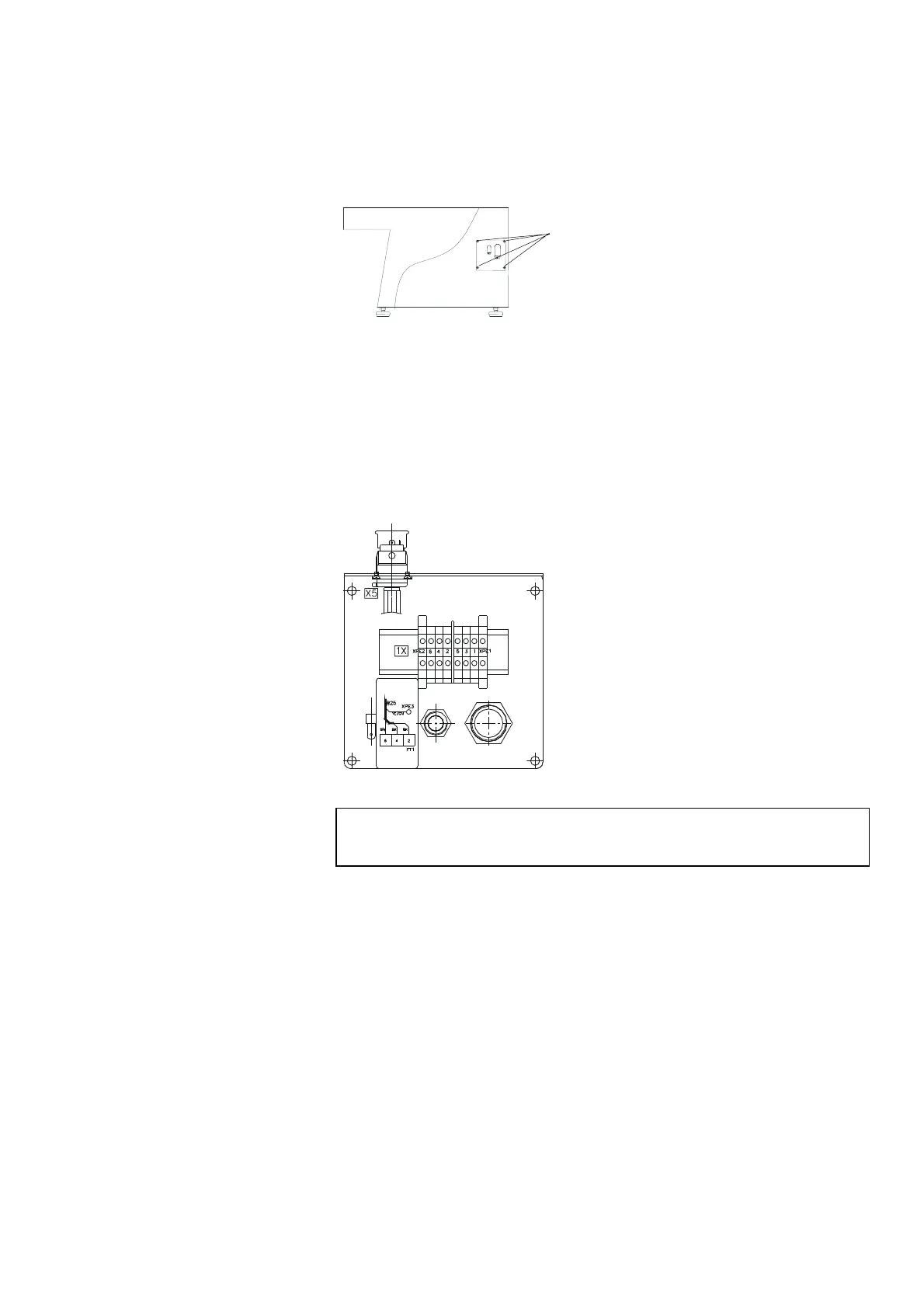
Lead the cable through the relief angle and connect the 3
phases and earth according to local regulations.
In case of an external Recirculation Cooling Unit, connect the
electrical cable from the pump, according to the diagram
inside the panel.
The preparation disc should rotate counter-clockwise.
If the direction of rotation is clockwise, switch off AbraPol-10 and
unplug the machine.
Change two of the phases.
Repeat the rotation check.
Supplying Power
IMPORTANT
Check that the mains voltage corresponds to the voltage stated on the type
plate on the side of the machine.
Direction of Rotation
llen screws


 To Next Page