AbraPol-10
Instruction Manual
41
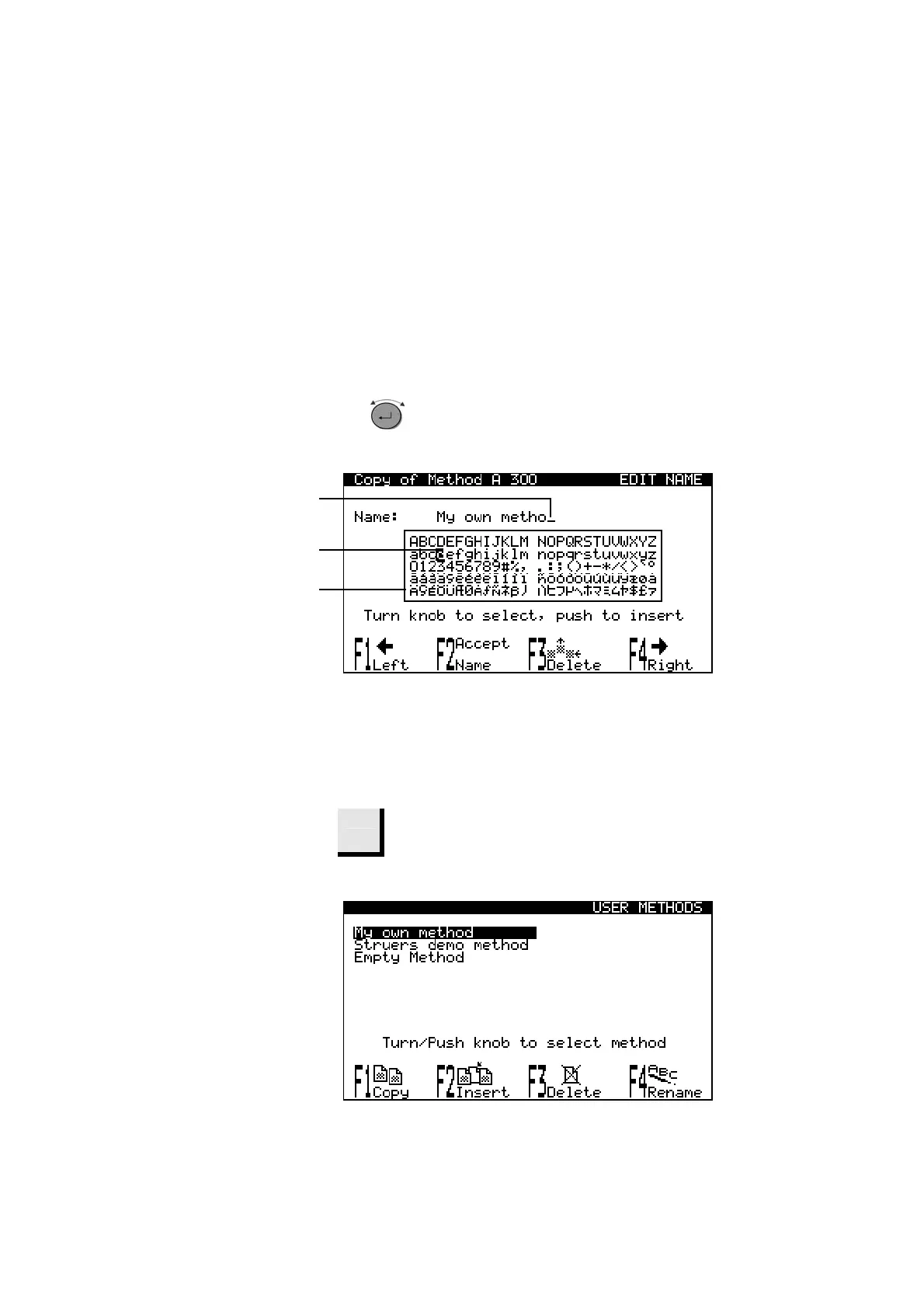
Place the auxiliary cursor on the character you want to select,
using F1: LEFT or F4: RIGHT. Turn the knob to move to the
character cursor to select a character.
Write the new name using the following keys:
F1 Moves the cursor to the left
F2 Accepts the new name
F3 Deletes one character in the text
F4 Moves the cursor to the right
Moves character cursor when turned. A quick turn of
the knob moves cursor to next/previous line.
Enters characters (from character set) when pressed.
A Auxiliary cursor
B Character cursor
C Character set
D
Write the new name using the name editing procedures.
F2
Press F2 to accept the name and leave the editor.
D
Name Editing Principles
B
A
C



 To Next Page