AbraPol-10
Instruction Manual
39
F1
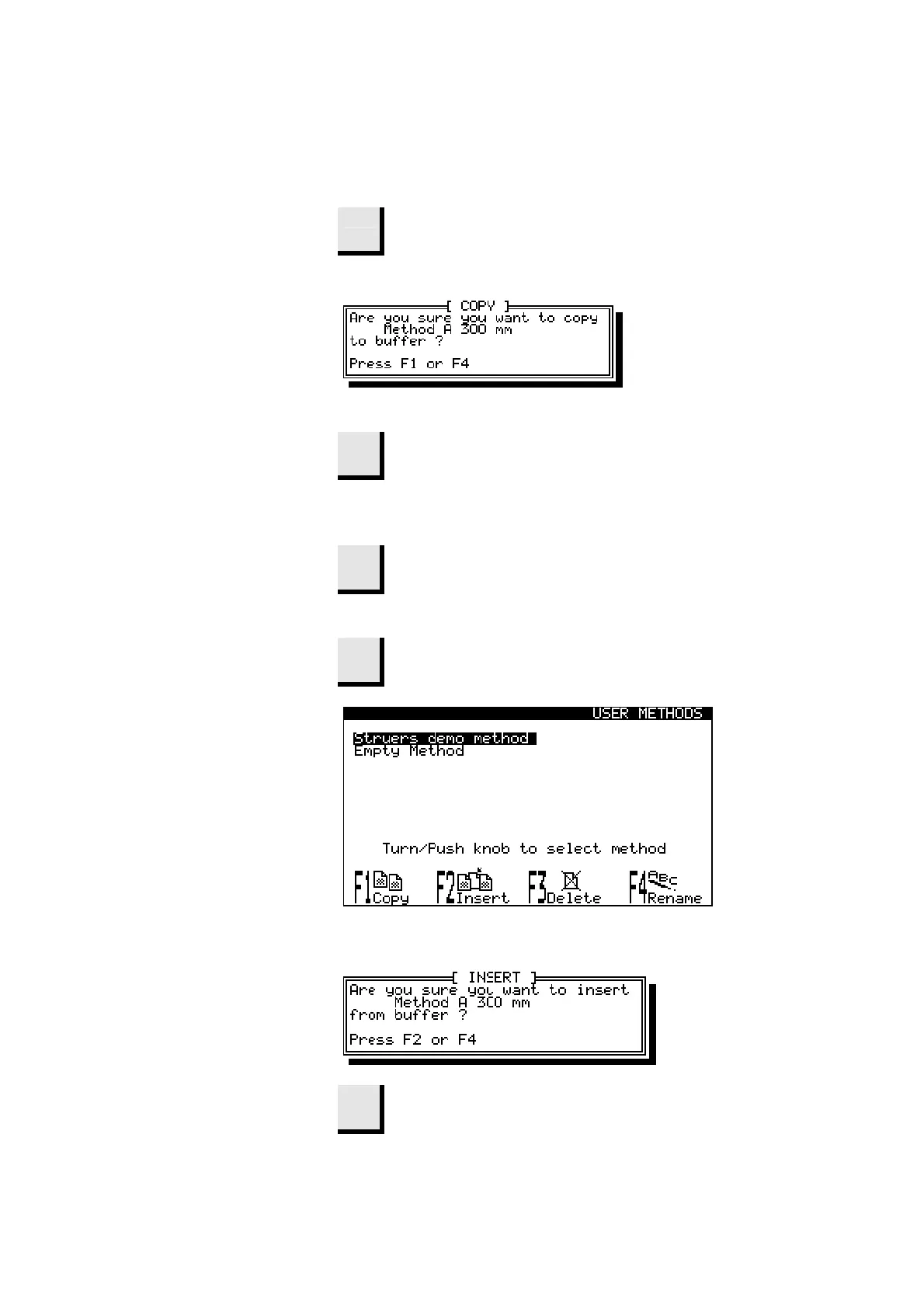
Select the correct method and press
F1:COPY.
D
A pop-up menu will appear.
D
When asked for confirmation,
F1
Press F1.
D
The method is now resident in the buffer. To save the
method in a different location.
Esc
Press Esc to return to the Main Menu.
D
In the Main Menu select
USER METHODS.
F2
Press F2 to insert the copied method.
D
When asked for confirmation,
F2
Press F2.
Inserting a Method



 To Next Page