pg 13
DIG - dual digital delay
Live Edit Functions
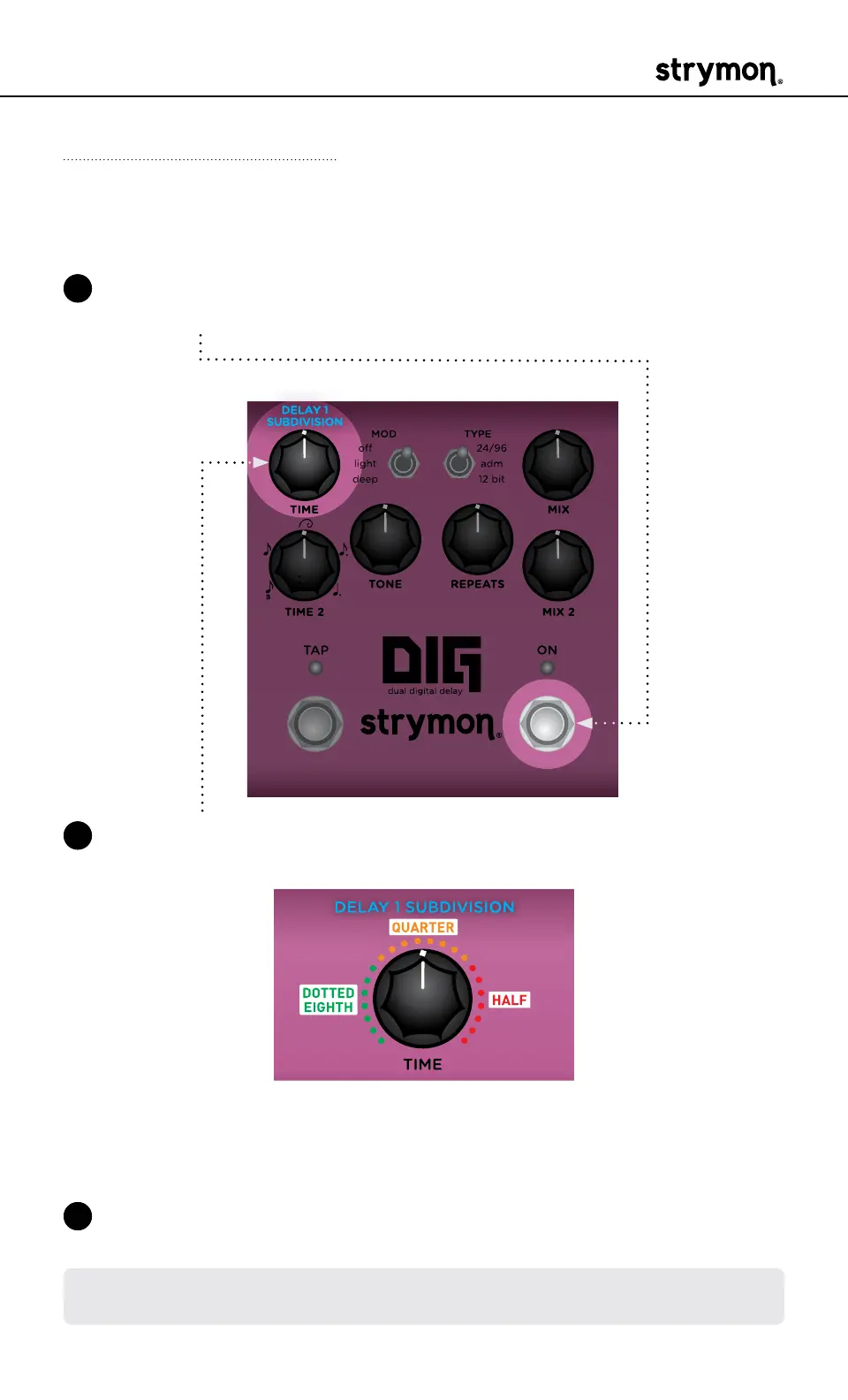
Delay 1 Subdivision
Sets a Tap Tempo subdivision for Delay 1�
1 Press and hold the ON footswitch to enter Live Edit mode� Once both
LEDs flash, release the footswitch�
2 Turn the TIME (DELAY 1 SUBDIVISION) knob to set the desired subdi-
vision value� The TAP LED lights to indicate your selection:
HALF
• Turn left for Dotted Eighth note (GREEN)
• Turn to center for Quarter note (AMBER, default)
• Turn right for Half note (RED)
3 Press the ON footswitch to exit and store your Delay 1 Subdivision
setting�
NOTE: The Delay 1 Subdivision setting is saved per Favorite setting or per
MIDI preset�



 To Next Page