pg 17
DIG - dual digital delay
Power Up Modes
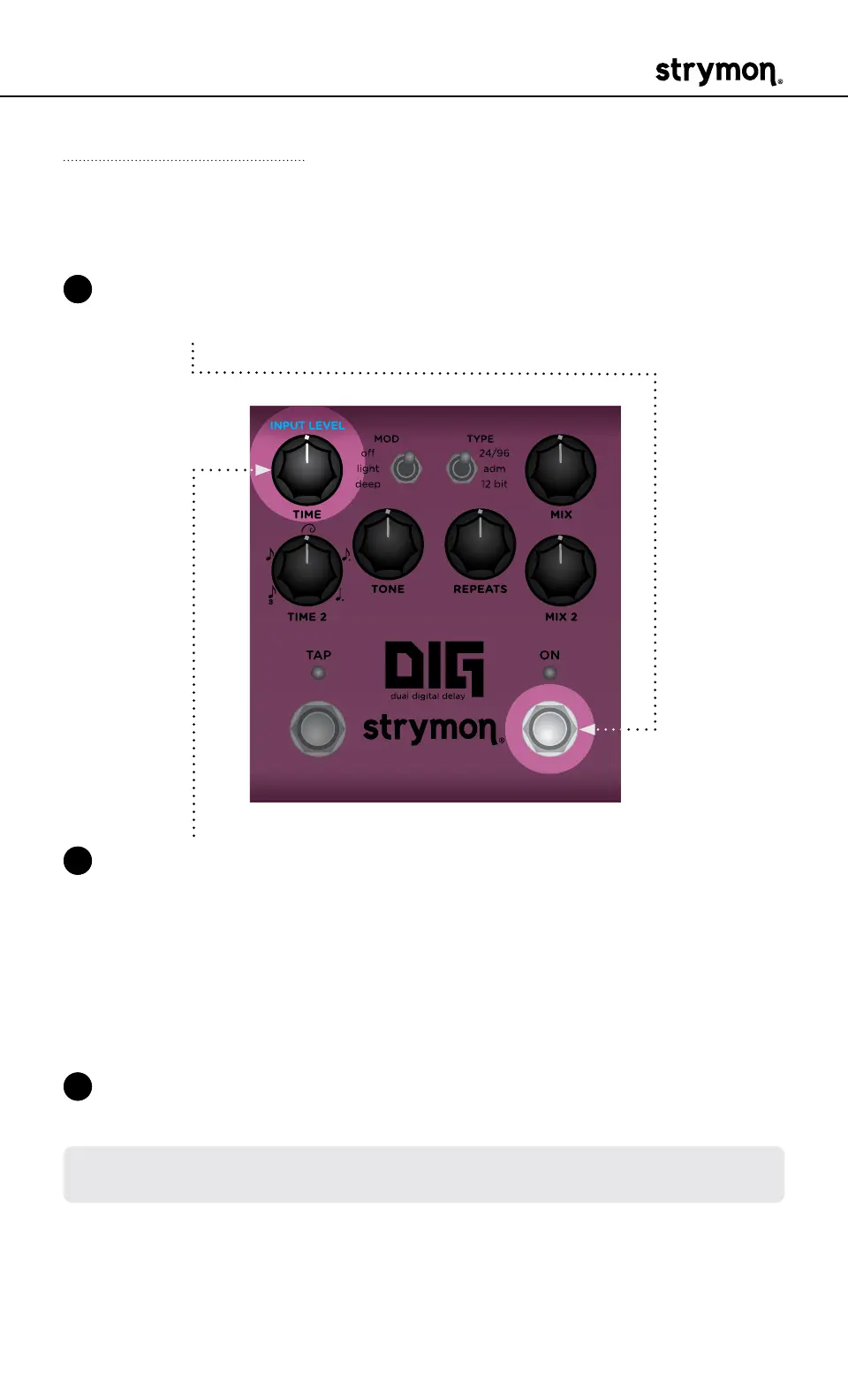
Input Level
Selects the input level that is routed to the effect processing�
1 Press and hold the ON footswitch while powering up DIG� Once both
LEDs flash, release the footswitch�
2 Turn the TIME (INPUT LEVEL) knob to select the Input Level mode�
Both LEDs will change color to indicate the current status as you
turn the knob�
• Instrument: GREEN (default) - Input headroom is set for an in-
strument level source, such as a guitar or a bass�
• Line: RED - Input level is set for a line level source, such as a
keyboard or synthesizer� 10dB of headroom is added�
3 Press either footswitch to store the Input Level setting and begin
using DIG�
NOTE: The Input Level setting persists across power cycles and is not saved
per preset�



 To Next Page