pg 23
DIG - dual digital delay
External Control
Favorite Switch Setup and Compare Mode
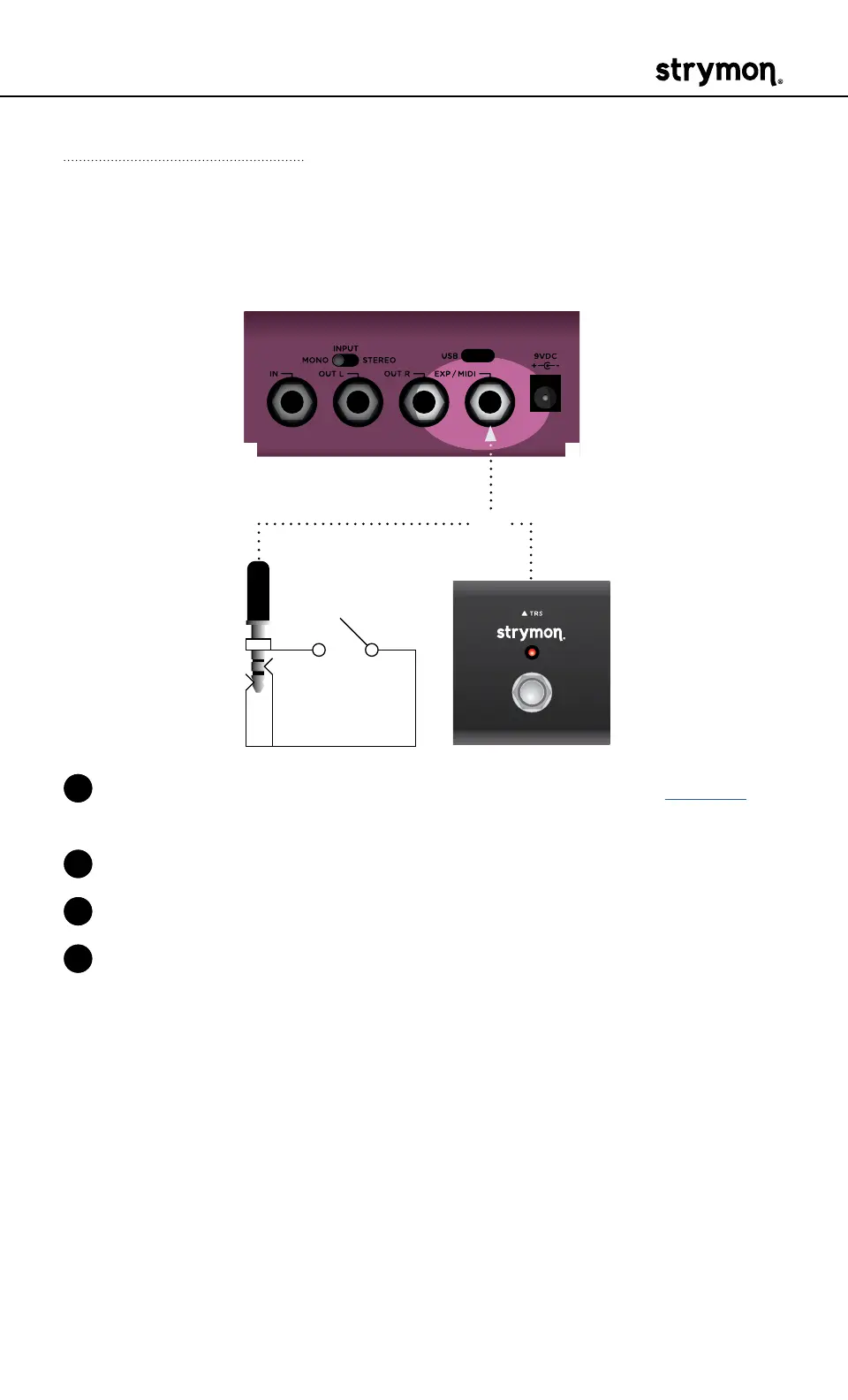
Connect a MiniSwitch or other external latching footswitch with a TRS
cable to store and recall your favorite setting�
OR
1 Configure the EXP/MIDI jack for Favorite mode� (See page 20 for
more info�)
2 Connect an external switch with a TRS cable to the EXP/MIDI jack�
3 Dial in your desired sound�
4 To save your sound as the new Favorite setting, press and hold both
footswitches until they blink GREEN� Then, press and hold the TAP
footswitch until the TAP LED momentarily flashes BLUE to save the
Favorite setting�
Step on the external footswitch to toggle between your Favorite set-
ting and the current setting on DIG�



 To Next Page